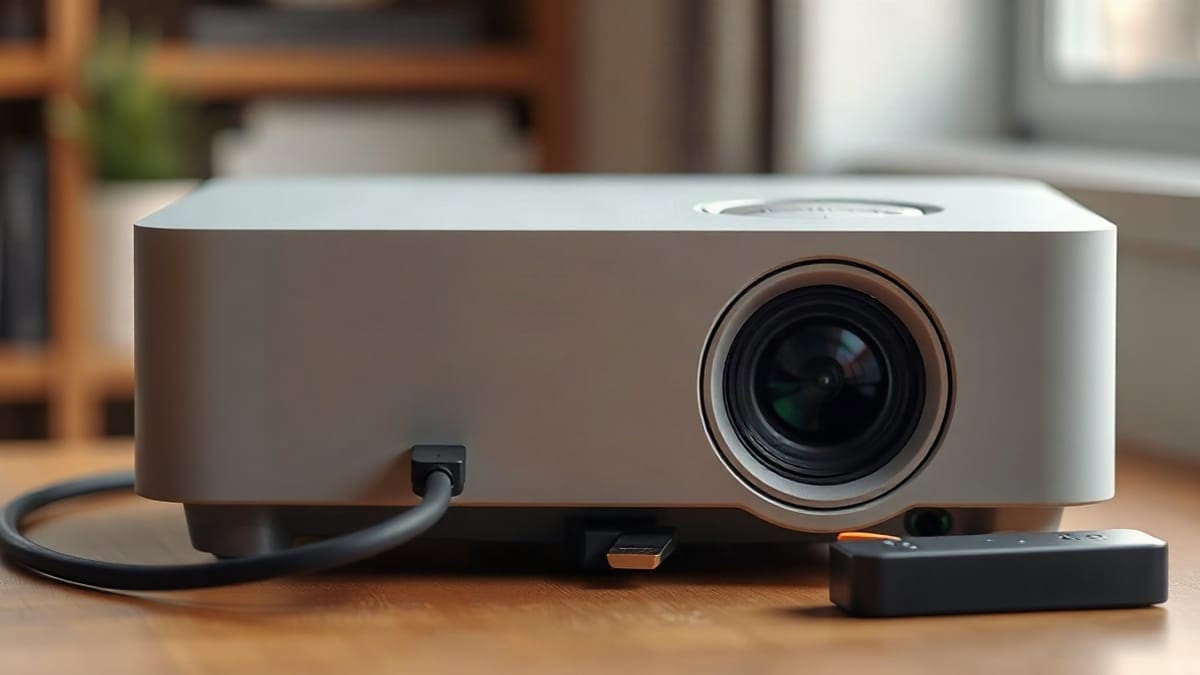
We see the same four causes behind most "No Signal" screens: the wrong input, a loose or weak cable, a source that is asleep, or a resolution the projector will not accept. Work through them in that order and most people are back on screen in under 10 minutes. This guide then covers the cases that survive those checks: copy protection, long cables, USB-C adapters, console settings and what each brand's support page says.
Which fix do you need?
- Try the input and cable steps first if the projector worked before and the message appeared after you moved or replugged something. This clears most cases in 2 to 5 minutes.
- Jump to the laptop section if the source is a Windows PC or a Mac. The laptop is often sending nothing at all.
- Jump to HDCP and resolution if the picture appears for a few seconds, then drops, or only Netflix and Disney+ go black.
- Replace the projector if a known-good source and a known-good cable still give "No Signal" on every HDMI port. Then the ports are the problem, and a better-connected projector is the real fix.
Our picks at a glance
- 1JMGO N1S 4Ka Google TV projector, good if you want to skip external sticks. Not for you if you need a lamp-free low-cost modelCheck price
- 2XGIMI Horizon 20another Google TV choice with a wider connection range. Not for you if you want a fully portable unitCheck price
- 3Epson Home Cinema 2350a wired-first lamp model, from the brand whose support page is the most detailed on this problem, that also runs Android TV. Not…Check price
Quick answer
- First check: press Source or Input on the remote and step through every HDMI port, waiting about 5 seconds on each.
- Second check: unplug the cable at both ends, wait 10 seconds, plug it back in firmly, then swap in a different cable.
- Power order: turn the source on, then the projector, or the reverse, but test both. Unplugging both for 30 seconds and powering the projector first is XGIMI's advice.
- Cable length: keep a plain HDMI cable under about 15 feet (4.5 m). Epson tells users to try a shorter cable.
- Still nothing: lower the source to 1080p at 60 Hz, then raise it step by step.
What do you do when your projector says no signal?
Start with the input, because it takes 10 seconds. Press Source (or Input) on the remote and move through each HDMI port. Epson's own page says to press the Source button repeatedly and wait a few seconds on each source for an image to appear.
Then check the obvious power and wiring points, in this order:
- Confirm the source is on and awake. A console in rest mode or a laptop that went to sleep sends nothing, so the projector reports no signal.
- Pull the HDMI cable out of both devices, wait about 10 seconds and push it back until it seats. XGIMI gives this exact reseat step.
- Move the cable to a different HDMI port on the projector and select that port.
- Swap the cable for another one. Try a shorter one if you can.
- Power-cycle: unplug the projector and the source for about 30 seconds, then power the projector first and the source second.
- Connect the source to a TV instead. If the TV also shows nothing, the source is the problem, not the projector. Nebula's support pages give the same test in reverse: connect a different device to the projector with the same cable.
That last pair of tests splits the problem in half in about 3 minutes, and it saves you from replacing the wrong part.
Why does my projector keep saying no signal?
A projector that keeps saying no signal after you have fixed the input is almost always dealing with a handshake that fails over and over. The source and projector swap data about resolution and copy protection every time you connect. If that exchange fails, the projector shows no signal even though a cable is plugged in.
The usual reasons, from most to least common:
- A cable that is worn, bent or too long for the picture you are sending.
- A source that is set to an output the projector cannot accept, such as 4K at 120 Hz.
- An HDMI splitter, switch, receiver or soundbar in the chain that breaks copy protection (see the HDCP section).
- A USB-C port or adapter that does not carry video.
- Old firmware on the projector or the source. XGIMI recommends checking updates on both.
If the message returns every few minutes rather than on every start, the cable or a loose port is the first suspect. Gently wiggle the plug while watching the screen. If the picture flickers, you have found it.
The cable is plugged in, so why is the screen still empty?
The cable only gives a path. The source still has to send video, and the projector still has to accept it. Each symptom below has a different fix:
| Symptom | Likely cause | What to do |
|---|---|---|
| "No Signal" from the moment you plug in | Wrong input, or source asleep | Cycle inputs, wake the source |
| Works, then drops after 10 to 60 seconds | Failed handshake or HDCP | Reseat cable, power cycle, bypass splitters |
| "No Signal" only at 4K | Cable or port cannot carry 4K at 60 Hz (needs 18 Gbps) | Use a Premium or Ultra High Speed cable, or set 1080p |
| Flicker, sparkles or green or pink noise | Cable too long or poor shielding | Use a shorter cable, under 15 ft (4.5 m) |
| Laptop screen works, projector says no signal | Laptop set to "PC screen only" | Press Win+P and choose Duplicate |
| Only Netflix or Disney+ go black | HDCP chain broken | Connect directly, remove the middle device |
| Dark screen from a phone or USB-C laptop | Port has no video output | Use DisplayPort Alt Mode or a dock |
| Console shows nothing, projector is fine with a laptop | Console output mode unsupported | Reset console video output to 1080p |
Use the table as a map, then read the matching section below.
Does the order I turn things on matter?
Yes, sometimes. HDMI devices negotiate when a signal first appears. If the source starts before the projector is ready, or the projector wakes up after the source stopped trying, the exchange can fail. Lamp projectors take longer to warm up than laser and LED models, and the HDMI board still needs a few seconds on all of them.
Test both orders once:
- Projector on, wait for the home screen or the "No Signal" box, then switch on the source.
- If that fails, unplug both for 30 seconds and start with the source, then the projector.
XGIMI's guide recommends powering the projector first and the source second after a full power-down, and says power cycling in the right order often fixes stubborn cases. Epson's page also lists turning the projector and the source off and on again. If one order works, use it each time.
How do I fix a no signal on a laptop or PC?
The laptop is the source that most often sends nothing, because Windows and macOS decide whether to use the second screen. Fix the laptop before you blame the cable. The laptop connection guide covers setup from scratch; these are the repairs.
Windows: press Win+P and choose Duplicate or Extend. If the projector does not appear, open Settings > System > Display and click Detect. Epson's page says the laptop must be set to display on an external monitor. If Detect finds nothing, update the display driver in Device Manager.
Mac: open System Settings > Displays. Hold the Option key and click Detect Displays. Check that the projector appears and that Mirror is chosen if you want it duplicated. Apple documents extending and mirroring in its guide to extending or mirroring your Mac desktop.
Laptop with USB-C only: the port must support video. Look for a DisplayPort or Thunderbolt symbol beside it. XGIMI notes that USB-C adapters must support DisplayPort Alternate Mode, ideally 4K at 60 Hz over DisplayPort 1.4.
Which cable or port makes the signal drop?
A cable that works for a monitor at 1080p can still fail on a projector across a room, because the run is longer and the bandwidth need is higher. HDMI cables are grouped by speed:
| Cable class | Bandwidth | Typical use |
|---|---|---|
| Standard or High Speed | 10.2 Gbps | 1080p at 60 Hz |
| Premium High Speed | 18 Gbps | 4K at 60 Hz with HDR |
| Ultra High Speed | 48 Gbps | 4K at 120 Hz, 8K |
These figures match the speed table in XGIMI's guide, and the HDMI Licensing Administrator describes Ultra High Speed as the cable class made for HDMI 2.1 and up to 48 Gbps. Match the cable to the picture you send, not just the plug.
Length matters too. XGIMI says passive cables work reliably up to about 15 feet (4.5 m). Beyond that it points to active cables with signal amplification, and says fiber optic HDMI can reach about 100 feet (30 m). Epson goes the other direction for troubleshooting: if you are projecting from HDMI, replace the cable with a shorter one.
For the cable to buy, see our best HDMI cable for a projector page and the guide to a mini projector HDMI cable.
Which resolution and refresh rate should I set?
Set the source to 1920 x 1080 at 60 Hz first. Nebula's support pages tell users to change the source's output resolution to match what the projector supports, and its HDMI article adds refresh rate. Epson's reset step applies only after those checks fail.
If 1080p at 60 Hz works, move up one step at a time:
- 3840 x 2160 at 30 Hz.
- 3840 x 2160 at 60 Hz, which needs an 18 Gbps cable.
- 120 Hz modes, only if the projector's spec sheet lists 120 Hz input, because many do not.
A projector that lists a 4K image may still accept only 60 Hz. A native 1080p projector may accept a 4K signal and scale it down, or it may not. The spec sheet or manual states the accepted input timings, so check it before you raise the output. This is the single most common reason a console reports no signal on a new projector.
What is HDCP, and can it cause no signal?
HDCP is copy protection built into HDMI. Streaming boxes, game consoles and Blu-ray players use it to stop protected video from being sent to devices that do not pass the check. If one link in the chain fails the check, the screen goes black or shows no signal while audio often keeps playing.
XGIMI explains that every link must comply: source, cable, any middle device such as a soundbar or receiver, and the projector. One non-compliant device breaks the chain.
Fix it in this order:
- Connect the source directly to the projector with one cable, bypassing every splitter, switch and receiver.
- Power the projector first, then the source, to force a new authentication.
- Change the HDMI port on the projector.
- Try a different streaming device instead of screen mirroring from a phone. XGIMI notes that phone mirroring often fails with protected content.
- Update projector and source firmware.
On a PS5, XGIMI says you can temporarily turn off HDCP under Settings > System > HDMI to establish a connection, then switch it back on for streaming. Third-party guides add that streaming apps may not work while HDCP is off. We do not recommend HDCP strippers or "fixer" boxes: they exist to defeat copy protection, and a cleaner direct connection is the legitimate fix. If a projector cannot pass HDCP with any source, the port is the limit, and that is a reason to choose a different projector.
Do I need a certified cable, and which one should I buy?
For 4K, buy a cable that is labelled Premium High Speed (18 Gbps) or Ultra High Speed (48 Gbps), and keep it under 15 feet (4.5 m) unless it is an active or fiber design. Cheap cables that are not labelled with a speed class are the usual reason a 4K picture fails while a 1080p picture works.
We have not listed specific cable models here because we have not verified one against the maker's certification data. When we have, the cable guide will name them.
How do I fix no signal on a PS5, Xbox or Switch?
Consoles fail in a predictable way: they remember a video mode your projector cannot show. The fix is to force a safe mode or drop to 1080p, then raise it.
| Device | First fix | Where the official or guide source says to look |
|---|---|---|
| PS5 | Start in Safe Mode, set resolution to 1080p | XGIMI: hold power through two beeps (about 7 s), connect a controller by USB, choose Change Video Output, then Change Resolution |
| PS5, HDCP | Toggle HDCP off to connect, back on for streaming | XGIMI: Settings > System > HDMI |
| Xbox Series | Hold power 10 s for a full restart; low-resolution start with power and eject held (Series S: power and pair) | Third-party guides; confirm on Microsoft's support page |
| Nintendo Switch | Use the official dock and AC adapter, HDMI from the dock straight to the projector | Nintendo support: test in handheld first, remove soundbars and adapters |
| Switch 2 | Official Switch 2 dock and adapter | Nintendo: the original Switch AC adapter (HAC-002) does not support TV mode on Switch 2 |
For the Switch, XGIMI gives a connection order: AC adapter to the top port of the dock, HDMI to the bottom "HDMI Out" port, then the adapter to the wall, then the cable to the projector, and the Switch last. Nintendo's support page adds that you should confirm the TV (here, projector) is on the correct input, try a different HDMI port and cable, and adjust the console's TV resolution settings if the screen stays blank. Switch Lite does not support TV mode, so it cannot output to a projector at all.
If your console keeps failing at 4K, set the console to 1080p and see if the projector's own scaling is enough. For projector choice, see the best projector for PS5, the best projector for Xbox, the best projector for Nintendo Switch and the wider best gaming projector guide.
How do I fix no signal on a Roku, Fire TV or Apple TV?
Streaming sticks send an automatic resolution that a projector sometimes rejects. The cure is to force a lower fixed setting.
- Apple TV: XGIMI says to hold Menu and Volume Down for about 6 seconds to cycle through resolutions, then press OK when an image appears. Alternatively, unplug the unit for 30 seconds. In Settings > Video and Audio > Match Content, turn off Match Dynamic Range and Match Frame Rate, or set 4K SDR at 60 Hz. XGIMI also advises avoiding an HDMI/ARC labelled port when a plain input is free.
- Roku: guides and Roku community posts describe going to Settings > Display type and choosing a fixed lower option such as 1080p instead of Auto detect. These steps come from community threads, not an official Roku page.
- Fire TV Stick: use the original power adapter, because a weak USB source can stop the stick from starting. Guides say a stick needs at least 5 V and 1 A. Try without the bundled HDMI extender, and try another port.
If a stick still shows nothing, try it on a TV. If it works there, the projector input is the weak link. The guide to using a Fire Stick or Chromecast with a projector covers the setup side.
What if I use a USB-C or phone adapter?
A cable that fits is not the same as a cable that carries video. A USB-C port works as a video output only when it supports DisplayPort Alternate Mode (or Thunderbolt). A port that charges and moves data, but not video, gives no signal however good the HDMI cable is.
Check these:
- The port has a DisplayPort or Thunderbolt symbol, or the phone or laptop spec sheet lists video output.
- The adapter lists the resolution you need, such as 4K at 60 Hz. Some adapters stop at 30 Hz.
- The adapter has its own power input if the projector or phone cannot supply enough.
- The adapter is plugged in before the projector is on.
Many Android phones support wired video out over USB-C, and so do the iPhone 15 models, but older phones do not, so check the phone's spec sheet. See how to connect a phone to a projector for the path by phone model.
How do I fix no signal on an Epson projector?
Epson publishes a short "Solutions when No Signal message appears" page, and every step is simple. Do these in order:
- Press the Source button on the projector or remote repeatedly, waiting a few seconds on each source for an image.
- Press the Home button on the control panel to open the list of available sources.
- Turn on the connected computer or video source and press play if needed.
- Check the connection from the projector to the source.
- If you use a laptop, set it to display on an external monitor.
- Turn the projector and source off, then on again.
- If the source is HDMI, replace the cable with a shorter one.
- Try a different video cable.
- If nothing helped, reset all settings from the Reset menu.
Epson does not give a menu path or key combination for the laptop step on this page, so use Win+P or Detect Displays as above. The brand page Epson projectors lists models if you decide to replace one.
How do I fix no signal on a JMGO, XGIMI or Nebula projector?
XGIMI: its HDMI guide gives this order: check the input, reseat both ends for 10 seconds, power cycle for 30 seconds with the projector on first, then try a different cable and update firmware. It also lists a splitter, a USB-C port without video and a long cable run as causes. XGIMI does not publish menu names in that article, so use the manual for your model. More on the brand: XGIMI projectors.
Nebula (Anker): the support article for no signal or an unstable signal says to reseat or replace the cable, connect another device with the same cable, connect your device to a TV, and adjust the source's output resolution and refresh rate. A shorter article for the Nebula P1i gives the same four checks. See the Nebula Capsule guide for models.
JMGO: we found no JMGO support page about no signal. The N1S Ultimate 4K manual lists one HDMI port and one HDMI (eARC) port, so test both ports. Use the manual and the generic checks on this page, and contact JMGO after-sales if all fail. Models are covered in JMGO projectors.
When should I replace the projector?
Replace it when a known-good source on a known-good cable fails on every HDMI port, after a reset from the menu. Epson's own last step is a reset of all settings from the Reset menu, and if that does not clear it, the HDMI board is the likely fault. Under warranty, contact the maker first; out of warranty, the repair cost often passes the price of a new entry model.
If you are replacing it, choose for connections: a projector with enough HDMI inputs for your sources (the JMGO N1S 4K has one, the XGIMI Horizon 20 series has two), an HDMI port that matches the content you play (HDMI 2.1 for 4K at 120 Hz gaming) and a built-in streaming system so a stick is optional. Three models worth a look:
- JMGO N1S 4K: a Google TV projector, good if you want to skip external sticks. Not for you if you need a lamp-free low-cost model.
- XGIMI Horizon 20: another Google TV choice with a wider connection range. Not for you if you want a fully portable unit.
- Epson Home Cinema 2350: a wired-first lamp model, from the brand whose support page is the most detailed on this problem, that also runs Android TV. Not for you if you want a laser.
For the full list, see the best projector guide, and the best portable projector page if you move it around. If the picture appears but looks soft, the answer is in why is my projector blurry, and general setup is covered in how to use and set up a projector.
FAQ
Why does my projector keep saying no signal?
Usually a failing handshake: a worn or long cable, an output the projector rejects, an HDCP break from a splitter or receiver, or a loose port. Remove adapters and middle devices and test again.
How to fix epson projector hdmi no signal?
Follow Epson's steps, and test a shorter HDMI cable first. Then try a second HDMI port and reset from the menu if nothing else works.
How to connect projector to laptop no signal?
Press Win+P and choose Duplicate on Windows, or hold Option and click Detect Displays on a Mac. Use one direct cable at 1920 x 1080 and 60 Hz, and make sure any USB-C port supports video.
Why is my projector saying no signal with HDMI?
The projector cannot read a valid picture on the selected port: wrong input, source asleep, bad or too-long cable, unsupported resolution, broken HDCP or a port without video. The first three cover most cases, and the symptom table above sorts the rest.
How to fix projector no signal?
Check the input, reseat the HDMI cable at both ends, swap the cable and power the source and projector in order. If it persists, set the source to 1080p at 60 Hz and connect directly with no splitter.
How to fix epson projector no signal?
Press Source repeatedly, check the connection, turn the source on, set a laptop to external display, try a shorter or different cable and reset all settings from the Reset menu as a last step. For HDMI, Epson names a shorter cable as a fix, so try 3 to 6 feet (1 to 2 m) first.
How to fix acer projector no signal?
We found no Acer guide we could read, so use the universal order: input, reseat, shorter cable, laptop Duplicate mode, lower resolution, power cycle. Then check the manual for your model number.
Why does a Mac show no signal on a projector?
Usually the Mac is not sending to the second display. Open System Settings > Displays, hold the Option key and click Detect Displays, then choose Mirror. If the Mac only has USB-C, check that the adapter carries video and test a shorter HDMI cable.
Why does HDMI from a PC to the projector show no signal?
Windows may be set to the PC screen only. Press Win+P and choose Duplicate, then click Detect in Settings > System > Display. If that fails, update the display driver, set 1920 x 1080 at 60 Hz and swap the cable.
What do you do when your projector says no signal?
Cycle through the HDMI inputs, wake the source, reseat the cable and swap it. Test the source on a TV to see whether the projector or the source is at fault.
Sources
- Epson: Solutions when "No Signal" message appears
- XGIMI: Projector no signal, fix your connection
- Nebula (Soundcore service): How to fix HDMI no signal or unstable signal
- Nebula (Soundcore service): Nebula P1i not receiving a signal via HDMI
- Nintendo support: Blank screen or no image displayed on the TV
- HDMI.org: HDMI 2.1 specification and Ultra High Speed cable
- Apple Support: Extend or mirror your Mac desktop
Keep comparing
 Black Friday Projector Deals 2026Black Friday is November 27, 2026
 Projector Throw Distance CalculatorFind how far to place a projector for any screen size
 Projector on a WallCan you project on a wall? Wall color, finish, paint, distance
 Projector vs TVProjector vs TV compared on screen size, brightness in nits and foot-lamberts, contrast, power, lifespan