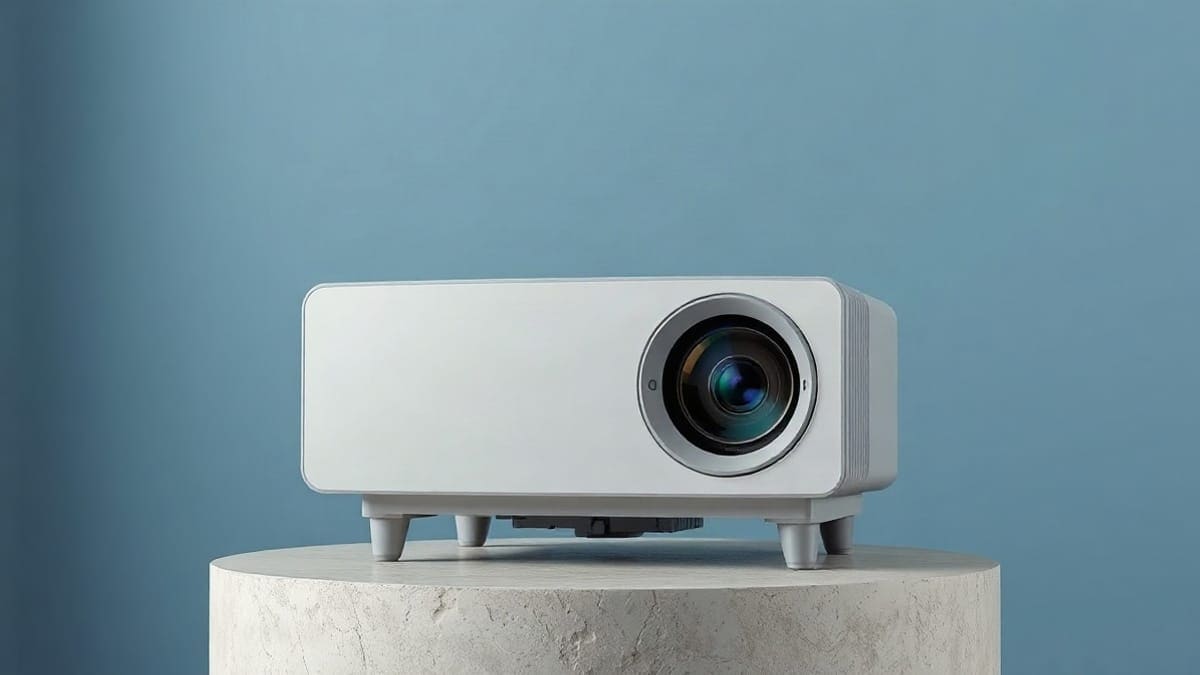
For most homes, buy the JMGO N1S Ultimate: rated 3,500 ANSI lumens (ProjectorCentral measured 2,608 in its normal modes), 4K, a 30,000 hour RGB laser and two HDMI ports. For a small bedroom or a bag, weigh it against the JMGO N1S 4K (4.4 lb, 1,700 ISO lumens announced, 1,100 per ProjectorCentral). We compared ten real projectors by room and screen size, and show the lab figure beside the maker's rating.
In short: the N1S Ultimate for daylight rooms; the Epson Home Cinema 2350 for the lowest cost; the Hisense PX3-Pro if the projector must sit 1.6 feet from the wall.
Quick answer: what to know before you buy
- Brightness decides the room. For a 100 inch picture in a fully dark room, plan on about 475 lumens landing on the screen. With lamps on or light from windows, plan on about 1,500. A projector's rated lumens are a ceiling, not an average.
- 4K is not the first thing to pay for. A bright 1080p projector in a room with light beats a dim 4K one. Several of the ten models below reach 4K by pixel shifting from a smaller chip, while the sources for the Hisense PX3-Pro list 4K without saying how the picture is built.
- Throw ratio sets where it sits. At 1.2:1, a 100 inch image needs 8.7 feet (2.7 m) between lens and screen. At 0.22:1 it needs 1.6 feet (0.5 m).
- Laser and LED last longer than lamps. The ten models run from 4,500 hours (Epson lamp) to 30,000 hours (JMGO and Nebula laser).
- Skip the built-in speaker as your only sound. Speaker power ranges from 2 x 5 W to 50 W across these models, and none of them fills a big room like a soundbar.
- We have not tested any of these. We read manufacturer specifications and independent lab data and say where they disagree.
Our picks at a glance
- 1JMGO N1S Ultimateliving rooms with windows, 100 to 150 inch screens, people who want 4K without a ceiling mountCheck price
- 2JMGO N1S 4Kbedrooms, apartments, renters, a 100 to 120 inch picture at nightCheck price
- 3Epson Home Cinema 2350bright rooms, classrooms, a first projector on a tight budgetCheck price
What is the right projector for your room?
Ten projectors cover nearly every home question. The table puts the numbers side by side. Rated brightness uses the method each source states, so ISO and ANSI lumens are not interchangeable. ISO 21118 is the stricter test (Sound & Vision, Anker). A rated figure is what the maker claims; where a lab published a measurement, the table shows it beside the rating.
| Model | Right for | Brightness | Resolution | Light source | Weight |
|---|---|---|---|---|---|
| JMGO N1S Ultimate | Best overall | 3,500 ANSI lm rated, 2,608 measured | 4K, pixel shifting | RGB laser, 30,000 h | 9.9 lb |
| Epson Home Cinema 2350 | Budget | 2,800 ISO lm rated, about 2,000 ANSI measured (GearLab) | 1080p, 4K enhancement | Lamp, 4,500 h | 9.0 lb |
| JMGO N1S 4K | Small rooms, renters | 1,700 ISO lm (JMGO) | 4K UHD | RGB triple laser | 4.4 lb |
| Nebula Capsule 3 Laser | Portable | 300 ANSI lm rated, 302 measured | 1080p | Laser, 30,000 h | 2.1 lb |
| Nebula Mars 3 | Outdoor, battery | 1,000 ANSI lm | 1080p | LED | 9.9 lb |
| XGIMI Horizon S Pro | Value 4K, bright rooms | 1,800 ISO lm | 4K, pixel shifting | Laser/LED, 20,000 h | 10.5 lb |
| XGIMI Horizon 20 Max | Gaming, bright 4K | 5,700 ISO lm rated, 3,312 ANSI measured | 4K, pixel shifting | RGB laser | 11.9 lb |
| Valerion VisionMaster Max | 4K home cinema | 3,500 ISO lm rated, 2,533 ANSI measured | 4K, pixel shifting | RGB laser, 25,000 h | 16.5 lb |
| Hisense PX3-Pro | Ultra short throw | 3,000 ANSI lm | 4K | RGB laser, 25,000 h | 19.8 lb |
| Hisense PX4-Pro | Ultra short throw, newest | 3,500 ANSI lm rated | 4K | RGB triple laser | not published |
The order follows the questions you must answer: how big is the screen, how much light is in the room, and where can the projector sit. The sections below take each of those in turn.
Which projector is best for home?
The JMGO N1S Ultimate is our pick for a mixed-use home. On the measured 2,608 ANSI lumens it gives about 88 foot-lamberts on a 100 inch white screen (118 on the rated 3,500), enough that a room with lamps on still holds a picture. It has two HDMI ports and needs no mount, because the lens head sits on a gimbal. For a smaller or cheaper start, see the JMGO N1S 4K review and the N1S Ultimate review.
Which projector suits a home theater?
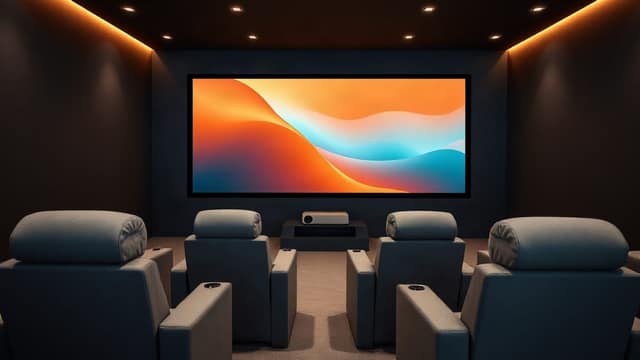
A dedicated dark room is where the Valerion VisionMaster Max earns its place: 3,500 ISO lumens rated (2,533 ANSI measured), 5,000:1 native contrast claimed (4,143:1 measured by ProjectorCentral), 50,000:1 dynamic contrast, 1.67x zoom and plus or minus 55 percent vertical lens shift. The shift is the key part, because you can put it on a shelf or a ceiling mount and move the image without tilting the projector. Our home theater projector page goes deeper on this room.
Which projector is best for daylight?
No projector beats sunlight on a white wall. The XGIMI Horizon 20 Max is the brightest here at 5,700 ISO lumens rated (ProjectorCentral measured 3,312 ANSI in Movie mode), and a gray ambient-light-rejecting screen helps more than another 500 lumens. The only home model above it is the XGIMI Titan Noir Max, rated 7,000 ISO lumens and measured by ProjectorCentral at 5,105 in Standard with Laser 10+ (3,905 at Laser 10); see our brightest projector ranking. Read the daylight projector guide and the lumens guide before you spend.
Which projector is good for a church, classroom or office?
Pick on lumens and lens shift, not on 4K. A room with the lights on needs about 3,000 lumens or more, and a lens with zoom and shift lets you place it in the back without a perfect mount. The Epson Home Cinema 2350 (2,800 lumens rated, 1.62x zoom, plus or minus 60 percent vertical shift) fits that job on a budget. See the short throw guide if the room is shallow.
Which projector brand should you trust?
There is no single best brand: JMGO, XGIMI, Valerion, Nebula, Hisense and Epson each lead one niche. Epson is the established name in 3LCD lamp projectors. JMGO, XGIMI and Valerion focus on laser and LED home models, Nebula on portable ones, and Hisense on laser short throw. Compare them on the brand guide and the pages for JMGO, XGIMI, Epson and Valerion.
What projector should I buy?
Start from your screen size and your room light, then pick the row in the table below. This is the whole decision on one screen.
| Your situation | Screen size | Buy | Why |
|---|---|---|---|
| Living room, some daylight | 100 to 150 in | JMGO N1S Ultimate | 3,500 ANSI lm, 2 HDMI |
| Dark bedroom, small budget | 80 to 100 in | JMGO N1S 4K | 4.4 lb, gimbal |
| Lowest cost, bright image | 100 to 120 in | Epson Home Cinema 2350 | 2,800 lm, zoom, shift |
| Take it anywhere | 40 to 60 in | Nebula Capsule 3 Laser | 2.1 lb, 52 Wh battery |
| Backyard movie | 80 to 110 in | Nebula Mars 3 | 185 Wh battery, IPX3 |
| 4K home theater | 120 to 200 in | Valerion VisionMaster Max | lens shift, 5,000:1 |
| Gaming at 240 Hz | 100 to 150 in | XGIMI Horizon 20 Max | 2 ms measured at 1080p/240 |
| No room behind the couch | 100 to 150 in | Hisense PX3-Pro or PX4-Pro | 0.22:1 (PX3-Pro) |
| Value 4K, bright room | 100 to 150 in | XGIMI Horizon S Pro | 1,800 ISO lm, 10.5 lb |
The ten projectors in detail
Each entry gives the rating, what it does well, where it falls short, and who should skip it. The Check price buttons carry no price here, because prices move too fast to print.
JMGO N1S Ultimate: top pick overall
The N1S Ultimate is the all-round pick: rated 3,500 ANSI lumens, 4K by pixel shifting, a 30,000 hour RGB laser and two HDMI ports. ProjectorCentral lists a 1.2:1 throw ratio, a 7.4 to 15.7 foot throw distance, an 84.9 to 180.1 inch image, 1,600:1 contrast and a 9.9 lb body of 7.99 x 9.29 x 9.48 inches. Projector Reviews lists two 10 W speakers co-tuned with JBL. ProjectorCentral gives 9.9 lb; another review gives 14.3 lb, so weigh the box if the shelf is tight.
The brightness figure needs a caveat. ProjectorCentral measured 2,608 ANSI lumens in Vivid, Standard and Movie, and Projector Reviews 2,792 in Vivid and 1,934 in Movie. Only the green-biased Ultra Brightness mode reaches 3,524, so plan on 2,600 to 2,800. A retailer lists 3,300 ISO lumens for the same model. It is still the brightest JMGO that sits on a coffee table. Our projector reviews page lists every model we cover with its measured figures.
Right for: living rooms with windows, 100 to 150 inch screens, people who want 4K without a ceiling mount. Skip it if you need lens shift or optical zoom: the gimbal replaces both. See the full N1S Ultimate review.
JMGO N1S 4K: for small rooms
The N1S 4K weighs 4.4 lb and is announced by JMGO at 1,700 ISO lumens, which is the manufacturer's figure. ProjectorCentral lists 1,100 ISO lumens for the same model, and we found no explanation for the gap, so treat the real output as the lower end. It has a 1.2:1 throw ratio (5.2 to 17.4 feet), one HDMI 2.1 port, one USB-A port, Google TV with Netflix, and a body of 7.5 x 6.5 x 7.3 inches. Reviewers found it good in a dim room and washed out with lights on.
Right for: bedrooms, apartments, renters, a 100 to 120 inch picture at night. Skip it if you watch in daylight or need two HDMI inputs. Our N1S 4K page covers the settings and alternatives.
Epson Home Cinema 2350: lowest cost for a bright picture
The Epson Home Cinema 2350 is rated at 2,800 lumens in both white and color brightness (GearLab measured about 2,000 ANSI), with a 1.62x manual zoom and plus or minus 60 percent vertical lens shift, from a 3LCD lamp engine. ProjectorCentral lists 1080p with 4K enhancement, a 4,500 hour lamp (7,500 hours in Eco mode), a 9.0 lb body, 316 W power draw, 10 W mono sound and a fan that runs at 36 dB, or 28 dB in Eco mode. Equal white and color brightness matters: a DLP projector with a color wheel often shows less color light than white light.
Right for: bright rooms, classrooms, a first projector on a tight budget. Skip it if you want a smart interface, laser life or a very small body. You will also buy a lamp in a few years, which is a running cost the laser models avoid. See the Epson 2350 page.
Nebula Capsule 3 Laser: the portable pick
The Capsule 3 Laser is a 2.1 lb, 6.7 inch tall cylinder with a 52 Wh battery and a laser engine rated for 30,000 hours. Nebula rates it at 300 ANSI lumens. ProjectorCentral measured 341 in Custom mode, 302 in Standard, 236 in Movie and 123 in Game, and got about 2 hours 4 minutes of battery in Standard mode. Resolution is 1920 x 1080, with a 1.2:1 throw ratio and HDMI 2.0 with eARC. Input lag in Game mode is 22.4 ms at 4K/60. Two versions share the name: the 2023 one runs Android TV 11 without authorized Netflix (the one ProjectorCentral measured), and the August 2024 one runs Google TV with Netflix.
The honest limit is brightness. ProjectorCentral calls it suitable for a darkened room, and our math agrees: 300 lumens gives 15.8 foot-lamberts at 80 inches, so keep it to 60 to 80 inches. On the 2023 version, add a streaming stick for Netflix.
Right for: travel, dorms, a tent. Skip it if you want a big, bright picture. See the portable projector guide and the Nebula Capsule page.
Nebula Mars 3: for a backyard
The Nebula Mars 3 lists 1,000 ANSI lumens and ProjectorCentral measured 959 of them in Bright mode at full power. It runs an LED engine, a 185 Wh battery (about 5 hours in Eco mode), 40 W speakers and an IPX3 splash rating, in a 9.9 lb body at 1,080p. The throw ratio is 1.2:1, so a 100 inch image needs 8.7 feet. The fan measured 35.2 dBA. It has no Netflix app according to ProjectorCentral.
Right for: a 80 to 110 inch outdoor screen at night, carrying out and back in. Skip it if you want 4K or a big screen at dusk. Our outdoor projector guide has the full comparison.
XGIMI Horizon S Pro: value 4K
The Horizon S Pro is rated at 1,800 ISO lumens, with 4K by pixel shifting, a laser and LED hybrid rated 20,000 hours, and 12 W x 2 speakers. ProjectorCentral lists a 1.2:1 throw ratio, 3.5 to 17.4 feet, a 39.9 to 200.1 inch image, HDMI 2.1 with eARC, two USB-A ports, HDR10, HLG and Dolby Vision, a 10.5 lb body (9.21 x 10.75 x 6.85 inches) and an October 2024 release. There is no lens shift. Input lag is not listed.
Right for: a dim to moderately lit living room and a 100 to 120 inch picture. Skip it if you need more than 1,800 lumens in a sunny room. It is the step up from the N1S 4K for people who want 12 W stereo speakers. Details on XGIMI and on the Horizon S Pro.
XGIMI Horizon 20 Max: for gaming and bright 4K
The Horizon 20 Max is the brightest projector here at 5,700 ISO lumens rated, and ProjectorCentral measured input lag of 8 ms at 4K/60 and 1080p/60, 6 ms at 1080p/120 and 2 ms at 1080p/240. It uses an RGB laser, 1.25x manual zoom, plus or minus 45 percent horizontal and plus or minus 120 percent vertical lens shift, 12 W x 2 Harman Kardon speakers (the review lists 24 W x 2), Google TV, a 28 dB fan, 280 W power draw and an 11.9 lb body (9.8 x 11.7 x 7.5 inches). XGIMI rates 3 ms at 4K/60. Contrast is 20,000:1 dynamic and 1,400 to 1,640:1 native as measured. In Movie mode ProjectorCentral measured 3,312 ANSI lumens, 5,342 in the loud High Power mode. It has no 4K at 120 Hz; XGIMI's newer Horizon 30 series (Pro, Max, Ultra Max, on open sale since November 1, 2026) adds it, and its Titan Noir line goes up to 7,000 ISO lumens rated. See the XGIMI guide. The throw ratio is 1.20 to 1.50:1 over 4.4 to 26.2 feet.
Right for: gamers, a bright room, a 120 to 200 inch picture. Skip it if your budget is small; it is the top of this list on the specification sheet and the heaviest on power. Compare with our gaming projector page.
Valerion VisionMaster Max: for a 4K home theater
The VisionMaster Max is rated 3,500 ISO lumens (ProjectorCentral measured 2,533 ANSI in Standard, 3,421 with the Brightness Enhancer on High), with 4K made by pixel shifting from a 1080p chip, 5,000:1 native contrast claimed and 25,000 hours of RGB laser. ProjectorCentral also lists a 0.9 to 1.5:1 throw ratio, 1.67x zoom, plus or minus 55 percent vertical lens shift, two HDMI 2.1 ports plus one HDMI 2.0, HDR10+, Dolby Vision, 12 W x 2 speakers, a 16.5 lb body (7.3 x 10.2 x 9.2 inches) and a November 2025 release. Measured input lag is 18 ms at 1080p/60. The wide throw range means you can fit it into a 6.5 to 10.9 foot distance for a 100 inch image.
Right for: a dark theater room, a 120 to 200 inch image, owners who want to shelf or ceiling mount it. Skip it if you want a portable. See the Valerion page and the 4K projector guide.
Hisense PX3-Pro: for short throw
The Hisense PX3-Pro is a 3,000 ANSI lumen RGB laser ultra short throw model with a 0.22:1 throw ratio, which puts a 100 inch image 1.6 feet from the wall. ProjectorCentral lists 4K (the page does not say how the picture is built), 3,000:1 contrast, a 25,000 hour laser, an image of 50.07 to 150.2 inches from 0.8 to 2.4 feet, a 50 W Harman Kardon system with Dolby Atmos support, two HDMI 2.1 ports plus one HDMI 2.0, 240 Hz at 1080p, a 19.8 lb body (4.8 x 21.7 x 11.7 inches) and an August 2024 release. Input lag is not listed, only Auto Low Latency Mode. The newer PX4-Pro replaces it in Hisense's line (see below).
Right for: a living room where the projector sits on a TV stand, with a 100 to 150 inch screen. Skip it if you want to carry it. The Hisense laser TV page lists the whole range.
Hisense PX4-Pro: the newest short throw
The Hisense PX4-Pro is a 4K triple laser ultra short throw projector rated at 3,500 ANSI lumens, 6,500:1 contrast and up to 118 percent of the BT.2020 gamut, sold from July 21, 2026. Hisense's release lists a 7-level adjustable iris, an 80 to 200 inch picture, VIDAA OS (not Google TV), a Devialet-tuned sound system, Dolby Vision, IMAX Enhanced and FreeSync Premium. It publishes no throw ratio, port count, weight or speaker wattage, and no lab has measured its brightness in the pages we read, so 3,500 is a rating. It succeeds the PX3-Pro above.
Right for: a living room cabinet, a 100 to 150 inch ambient-light-rejecting screen, a buyer who wants the current Hisense. Skip it if you need Google TV or a confirmed port list. For a bright room with windows, Hisense's L9Q is rated 5,000 ANSI lumens. Both Hisense models are compared on the Hisense laser TV page, and the class on the ultra short throw page.
How do projectors work?
A projector turns a video signal into light, focuses it with a lens and throws it at a surface. Every home model does the same four steps: a light source makes white or colored light, an imaging chip or panel shapes it into the picture, a lens focuses it, and the room surface reflects it back to your eyes. The differences between models are the light source, the chip and the lens.
What is a projector?
A projector is a device that takes a video input from HDMI, USB or Wi-Fi and enlarges the image onto a wall or screen. Sizes run from 2.1 lb pocket units to 20 lb ultra short throw cabinets. The picture is bigger than a TV at the cost of needing a dark enough room. For the plain definition, see what a projector is.
How does a projector work step by step?
- The light source (laser, LED or lamp) lights up.
- The chip (DLP mirrors or three LCD panels) makes the picture.
- The lens focuses and sizes the light.
- The screen or wall reflects it to the viewer.
A digital micromirror chip works with tiny mirrors that tilt thousands of times a second. A 3LCD engine passes light through three small panels, one per color. Pixel shifting moves a 1080p chip by half a pixel several times per frame to fill a 4K grid. Our how a projector works guide shows each part.
How does a projector lens work?
The lens spreads the image across the screen, and its throw ratio says how far back it must sit. A lens with zoom changes the image size without moving the projector; one with lens shift moves the image up, down or sideways. The ratio of distance to image width is the throw ratio: 1.2:1 means 1.2 feet of distance for each foot of picture width. Our throw ratio guide and the lens shift guide cover both.
DLP, 3LCD, LED or laser: which type should you pick?
Pick laser for a bright, long-lived picture, LED for portability, and a lamp only to save money now. The light source decides lifespan, brightness and weight; the chip type decides color and contrast.
| Type | Examples here | Rated life | Typical strength | Typical weakness |
|---|---|---|---|---|
| RGB laser | JMGO N1S 4K, Ultimate, Valerion, Hisense | 25,000 to 30,000 h | Bright, wide color | Costs more |
| Laser/LED hybrid | XGIMI Horizon S Pro | 20,000 h | Good brightness at lower cost | Less bright than RGB |
| LED | Nebula Mars 3 | not stated on the pages we read | Small, cool | Dimmer |
| Lamp | Epson Home Cinema 2350 | 4,500 h (7,500 Eco) | Lowest cost for brightness | Lamp replacement, fan noise |
DLP uses mirrors on one chip and can show a brief rainbow effect to sensitive viewers. 3LCD uses three panels and does not use a color wheel, so it has no rainbow effect and equal white and color brightness. Neither is better in the abstract. Read DLP vs LCD and laser vs DLP vs LCD for the full trade.
Can projectors be 4K?
Yes, but there are two kinds. Some use a native 4K chip, such as the Sony VPL-XW5000ES on our 4K page. Most use a 1080p chip and pixel shifting to fill the 4K grid, as ProjectorCentral says of the Valerion VisionMaster Max. For the Hisense PX3-Pro the sources do not say. All accept a 4K signal. Our 4K projector page explains which is which.
How do you choose a projector?
Choose in this order: room light, screen size, throw distance, ports, then resolution. Most buyers do it the other way around and end up with a dim 4K picture.
What resolution do you need?
Native 1080p is enough up to about 100 inches at normal seating. Above that, 4K shows its edge. Anything below 1080p is a pocket model.
How many ports and which kind?
Count your devices: console, streaming stick, soundbar, game PC. The N1S 4K and Horizon S Pro have one HDMI 2.1 port, which a soundbar on eARC will occupy. The N1S Ultimate has two HDMI ports and the Valerion and Hisense have three.
Do you need lens shift?
Lens shift lets you move the image without tilting the projector. The Valerion VisionMaster Max (plus or minus 55 percent vertical), Horizon 20 Max (plus or minus 120 percent vertical) and Epson 2350 (plus or minus 60 percent vertical) have it. The JMGO N1S line uses a gimbal and digital correction instead.
What about apps and software?
The JMGO N1S 4K ships with Google TV and Netflix, the Horizon 20 Max with Google TV. The Mars 3 has no dedicated Netflix app per ProjectorCentral, and the Capsule 3 Laser has one only in its 2024 Google TV version. A streaming stick fixes this; see streaming apps on a projector.
What does the weight tell you?
Light models (2.1 to 4.4 lb) move around; 9 to 12 lb models sit on a shelf; 16 to 21 lb models stay put. The weight is in the table above.
| Question | If yes, look at | If no |
|---|---|---|
| Room has windows | 3,000 lumens or more | 1,000 to 2,000 lumens |
| Screen above 120 inches | 3,000 lumens and 4K | 1080p is fine |
| Projector must sit near the wall | 0.22:1 to 0.25:1 UST | 1.2:1 or longer |
| Two or more HDMI devices | N1S Ultimate, Valerion, Hisense | Any |
| You will carry it | Under 5 lb | 9 lb or more is fine |
| You game | Horizon 20 Max | Any |
How many lumens does a home projector need?
Aim for about 16 foot-lamberts on the screen in a dark room and 40 to 50 with light in the room. The 16 figure is the cinema reference level cited in the SMPTE 196M summaries on Acoustic Frontiers; the 40 to 50 is our own rule of thumb for lamps on or daylight coming in. A foot-lambert is lumens divided by screen area in square feet, for a 1.0 gain screen.
Our calculation of lumens needed, before any loss from picture modes or laser aging:
| Screen | Area | Dark room, 16 fL | With room light, 50 fL |
|---|---|---|---|
| 100 in | 29.7 sq ft | 475 lm | 1,485 lm |
| 120 in | 42.7 sq ft | 683 lm | 2,135 lm |
| 150 in | 66.7 sq ft | 1,067 lm | 3,335 lm |
Real projectors lose light in Movie mode: ProjectorCentral measured the Nebula Mars 3 at 959 lumens in Bright mode and 686 in Movie, about 28 percent less. So add 30 percent to those numbers. The result below shows what each model's rated lumens give on screen.
| Model | Rated lumens | fL at 100 in | fL at 120 in | fL at 150 in |
|---|---|---|---|---|
| Nebula Capsule 3 Laser (rated) | 300 | 10.1 | 7.0 | 4.5 |
| Nebula Mars 3 | 1,000 | 33.7 | 23.4 | 15.0 |
| JMGO N1S 4K (JMGO) | 1,700 | 57.2 | 39.8 | 25.5 |
| XGIMI Horizon S Pro | 1,800 | 60.6 | 42.2 | 27.0 |
| Epson Home Cinema 2350 | 2,800 | 94.3 | 65.6 | 42.0 |
| Hisense PX3-Pro | 3,000 | 101.0 | 70.3 | 45.0 |
| JMGO N1S Ultimate (rated) | 3,500 | 117.8 | 82.0 | 52.5 |
| JMGO N1S Ultimate (measured) | 2,608 | 87.8 | 61.1 | 39.1 |
| Valerion VisionMaster Max (measured) | 2,533 | 85.3 | 59.3 | 38.0 |
| Epson Home Cinema 2350 (measured, GearLab) | 2,000 | 67.3 | 46.8 | 30.0 |
| XGIMI Horizon 20 Max (measured, Movie) | 3,312 | 111.5 | 77.6 | 49.7 |
| XGIMI Horizon 20 Max (rated) | 5,700 | 191.9 | 133.5 | 85.5 |
The rated rows are a ceiling and the measured rows come from the labs named above. They mix ANSI and ISO lumens, so treat them as ranks, not promises. Our lumens explainer and the guide to how many lumens you need show the method.
Do projectors work in daylight?
Yes, with limits. A projector can show a usable picture in a bright room, but sunlight on a white screen washes it out. You need 3,000 lumens or more, shade, and ideally a gray ambient-light-rejecting screen. A model like the Horizon 20 Max (rated 5,700 ISO lumens, about 3,300 ANSI measured in Movie mode) on a 100 inch ALR screen looks far better than a 2,000 lumen one on a white wall.
What projectors work in daylight?
The brightest ones: the Horizon 20 Max (5,700 ISO lm rated), the N1S Ultimate (3,500 ANSI lm rated, about 2,600 to 2,800 measured), the Valerion VisionMaster Max (3,500 ISO lm rated, 2,533 ANSI measured), and the Hisense PX3-Pro (3,000 ANSI lm) and PX4-Pro (3,500 ANSI lm), both built for ALR screens. Our daylight projector page ranks them for sunny rooms.
Can projectors work outside during the day?
Not well. Outdoors in the afternoon, even 3,000 lumens looks pale on a white screen. For night use outdoors, 1,000 lumens covers about an 80 to 110 inch screen. See the outdoor projector guide.
How much distance does a projector need?
Multiply the throw ratio by the width of the picture. A 100 inch 16:9 picture is 87.2 inches wide, so a 1.2:1 projector sits 104.6 inches, or 8.7 feet, back. Here are the distances for each model.
| Model | Throw ratio | Distance for 100 in | Distance for 120 in |
|---|---|---|---|
| JMGO N1S Ultimate, N1S 4K, Horizon S Pro, Mars 3, Capsule 3 Laser | 1.2:1 | 8.7 ft | 10.5 ft |
| XGIMI Horizon 20 Max | 1.2 to 1.5:1 | 8.7 to 10.9 ft | 10.5 to 13.1 ft |
| Valerion VisionMaster Max | 0.9 to 1.5:1 | 6.5 to 10.9 ft | 7.8 to 13.1 ft |
| Epson Home Cinema 2350 | 1.34 to 2.17:1 | 9.7 to 15.8 ft | 11.7 to 18.9 ft |
| Hisense PX3-Pro | 0.22:1 | 1.6 ft | 1.9 ft |
| Hisense PX4-Pro | not published | not published | not published |
The Epson row uses the 1.34 to 2.17:1 range from our Epson page; the 3800 listed on ProjectorCentral has 1.32 to 2.15:1. Use the throw distance calculator for other sizes, and the 100 inch screen guide.
What is throw ratio?
Throw ratio is the distance from the lens to the screen divided by the image width. A smaller number means the projector can sit closer. On this site, ultra short throw is under 0.4:1, short throw is 0.4 to 0.8:1 and standard throw is anything longer. Read the throw ratio explainer.
What is throw distance?
Throw distance is the span between lens and screen at which an image of a given size is in focus. For the N1S 4K it is 5.2 to 17.4 feet for 60 to 200 inches. For the Hisense PX3-Pro it is 0.8 to 2.4 feet for 50 to 150 inches.
How far should a projector be from a 100 inch screen?
At 1.2:1 it is 8.7 feet; at 0.9:1, 6.5 feet; at 0.22:1, 1.6 feet. See the table above and the distance guide.
Does the projector need to be centered?
Ideally yes, because tilting forces digital keystone correction, which softens the picture and costs brightness. ProjectorCentral measured about 15 percent brightness loss at a 10 degree tilt on the Capsule 3 Laser. Lens shift (Valerion, Horizon 20 Max, Epson) avoids this.
Can projectors work at an angle?
Yes, with keystone correction. The gimbal on the JMGO N1S line and the Capsule 3 Laser's correction up to 40 degrees handle it. Expect a softer image and less light. Square it up if you can.
What is projector keystone?
Keystone correction is the digital stretch that squares a trapezoid image when the projector is not level to the screen. Automatic keystone does it for you. Use as little as possible.
Where should the projector go, and how high should the screen be?
Put the screen so the center is near eye level when seated, about 36 to 42 inches from the floor to the bottom edge for a normal living room. That is our rule of thumb, not a standard. Mount height depends on the lens shift. See the projector on wall guide.
What do contrast and HDR add to the picture?
Contrast is the gap between the darkest and brightest parts of the image, and it is where projectors differ most from TVs. Read the number carefully, because makers quote two different things: native or full on/off contrast, measured with a white and then a black screen, and dynamic contrast, which counts the effect of an adjusting iris or laser dimming. Dynamic numbers run into the hundreds of thousands and tell you little.
| Model | Native contrast | Dynamic contrast | HDR formats listed |
|---|---|---|---|
| JMGO N1S Ultimate | 1,600:1 | not listed | not listed |
| JMGO N1S 4K | 1,600:1 | not listed | not listed |
| XGIMI Horizon S Pro | not listed | 1,000,000:1 | HDR10, HLG, Dolby Vision |
| XGIMI Horizon 20 Max | 1,400 to 1,640:1 measured | 20,000:1 | HDR10+, Dolby Vision, IMAX Enhanced |
| Valerion VisionMaster Max | 5,000:1 claimed, 4,143:1 measured | 50,000:1 | HDR10+, Dolby Vision, IMAX Enhanced |
| Hisense PX3-Pro | 3,000:1 | not listed | not listed |
| Hisense PX4-Pro | not listed | 6,500:1 (type not stated) | Dolby Vision, IMAX Enhanced |
| Epson Home Cinema 3800 | not listed | 100,000:1 | HDR supported |
On these numbers the Valerion VisionMaster Max has the deepest native contrast of the group: 5,000:1 claimed and 4,143:1 measured by ProjectorCentral, about three times the 1,420:1 measured on the JMGO N1S Ultimate. That is the clearest reason to put it in a dark home theater, where black level counts, and to leave it out of a bright living room, where ambient light lifts the blacks no matter what the projector does. Our contrast ratio guide explains why a bright room cancels most of the difference.
HDR also behaves differently on a projector than on a TV. A projector cannot get as bright as a TV, so it maps the HDR signal down to what it can show, a step called tone mapping. A brighter laser model such as the Horizon 20 Max (5,700 ISO lumens rated) has more room to work with than a 1,000 lumen portable. Treat the HDR logos as compatibility, not as a promise of TV-level highlights.
How big a screen can you fit on your wall?
Measure the wall before you choose a size, because the width of a 16:9 picture is 87.2 percent of its diagonal. A 100 inch image is 87.2 inches wide, so it needs a clear stretch of wall just over 7.3 feet across. Our geometry table gives the width, height and area for the sizes in this guide.
| Diagonal | Width | Height | Area | Wall space needed |
|---|---|---|---|---|
| 80 in | 69.8 in | 39.2 in | 19.0 sq ft | About 6 ft wide |
| 100 in | 87.2 in | 49.0 in | 29.7 sq ft | About 7.5 ft wide |
| 120 in | 104.7 in | 58.9 in | 42.7 sq ft | About 9 ft wide |
| 150 in | 130.8 in | 73.6 in | 66.7 sq ft | About 11 ft wide |
| 200 in | 174.4 in | 98.1 in | 118.7 sq ft | About 14.5 ft wide |
Area matters more than the diagonal for brightness. Going from 100 to 150 inches multiplies the area by 2.25, which cuts the light per square foot by more than half. That is why the Nebula Mars 3 at 1,000 lumens gives about 33.7 foot-lamberts at 100 inches and only 15.0 at 150 inches, while the N1S Ultimate at its rated 3,500 lumens gives 52.5 (39.1 on the measured 2,608).
What size should you pick?
Pick 100 inches for a bedroom or a small living room, 120 for a normal living room, and 150 or more only with 3,000 lumens or a fully dark room. The Hisense PX3-Pro tops out at 150.2 inches, so it suits the 100 to 150 inch range; the PX4-Pro is listed up to 200 inches. The Horizon 20 Max, the Horizon S Pro and the N1S 4K can reach 200 inches or more on paper, but the lumens run out first. See the 100 inch screen guide for matching screens.
Can a small room take a big picture?
Yes if the throw ratio is short. A 1.2:1 projector needs 10.5 feet for 120 inches, which is longer than many bedrooms. The Valerion VisionMaster Max at its wide end (0.9:1) needs 7.8 feet, and the two ultra short throw models need under 2.5 feet. For tight rooms, our short throw guide and the small room projector page are the places to start.
Does a projector screen matter?
Yes: a screen raises contrast and brightness control compared with a wall. A flat white painted wall works for dark rooms, but a screen gives even brightness, no texture and the right color. In a room with light, a gray ALR screen matters more than 1,000 extra lumens.
What is a projector screen made of?
Most are vinyl or woven polyester fabric on a frame or roller. Ultra short throw screens add a lens-like ridged surface (ALR) that rejects light from above. Read screen types explained.
What projector screen material is best?
White matte for dark rooms, gray for rooms with some light, ALR for ultra short throw or daylight. Our screen guide and the ALR screen paint page compare them.
What color should a projector screen be?
White for maximum brightness in a dark room; gray for better black level when there is some ambient light. See gray vs white screens.
What is projector screen gain?
Gain is how much more light the screen sends back toward you than a reference white surface. A 1.0 gain screen is the reference. Our brightness math assumes 1.0. A 1.3 gain screen multiplies the figures by 1.3 for viewers in the center, and narrows the viewing angle.
Does projector paint work?
It can, on a smooth wall, but it will not match a real screen. We have not tested it. See the screen paint page.
Do projectors work on black walls?
Barely: a black wall absorbs most of the light. A white or light gray wall is the minimum. See projectors on black walls.
Do you need a screen at all?
Not always. A plain white wall works for casual viewing, and see the screen vs wall comparison. A projector and screen combo is the quickest start.
Is a projector better than a TV?
A projector wins on size per dollar and loses on brightness. A 100 inch picture costs far less than a 100 inch TV, but the TV works in a bright room and has a better black level. Read our projector vs TV comparison.
| Factor | Projector | TV |
|---|---|---|
| Picture size | 100 to 200 in | 55 to 98 in typical |
| Room light | Needs a dim room for most models | Fine in daylight |
| Setup | Distance, screen, sound | Plug in |
| Lifespan of light source | 4,500 h lamp to 30,000 h laser | Long (not tested here) |
| Sound | 2 x 5 W to 50 W built in | Better, usually soundbar |
Why choose a projector over a TV?
Because size and cost: you get a theater-sized image for less, and it disappears when off. You give up daylight performance. See home theater projector vs TV.
Can projectors replace a TV?
Yes in a controlled room: a laser TV like the Hisense PX3-Pro is built for it, with 3,000 ANSI lumens and a 50 W sound system. The projector TV and laser TV pages explain it.
Can projectors be as good as TVs?
For picture size and color, an RGB laser can come close. For black level in a lit room, no. The laser TV vs OLED page compares them.
Is a projector better for your eyes than a TV, and do projectors emit blue light?
We found no authoritative source in our research that settles this, so we make no claim. Projectors reflect light off a surface instead of beaming it directly, but every light source emits some blue light. Ask an eye doctor if you have concerns.
Can you game on a projector?
Yes, if you pick for latency. ProjectorCentral measured the XGIMI Horizon 20 Max at 8 ms at 4K/60 and 1080p/60, 6 ms at 1080p/120 and 2 ms at 1080p/240 (XGIMI rates 3 ms at 4K/60). It does not do 4K at 120 Hz. The Epson Home Cinema 2350 measures 19 ms at 4K/60, 26 ms at 1080p/60 and 18 ms at 1080p/120, while GearLab measured 76 ms. The older Epson Home Cinema 3800 lists 20.6 ms at 4K/60 and 28 ms at 1080p/60. The Capsule 3 Laser has 22.4 ms in Game mode, but only 123 lumens there.
| Model | Lowest listed input lag | Notes |
|---|---|---|
| XGIMI Horizon 20 Max | 2 ms at 1080p/240 | 8 ms at 4K/60, measured |
| Epson Home Cinema 2350 | 18 ms at 1080p/120 | 19 ms at 4K/60 (ProjectorCentral), 76 ms (GearLab) |
| Epson Home Cinema 3800 | 20.6 ms at 4K/60 | 2019 lamp model |
| Nebula Capsule 3 Laser | 22.4 ms at 4K/60 in Game mode | 123 lumens in that mode |
| JMGO N1S 4K | not listed | 1080p/120 or 4K/60 per CGMagazine |
| Hisense PX3-Pro | not listed | 240 Hz at 1080p, ALLM |
Read the gaming projector guide for consoles and PC.
Connections, sound and apps
Can projectors connect to phones?
Yes: by wireless casting from Android or iPhone on Google TV models, or by a USB-C to HDMI cable on phones that support video output. See how to connect a phone to a projector and the phone projector guide.
How does a projector connect to a laptop?
One HDMI cable, then Win+P on Windows or System Settings > Displays on a Mac. Our laptop connection guide lists adapters.
Is there sound built in, and what about Bluetooth?
Most do: 2 x 5 W on the N1S 4K per ProjectorCentral (CGMagazine lists 10 W), 2 x 10 W on the N1S Ultimate, 12 W x 2 on the Horizon S Pro and Valerion, 12 W x 2 on the Horizon 20 Max (the review lists 24 W x 2), 50 W on the Hisense PX3-Pro. Many also have Bluetooth. See projectors with speakers and Wi-Fi and Bluetooth models.
Do projectors need Wi-Fi?
No. A projector works from HDMI alone. Wi-Fi is for built-in apps like Netflix and casting. See how to use and set up a projector.
Why is my projector not working?
Most problems are a loose cable, wrong input or a dirty lens. We give the quick answers and send you to the full fixes.
Why does the projector say no signal?
Check the HDMI cable and the selected input, then restart. See no signal fix.
Why is my projector blurry?
Focus ring, distance or keystone. See blurry projector fix.
Why is my projector not connecting to my laptop?
Press Win+P or check the display settings. See the laptop guide.
Lamp and laser life: how many years, and what does it cost to power?
Laser and LED last longer than lamps: 20,000 to 30,000 hours against 3,500 to 4,500. At 4 hours a day, 30,000 hours is 20.5 years and a 4,500 hour lamp is 3.1 years.
| Source | Rated hours | Years at 4 h/day |
|---|---|---|
| RGB laser (JMGO Ultimate) | 30,000 | 20.5 |
| RGB laser (Valerion, Hisense) | 25,000 | 17.1 |
| Laser/LED (Horizon S Pro) | 20,000 | 13.7 |
| Lamp (Epson 2350) | 4,500 | 3.1 |
| Lamp (Epson 3800) | 3,500 | 2.4 |
Power use is small. The Horizon 20 Max draws 280 W: 4 hours a day is 1.12 kWh, or about 409 kWh a year. The JMGO N1S Ultra measures 143 W. See how long projectors last and power consumption.
Where to buy a projector, and when do projectors go on sale?
Buy from the maker, Best Buy or Amazon, and expect sales around Black Friday. We do not print prices because they change often. See where to buy, what a projector costs, used projectors and the Black Friday projector deals.
Which budget model is worth it?
The Epson Home Cinema 2350 is the lowest-cost bright option here. For lower prices still, see cheap projectors and the budget projector page.
How do you set up a projector in ten minutes?
Place it, power it, aim it, focus it, then fix the picture size and the keystone. Most of the ten models above do the focus and first keystone step automatically. The numbers below keep you from guessing.
- Measure the distance. Use the throw table above: 8.7 feet for 100 inches at 1.2:1.
- Set the height. Put the lens at the screen's center height or use lens shift where it exists (Valerion, Horizon 20 Max, Epson 2350).
- Plug in and aim. On the JMGO N1S line the lens head tilts on its gimbal, so a coffee table works.
- Let autofocus run, then adjust by hand if text still looks soft.
- Choose Movie or Cinema mode and turn off motion smoothing for films.
- Add sound. Use an external speaker or a soundbar on the eARC port, which the N1S 4K, Horizon S Pro and Nebula Capsule 3 Laser list.
Our full walkthrough is in how to use and set up a projector, and the focus guide covers blurry text.
Which of these ten projectors should you skip?
Skip the one that fails your top need. The sorting below is blunt on purpose.
| If this matters most | Skip | Because |
|---|---|---|
| Daylight use | Nebula Capsule 3 Laser | 300 ANSI lumens only |
| Big screen above 150 in | Nebula Mars 3 | 959 measured lumens |
| Two or more HDMI devices | JMGO N1S 4K, XGIMI Horizon S Pro | One HDMI 2.1 port each |
| Carrying it | Hisense PX3-Pro | 19.8 lb |
| No lamp replacement | Epson Home Cinema 2350 | 4,500 hour lamp |
| Lens shift | JMGO N1S models, Horizon S Pro | Gimbal or digital correction only |
None of these is a bad projector. Each is simply the wrong tool for that job, and the cost of the mismatch is a picture that is too dim, a cable you cannot plug in, or a lamp you must buy.
Common mistakes when buying a projector
- Buying on resolution, not lumens. A 1,100 lumen 4K image is dimmer than a 2,800 lumen 1080p one in a lit room.
- Trusting one lumen figure. The N1S 4K is 1,700 ISO lumens by JMGO and 1,100 by ProjectorCentral.
- Ignoring distance. A 1.2:1 projector needs 8.7 feet for 100 inches.
- Skipping the screen. A gray ALR screen beats more lumens in a lit room.
- Forgetting the lamp. A 4,500 hour lamp is a repeat cost.
- Expecting speakers to fill a room. Add a soundbar.
- Using heavy keystone. It softens the image and loses about 15 percent brightness at 10 degrees on one model.
How we chose these projectors
We built this page from manufacturer pages and ProjectorCentral's spec database, read between 15 and 17 November 2026. We chose ten models to cover seven needs: best overall, budget, small room, portable, outdoor, 4K home theater, short throw and gaming. We left out models whose specifications we could not verify on the maker page or ProjectorCentral. We have not tested any projector. Brightness figures are rated values; where a lab measured one, we say so.
Open questions we could not confirm: the exact real-world brightness of the N1S 4K (1,700 against 1,100 ISO lumens), the speaker wattage of the N1S 4K (5 W or 10 W), the weight of the N1S Ultimate (9.9 or 14.3 lb), input lag for several models, and the ports, throw ratio and measured brightness of the Hisense PX4-Pro.
Keep reading: guides by need
- By room: bedroom, home theater, outdoor, daylight
- By type: portable, mini, phone, 4K
- By throw: short throw, ultra short throw
- By use: gaming, movies
- By cost: cheap, Black Friday
- Screens: screens, screen and projector combos
- Brands: JMGO, XGIMI, Epson, Valerion
FAQ
What is the best projector for most people?
The JMGO N1S Ultimate (rated 3,500 ANSI lumens, about 2,600 to 2,800 measured, 4K, two HDMI). For smaller rooms, the JMGO N1S 4K.
How many lumens do I need?
About 475 lumens for 100 inches in a dark room and about 1,500 with room light. See the table above.
Is 4K worth it in a projector?
Above about 100 inches, yes. Below, brightness matters more.
What distance should I leave in front of the screen?
8.7 feet for a 100 inch image at 1.2:1; 1.6 feet at 0.22:1.
Are laser projectors better than lamp projectors?
They last longer (20,000 to 30,000 hours against 4,500) and are brighter at the same size, but cost more.
What is the rated light source life in hours?
Rated 4,500 hours for the Epson lamp and up to 30,000 for the JMGO laser.
Can I use a projector in a bright room?
Yes with 3,000 lumens or more and a gray ALR screen.
Do I need a screen?
A white wall works in a dark room; a screen is better.
Can I watch Netflix on a projector?
The JMGO N1S 4K has Netflix built in. Others need a streaming stick.
Can I game on a projector?
Yes: the XGIMI Horizon 20 Max measures 2 ms at 1080p/240 and 8 ms at 4K/60.
Is a projector's own sound good enough?
Yes, from 2 x 5 W to 50 W; add a soundbar for a big room.
Can a projector replace my TV?
In a controlled room, yes, especially a laser short throw like the Hisense PX3-Pro.
Which projector suits a backyard?
The Nebula Mars 3 for battery use; see the outdoor guide.
Which projector fits a small room?
A short throw like the Hisense PX3-Pro, or a gimbal model like the JMGO N1S 4K.
Where should you buy a projector?
From the maker, Best Buy or Amazon; see where to buy.
Do projectors work on a colored wall?
Poorly: wall color shifts the picture. Use white or gray.
Sources
- ProjectorCentral: XGIMI Horizon S Pro
- ProjectorCentral: XGIMI Horizon 20 Max
- ProjectorCentral: Epson Home Cinema 3800
- ProjectorCentral: Epson Home Cinema 2350
- ProjectorCentral: Valerion VisionMaster Max
- ProjectorCentral: Hisense PX3 PRO
- ProjectorCentral: JMGO N1S Ultimate review (measurements)
- Projector Reviews: JMGO N1S Ultimate review
- Notebookcheck: Nebula Capsule 3 Laser with Google TV
- ProjectorCentral: JMGO N1S Ultimate
- ProjectorCentral: JMGO N1S 4K
- ProjectorCentral: Nebula Capsule 3 Laser review
- ProjectorCentral: Nebula Mars 3 review
- Sound & Vision: Epson and projector brightness standards (ISO 21118)
- Anker: ISO lumens vs ANSI lumens
- Acoustic Frontiers: image brightness targets and foot-lamberts from lumens
- JMGO global site (announced N1S 4K brightness)
- Nebula by Anker: Mars 3
- CGMagazine: JMGO N1S 4K review
- Open Air Cinema: choosing an outdoor projector
Keep comparing
 DLP ProjectorTen DLP projectors on sale in 2026 compared by chip size, light source, measured brightness and rainbow risk
 Ceiling Mounted ProjectorOur look at eight models, with throw and lens height tables, mount ratings and wiring
 Portable Projector 2026Nine real models compared on weight, rated and measured lumens, battery life and ports, with picks for travel
 Home Theater ProjectorEight home theater projectors compared for 2026 by contrast, black level, HDR, lens, noise and screen size