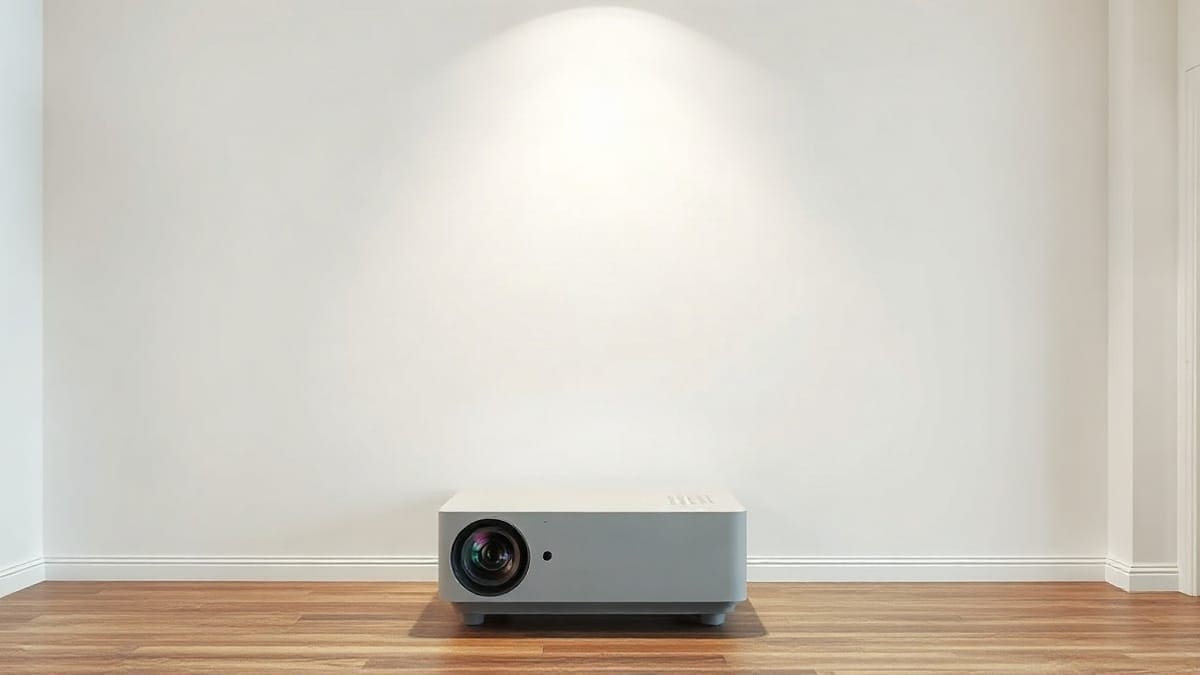
Yes, a flat, matte, bright white wall works as a screen and gives up about 8 to 12 percent of the light a 1.0 screen returns (XGIMI's figure). For 100 inches, plan on about 600 real lumens in a dark room and 1,100 with lamps on. The JMGO N1S Ultimate measured 2,771 ANSI lumens in Standard mode.
Skip the screen if the wall is flat, matte and light and you watch at night.
Get wall color correction if the wall is slightly off white, as on the JMGO N1S Ultimate.
Neither if it is beige, textured or dark: see the best projector screens.
Quick answer: what to know before you point it at a wall
- A flat white wall has a gain of about 0.8 to 1.0. Gain is how much light the surface sends back compared with a reference white screen at 1.0 (XGIMI). A wall at 0.8 returns 20 percent less light than a 1.0 screen.
- Matte beats everything else. Eggshell, satin and semi-gloss paints create bright hotspots in the picture.
- Beige and warm walls cost the most. XGIMI says they absorb 25 to 35 percent more light than white and shift every color.
- Brightness divides by area. A 100 inch picture is 29.7 square feet. A 150 inch picture is 66.8 square feet, 2.25 times larger.
- Texture hurts 4K most. Knockdown and skip-trowel walls can drop the effective detail toward 1080p, according to XGIMI.
- We print no prices. Every button reads "Check price".
Our picks at a glance
- 1JMGO N1S Ultimatea living room wall that is white or slightly off, with a table or shelf 9 to 13 feet awayCheck price
- 2XGIMI Horizon 20 Proa big wall, a room with some light, someone who wants correction built inCheck price
- 3Hisense PX3-Proa room with no space behind the sofa and a flat, freshly skimmed wallCheck price
Is a plain wall enough to project on?
Yes. A wall is a screen with no frame: any flat, light, matte surface shows a picture. The difference is quality: a wall shows its paint color, its sheen, its bumps and the room's light, and a screen hides all four.
A wall works best when four things line up. The surface is flat. The paint is matte. The color is white or a light neutral. And the room is dark enough that your lamps do not wash the picture. Miss one and you can often fix it. Miss three and a screen is cheaper than the fix.
Can you watch a projector on a wall for movies?
Yes, and most people do for the first months. Movies suit a wall because they are watched at night with the lights off, and that is when a wall loses the least. Sports on a sunny afternoon are the hard case. For that, read our daylight projector guide.
What is a wall projector, and do wall projectors work?
A "wall projector" is a normal video projector aimed at a wall instead of a screen. It is not a separate product category. Do wall projectors work? Yes. The question that matters is how well your particular wall works, and the next sections answer it with numbers.
What is wall projection?
Wall projection means displaying a video image directly on a wall surface. It is also used for art and events, which is a different job from home viewing. This page is about the home viewing case: a movie, a game or a sports match on a plain wall.
What color wall is best for a projector?
Bright white, matte, with no tint, is the best wall color. Light gray is second. Both are neutral, so skin tones and grass stay close to what the projector intends. Anything saturated or dark steals light and bends color.
XGIMI's own wall guide gives rough figures for each finish. They are the maker's claims, not a lab test, so treat them as ranges. The ranking is clear even if the exact percentages are not: white first, gray second, warm colors last.
| Wall surface | Light lost (XGIMI figure) | Color effect | Verdict |
|---|---|---|---|
| Bright white, flat or matte | About 8 to 12% against a 1.0 screen | Neutral | Best choice |
| Light gray, matte | White level down about 18 to 22% | Gamut somewhat compressed | Good in a room with lamps |
| Beige or warm white | 25 to 35% more light absorbed than white | Strong warm cast | Fix with a screen or paint |
| Eggshell or satin white | Hotspots at some seats | Neutral | Repaint matte |
| Semi-gloss or gloss | Glare and a mirror effect | Neutral | Do not use |
| Dark or saturated color | Picture dim and contaminated | Strong cast | Not workable |
White does not mean any white. A "warm white" or cream paint is a beige to a projector. Pick a white labeled neutral or bright, and look at it in the evening light of your room before you buy a gallon.
Does a projector wall have to be white?
No, but white is the only color that needs nothing from the projector. A light gray wall can look better than a white one in a room with lamps, because it holds blacker blacks at the cost of white level. XGIMI puts that cost at about 18 to 22% of the white level (guide read in November 2026). Gray is the usual choice for people who watch with some light on. For the full gray paint story, see our guide to ambient light rejecting paint.
Can a projector work on a white wall, and is a white wall good enough?
Yes. A white wall in good shape is what most people start with, and many never change. If the wall is smooth and matte, the picture looks like a cheap screen. The one common failure is a white wall with a faint warm tint that you only notice when a snowy scene turns cream.
Will a projector work on a blue wall or a dark wall?
It will show a picture, but a poor one. A blue wall reflects blue and absorbs red and green, so reds go dull and the picture takes a blue cast. XGIMI calls dark and saturated colors not workable, even for a 1,500 lumen projector. If your only free wall is dark, a roll-down or fixed screen is the answer, or read our page on projecting on a black wall.
Does wall color matter for a projector?
Yes, more than almost any other room choice. The wall decides how much of the projector's rated light reaches your eyes, and which colors survive. A white wall and a beige wall can make the same projector look like two different products.
What paint is best for a projector wall?
Flat, matte, bright white paint is the best everyday choice. Dedicated projection paint is the upgrade. Look at the sheen first and the color second. Sheen is measured in gloss units: the higher the number, the more mirror-like the surface.
Paint makers do not agree on the names. A paint-industry guide puts flat at roughly 0 to 10 gloss units and eggshell at roughly 10 to 25. XGIMI puts flat at 1 to 9 and eggshell at 26 to 40. Because no standard ties the names to the numbers, read the gloss figure on the can's technical sheet, not the word on the lid.
| Option | Gain as the maker states it | Good for | Catch |
|---|---|---|---|
| Flat white wall paint | About 0.8 to 1.0 (XGIMI) | Dark rooms, tight budgets | Needs a smooth wall |
| Flat light gray paint | Lower white level, better blacks | Rooms with lamps | Loses about 18 to 22% of white level |
| Screen Goo High Contrast (Goo Systems) | About 1.0 to 1.2 against regular paint, per the Goo UK site | Mixed lighting | One retailer lists the 2.0 version at 0.85 |
| Screen Goo reflective (Goo Systems) | About 1.5 to 1.8 against regular paint | Dark rooms, dim projectors | Hotspots and narrower viewing angle |
| Screen Goo Digital Grey | Up to 1.2 on axis, about 0.8 at 45 degrees (Big Picture Big Sound review) | Contrast in a lit room | Two-coat job, review dates from 2010 |
| Eggshell, satin or semi-gloss | Not rated | Nothing | Hotspots at some seats |
Read the gain column with care. Goo Systems compares its paint with regular wall paint, while a retailer listing compares against a reference screen. A "1.5 to 1.8" claim against wall paint is not the same as a 1.5 gain screen. Two makers cannot be compared until you know which baseline each used.
Does projector wall paint work, and is it worth it?
It works, and a good reviewer saw a clear gain. Chris Boylan at Big Picture Big Sound painted a 98 inch screen area with Screen Goo Digital Grey on a wall that already looked "pretty good." The blacks moved from medium-dark gray to much closer to black, reds and greens looked more vivid, and no hotspots appeared. He used two coats, a base and a top coat, one liter of each.
It is worth it in two cases. First, a wall with a visible tint or a few scuffs, because paint resets the surface. Second, a room with some light, because a gray, high-contrast paint holds blacks better than white does. It is not worth it if your wall is already flat, white and matte and you watch at night. Spend the money on the projector instead.
One catch from that review: standard-definition video showed its scan lines more clearly on the painted surface, while HD content did not. A good scaler, or a smaller picture, was the reviewer's fix.
How do you prepare a wall for a projector?
Make it flat, clean, and matte, then paint a clear border. The wall prep matters more than the brand of paint.
- Fill and sand. Fill cracks and dents with spackling compound, as the Big Picture Big Sound reviewer did, then sand smooth. Flatness errors of 2 to 3 mm become visible in bright scenes, according to XGIMI.
- Check the texture. Knockdown or skip-trowel texture casts micro-shadows that soften fine detail. XGIMI says it can cut effective resolution toward 1080p on a 4K projector. On a heavily textured wall, a screen is the cleaner answer.
- Mask the edges. Tape off the picture area with masking tape, as in the review. A hard edge makes the picture look like a screen.
- Roll, do not brush. The reviewer applied both coats by roller. One liter covered up to 50 square feet rolled, or 40 sprayed. A 120 inch picture is 42.7 square feet, so one liter of each coat fits. A 150 inch picture is 66.8 square feet and needs more.
- Paint a border. A black or dark gray border around the image makes the picture look more contrasty. The reviewer framed his screen in wood molding painted flat black.
Wall color around the picture matters too. Light-colored walls bounce ambient light back onto the image, which raises the black level, and ceiling lights directly above the picture do the most damage (XGIMI). Turn off the lights above the wall and keep the side lights dim.
How do you project an image on a wall with a projector?
Place the projector at the right distance, aim it, and let autofocus and keystone finish the job. That is the fast version of how to use a wall projector.
- Measure the picture width you want. A 100 inch 16:9 picture is 87 inches (7.3 feet) wide and 49 inches (4.1 feet) tall.
- Set the projector at the distance in the next table, on a stable table, shelf or mount.
- Aim it level with the wall, as square as you can. Tilting forces digital keystone correction, which softens the image and costs brightness.
- Run autofocus, then check the corners.
- Turn on any wall color correction (more below), then pick a picture mode for the room.
Our setup guide covers every step for any brand, including the first-time menus.
Where do you place the projector in front of the wall?
For a 100 inch image, a standard projector with a 1.2:1 throw ratio sits 8.7 feet from the wall, and an ultra short throw model at 0.22:1 sits 1.6 feet away. Distance equals throw ratio times image width. Every projector has its own ratio, so read it on the spec sheet.
| Image size | Image width | Standard, 1.2:1 | Ultra short throw, 0.22:1 | Wall area needed |
|---|---|---|---|---|
| 80 in | 5.8 ft | 7.0 ft | 1.3 ft | 5.8 x 3.3 ft |
| 100 in | 7.3 ft | 8.7 ft | 1.6 ft | 7.3 x 4.1 ft |
| 120 in | 8.7 ft | 10.5 ft | 1.9 ft | 8.7 x 4.9 ft |
| 150 in | 10.9 ft | 13.1 ft | 2.4 ft | 10.9 x 6.1 ft |
The 1.2:1 column matches the JMGO N1S line. The 0.22:1 column matches the Hisense PX3-Pro. Both distances are measured from the lens to the wall, not from the back of the projector. A different ratio moves every figure, so run your own model through the throw distance calculator and read the projector distance guide.
Measure the wall before you pick a size. A 120 inch picture needs 8.7 feet of clear wall width, which is wider than many walls once you subtract doors and furniture. If the picture would hit a light switch or a window, size down. A 100 inch picture is a better trade than a 120 inch picture cut by a door.
How bright must a projector be for a wall?
For 100 inches, you need about 600 real lumens in a dark room and about 1,100 with lamps on, with a wall at 0.8 gain. Brightness on the wall is measured in foot-lamberts (fL). The formula is lumens times gain divided by the picture area in square feet.
Targets vary by source. SMPTE ST 431-1 sets 14 fL for digital cinema. Calibrators often aim at 14 to 16 fL for a dark home room, and one calculator guide puts SDR video at 16 to 30 fL. We use 16 fL for a dark room and 30 fL for a room with lamps on. These are standard targets, not our own test results.
| Image size | Area | Dark room, wall (0.8 gain) | Dark room, screen (1.0 gain) | Lamps on, wall (0.8 gain) | Lamps on, screen (1.0 gain) |
|---|---|---|---|---|---|
| 80 in | 19.0 sq ft | 380 lm | 304 lm | 712 lm | 570 lm |
| 100 in | 29.7 sq ft | 594 lm | 475 lm | 1,113 lm | 890 lm |
| 120 in | 42.7 sq ft | 855 lm | 684 lm | 1,603 lm | 1,282 lm |
| 150 in | 66.8 sq ft | 1,336 lm | 1,069 lm | 2,504 lm | 2,003 lm |
At 0.8 gain the wall needs 25 percent more light than a 1.0 screen for the same brightness, because 1 divided by 0.8 is 1.25. XGIMI says projectors need roughly 30 to 50 percent more lumens on a wall, which fits a wall that is gray, tinted or textured. The table's lumens are real light on the wall, so compare them with measured figures, not rated ones.
That distinction matters. JMGO rates the N1S Ultimate at 3,500 ANSI lumens, but Projector Reviews measured 2,792 in Vivid, 2,771 in Standard and 1,934 in Movie mode. In Movie mode on a 100 inch wall at 0.8 gain, that works out to 52 fL, far above the 16 fL dark-room target. You are not short of light there. At 150 inches in Movie mode the figure falls to 23 fL, which is fine in the dark and thin with lamps on. Read our lumens guide for the rating standards.
Is a wall good enough, or is a screen worth it?
A wall is good enough for night viewing on a flat, white, matte surface. A screen is worth it when the wall is tinted, textured or the room has light. Screens win on evenness, color and contrast. Walls win on cost and on having no frame to hang.
| Factor | Plain wall | Projector screen |
|---|---|---|
| Gain | About 0.8 to 1.0 | 1.0 or higher, up to ALR types for lit rooms |
| Color accuracy | Shows the paint's tint | Neutral by design |
| Flatness | Shows bumps of 2 to 3 mm | Tensioned or rolled flat |
| Texture | Can reduce 4K detail toward 1080p | None |
| Lamps on | Reflects room light back, raises blacks | ALR surfaces reject light from the side |
| Setup | Paint and tape | Frame, pull-down or stand |
| Portable | No | Yes, with a portable screen |
The table shows why the wall is the right start and the screen is the right upgrade. If you decide to move up, read our full comparison of a projector screen against a white wall and the page on whether you need a screen at all. For a kit that pairs both, see our projector and screen combo guide.
Which projectors work best on a wall?
Pick a bright projector with automatic wall color correction: the JMGO N1S Ultimate or an XGIMI Horizon 20 Pro. Neither fixes a bad wall, but both partly correct a wall that is a little off. The best projector page ranks the wider field.
We checked four. Each block below names what the model does on a wall. Brightness is the maker's rating, with a measurement where a reviewer published one.
JMGO N1S Ultimate: the wall pick
The N1S Ultimate is our wall pick: 3,500 ANSI lumens rated, 2,771 measured in Standard mode, 4K, a 30,000 hour laser, and a wall color adaptation feature. Projector Reviews says the adaptation lets you "compensate for a range of wall colors" when you have no screen, and gives no figures for how well it works. Treat it as a help, not a cure. The same review advises turning off Auto Screen Fitting and Smart Object Avoidance for best brightness once the picture is set.
It has a 1.2:1 throw ratio, a 84.9 to 180 inch image range and two HDMI ports. The projector sits on a gimbal, so you aim it at the wall from a shelf, with no mount. See the full review and the JMGO brand page.
Best for: a living room wall that is white or slightly off, with a table or shelf 9 to 13 feet away. Not for: someone who needs lens shift or optical zoom, since the gimbal replaces both.
XGIMI Horizon 20 Pro: for a large light wall
The Horizon 20 Pro is rated 4,100 ISO lumens and XGIMI's help center documents Wall Color Adaptation on the Horizon 20 series. The feature measures the wall and shifts the picture colors to match. XGIMI's own guide says auto-correction works best in dim rooms, partly fixes off-white and light gray walls, and cannot fully fix beige. It cannot restore the lost brightness either.
The brighter rating makes it the better choice for 120 to 150 inch pictures. See the XGIMI brand page for the rest of the range.
Best for: a big wall, a room with some light, someone who wants correction built in. Not for: a wall with strong texture. No setting fixes that.
Hisense PX3-Pro: only for a very flat wall
The PX3-Pro is an ultra short throw laser projector, rated at 3,000 ANSI lumens, that puts a 100 inch picture 1.6 feet from the wall. At that close range the beam strikes the wall at a steep angle, so every bump casts a visible shadow, and ultra short throw models are built for screens made for them (see our projector and screen combo guide). Our ultra short throw guide and the short throw guide explain the trade. On a plain wall, only a perfectly flat one will do. ProjectorCentral lists the PX4-Pro as its successor, so check which one is in stock.
Best for: a room with no space behind the sofa and a flat, freshly skimmed wall. Not for: an older plaster wall or a textured one.
JMGO N1S 4K: the small, dark-room choice
The N1S 4K weighs 4.4 lb and JMGO rates it at 1,700 ISO lumens, while ProjectorCentral lists 1,100. Because the sources disagree, plan for the lower figure. At 80 inches on a 0.8 gain wall, 1,100 lumens gives about 46 fL and 100 inches gives about 30 fL, enough for a dark room and not for a lit one. Pair it with a white matte wall, and a bedroom is its natural home. See our bedroom projector picks.
Best for: a small room, night viewing, an 80 to 100 inch picture. Not for: a lit living room, or a wall that is not near white.
What is the best wall projector, and what is a good one?
The best wall projector is the brightest one that fits your budget and your wall: the N1S Ultimate for most rooms, the Horizon 20 Pro for a big wall, the N1S 4K for a small dark one. What makes a projector good on a wall is brightness, an adjustable throw and wall color correction. Look at a model's lumen rating, then its measured lumens, then its throw ratio.
Do other brands correct for the wall?
Epson does, at least on some models. Its support page for the EpiqVision laser line tells you to pick the preset color closest to your wall in the Installation settings, and other color tuning stays in the Picture menu. Check your model's manual, since we could not confirm which Epson models carry it.
FAQ
How much are wall projectors?
Wall projectors cost the same as any projector, because they are normal projectors. The price depends on brightness, resolution and the laser or lamp, not on the wall. We print no prices, because they change often and we have no reliable US price source. Use the "Check price" buttons, and check the price of the projector and the paint together.
Where to buy a wall projector?
Buy from the maker's US store or a major electronics retailer. JMGO, XGIMI and Hisense sell direct and through retailers. Each "Check price" button on this page links to the current listing, and a paint can be bought at any home improvement store.
What changes when the image lands on a wall?
Only the surface that reflects the light back to you. The projector itself works as it does with a screen, and our guide on how a projector works explains the chip, the light source and the lens.
How to install a wall projector screen?
Follow the screen maker's frame or mount instructions, and size the screen to the wall width you measured. A fixed frame needs studs or wall anchors, and a pull-down needs a level wall. Our wall mounted screen page goes through the choices.
How to make a wall projector with your phone?
A phone has no powerful light source, so a homemade box works only in the dark and gives a dim picture. See our guide on turning your phone into a projector for the steps and the limits.
How many hours does a projector last?
A laser light source is rated for 25,000 to 30,000 hours by the makers we cite: 30,000 hours for the N1S Ultimate and 25,000 for the PX3-Pro. Those are rated hours until the light falls to a set level, not guaranteed life. Our laser projector page explains the ratings.
How to wall mount a projector?
Mount it at the throw distance for your picture size and keep it level with the wall. Lens shift lets you mount high and still land the picture where you want it: the Horizon 20 line lists about 120 percent of vertical shift. See our ceiling mount projector guide and the wall mounted projector picks.
How to wall mount a projector screen?
Size the frame to the picture width you measured, then fix it to studs or heavy-duty anchors and check that it is level. Our wall mounted screen picks list the frames worth a look.
How to make a wall projector screen?
Paint the wall as described above, or stretch a smooth blackout cloth on a frame. Our page on a DIY projector screen covers paint, fabric and sheet, and what each does to the picture.
How to decorate a projector wall?
Keep the wall plain inside the picture and quiet around it. Remove shelves, frames and light switches from the picture area, paint a dark border, and skip patterned or glossy wallpaper. Soft side lighting adds less glare than lamps near the picture.
Sources
- XGIMI, Best wall color for a projector: gain, wall colors, sheen, texture and the Wall Color Adaptation notes. These are maker claims.
- XGIMI Help Center, Wall Color Adaptation on the HORIZON 20 series.
- Projector Reviews, JMGO N1S Ultimate review: measured lumens by mode, Smart Wall Color Adaptation, Auto Screen Fitting.
- Big Picture Big Sound, Goo Systems Digital Grey ScreenGoo review: coats, coverage, gain on axis and off axis, wall prep. Dated 2010.
- Goo Systems, projection screen paint products: gain claims against regular wall paint.
- Epson, adjusting image color when projecting onto a wall: a wall color preset in the Installation settings of its EpiqVision laser projectors.
- ProjectorCentral, projector database: throw ratio, lumens and weight for the models above.
- SMPTE ST 431-1: the 14 foot-lambert digital cinema reference.
Keep comparing
 How to Connect a Projector to a LaptopConnect a projector to a Windows or Mac laptop with HDMI, USB-C or wireless casting
 How to Connect a Phone to a ProjectorConnect an iPhone or Android phone to a projector with USB-C, an HDMI adapter, AirPlay or Google Cast
 Black Friday Projector Deals 2026Black Friday is November 27, 2026
 Projector vs TVProjector vs TV compared on screen size, brightness in nits and foot-lamberts, contrast, power, lifespan