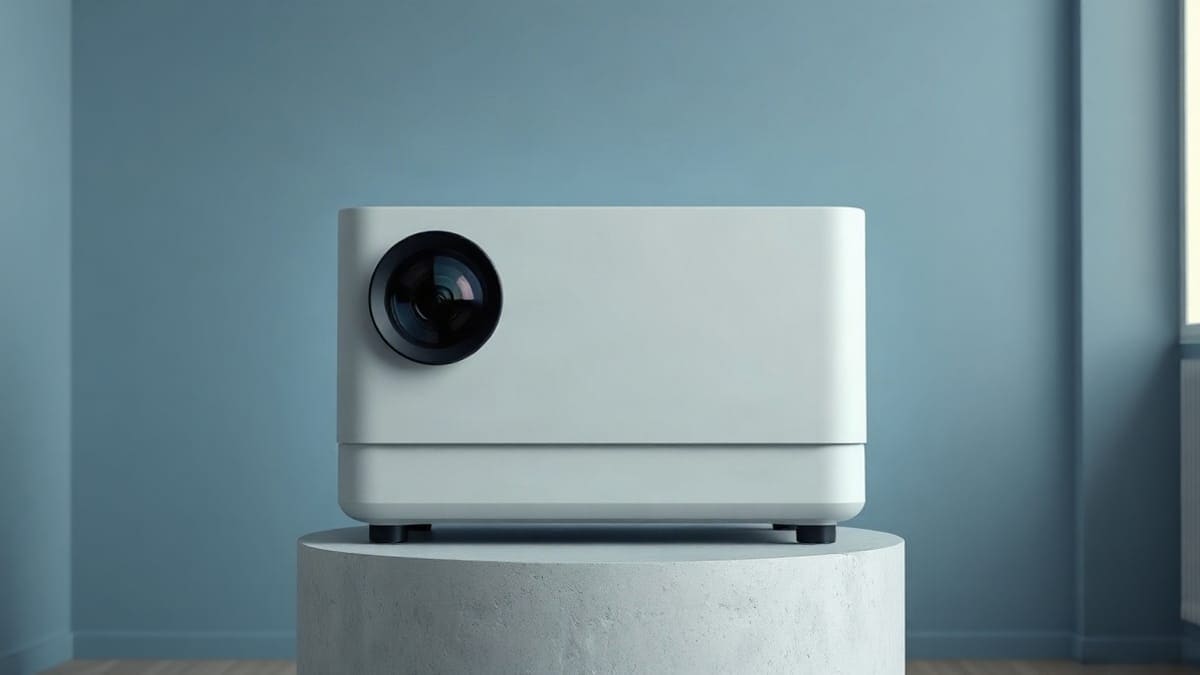
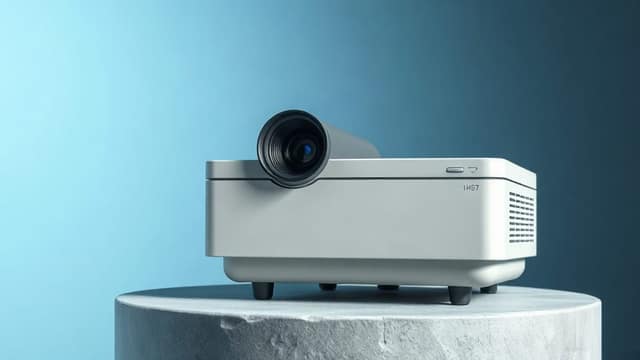
We set the maker's figures against two lab reviews of the JMGO N1S Ultimate, a 4K triple laser projector on a gimbal with Google TV, Netflix and two HDMI 2.1 ports. Retailers quote 3,300 ISO lumens and ProjectorCentral lists 3,500 ANSI, but its measurements land near 2,600 to 2,800 ANSI in normal modes. That suits a living room with the curtains half open, for a 100 to 150 inch picture. Skip it if you want optical zoom, lens shift or Dolby Vision.
Should you buy the N1S Ultimate?
- Pick the N1S Ultimate if the room has a window or a lamp that stays on, the screen is 100 to 150 inches, and you want two HDMI 2.1 inputs plus a gimbal that needs no mount.
- Drop to the N1S Pro 4K or the N1S Ultra if you watch mostly after dark. They keep the same 1.2:1 lens and 9.9 lb body at a lower rating (2,400 and 3,000 ANSI lumens).
- Skip all three if you need Dolby Vision, a zoom lens or a 120 to 150 inch picture you can place from many distances. The XGIMI Horizon Ultra and the Valerion VisionMaster Pro 2 both have zoom and Dolby Vision.
What do you need to know in 60 seconds?
- Brightness: claimed 3,300 ISO lumens (retailers) or 3,500 ANSI lumens (ProjectorCentral spec table); measured 2,608 to 2,792 ANSI lumens in the usual modes.
- Picture: 3840 x 2160 from a 1080p DLP chip with pixel shifting, RGB laser, 110% BT.2020 claimed, HDR10 and HLG only.
- Lens: fixed, 1.2:1 throw ratio, powered focus, no optical zoom, no lens shift.
- Size and weight: about 9.3 x 8 x 9.5 inches and 9.9 lb on ProjectorCentral, 14.3 lb on another review. The sources disagree.
- Ports: 2 HDMI 2.1 (eARC on HDMI 2), 1 USB-A, a 3.5 mm audio output, Wi-Fi 6, Bluetooth 5.0.
- Laser life: 30,000 hours, as rated by JMGO.
- Sound: two 10 W speakers, tuned with JBL, 45 Hz bass claimed.
Where does the Ultimate sit in JMGO's N1S range?
It is the brightest model of JMGO's N1S range, launched in September 2024 alongside the N1S Pro 4K. New Atlas describes the two as sharing the same feature set, with brightness as the main gap: 3,500 ANSI lumens for the Ultimate against 2,400 for the Pro. The body is a gimbal: the lens head sits in a cradle that turns 360 degrees sideways and tilts 135 degrees up and down, so you aim it at a wall or a ceiling without a mount.
Projector Reviews says it is built on the same gimbal chassis as the N1 Ultra, and that the N1S range moved from Android TV to Google TV. For the full family, see every JMGO projector compared. The 4.4 lb N1S 4K is the small, dim one. The N3 Ultimate is the larger step up, with a zoom lens. Our other model summaries are on the projector reviews page.
We have not tested the projector ourselves. Everything below comes from the specification pages and published reviews listed at the end, and we say where they disagree.
What are the JMGO N1S Ultimate specs?
| Spec | N1S Ultimate | Source |
|---|---|---|
| Resolution | 3840 x 2160 (pixel shifting from 1080p chip) | ProjectorCentral, Projector Reviews |
| Imager | 0.47 inch DLP, single chip | Projector Reviews |
| Light source | RGB triple laser, 30,000 hours | ProjectorCentral |
| Brightness claimed | 3,500 ANSI lumens; 3,300 ISO lumens | ProjectorCentral; retailers |
| Contrast | 1,600:1 claimed, 1,420:1 measured | ProjectorCentral |
| Color | 110% BT.2020 claimed | ProjectorCentral |
| Throw ratio | 1.20:1 | ProjectorCentral |
| Image size | 84.9 to 180.1 inches | ProjectorCentral |
| Throw distance | 7.4 to 15.7 feet | ProjectorCentral |
| HDMI | 2 x HDMI 2.1, eARC on HDMI 2 | Projector Reviews |
| Noise | rated 26 dB | ProjectorCentral |
| Power | 180 W | ProjectorCentral |
| Warranty | 1 year | ProjectorCentral |
The numbers matter less than the gaps between them. The brightness rating, the weight and the mount compatibility all differ by source, and the next sections take them one at a time.
How bright is the N1S Ultimate really?
In its normal modes it measures about 2,600 to 2,800 ANSI lumens, which is roughly 20 to 25% under the 3,500 ANSI figure on the spec page. ProjectorCentral measured 2,608 ANSI lumens in Vivid, Standard and Movie, 1,903 in Soft and 2,749 in User mode. Projector Reviews measured 2,792 in Vivid, 2,771 in Standard, 2,776 in Game and 1,934 in Movie.
Both found a hidden extra step. With "Ultra Brightness" switched on, ProjectorCentral reached 3,524 ANSI lumens and Projector Reviews 3,583. That matches the claim. But ProjectorCentral warns that this mode has a strong green bias and is not meant for regular viewing.
Why do the claims differ? ISO and ANSI are different test methods, ISO 21118 being the stricter one, and a manufacturer can quote the best case. Our projector brightness explained explains the methods, and the how many lumens do you need page gives targets by room. The plain reading: a buyer who plans for 2,700 ANSI lumens will not be disappointed, and one who plans for 3,500 will be.
Some other sites quote lower or higher numbers; we use only the two measured reviews above, since a third source we could not read in full is not worth quoting.
How big can the picture be at that brightness?
We divide the lumens by the screen area in square feet, for a white 1.0 gain screen. The result is foot-lamberts, a rough measure of how bright the image looks. We use 2,700 lumens, close to the measured Standard and Vivid modes, and show the 3,500 claim for comparison.
| Screen size | Area | At 2,700 lm | At 3,500 lm claimed |
|---|---|---|---|
| 100 in | 29.7 sq ft | 91 fL | 118 fL |
| 120 in | 42.7 sq ft | 63 fL | 82 fL |
| 150 in | 66.8 sq ft | 40 fL | 52 fL |
| 180 in | 96.1 sq ft | 28 fL | 36 fL |
The SMPTE cinema target is 16 fL, so 28 fL at 180 inches is still plenty in a dark room. In a lit room the extra light is what fights the windows. Past 150 inches the picture gets dim in daylight on a plain white wall. An ALR screen gets part of that back.
Real output is lower than these figures because lasers fade over time and a wall is not a perfect 1.0 gain screen. Treat the table as the best case.
How far do you place it, and what size does it throw?
At 1.2:1 the projector sits 8.7 feet from a 100 inch screen and 13.1 feet from a 150 inch one. The ratio is fixed, so each screen size has exactly one distance. We calculate it as screen width times 1.2.
| Screen size | Screen width | Throw distance |
|---|---|---|
| 85 in | 74.1 in | 7.4 ft |
| 100 in | 87.2 in | 8.7 ft |
| 120 in | 104.6 in | 10.5 ft |
| 150 in | 130.7 in | 13.1 ft |
| 180 in | 156.9 in | 15.7 ft |
That agrees with ProjectorCentral's 7.4 to 15.7 foot range. If your room does not match one of these distances, our throw distance calculator and the throw ratio guide help. JMGO recommends up to 180 inches, though MobileSyrup says it can be pushed to 200 inches in a dark space.
Does the JMGO N1S Ultimate have optical zoom?
No. It has a fixed lens, powered focus, no optical zoom and no lens shift. ProjectorCentral and Projector Reviews both say so. The gimbal covers part of the job, since you aim the picture up, down and sideways, and a 4-point keystone correction squares it. But the size of the picture still depends only on the distance.
ProjectorCentral lists digital zoom, which shrinks the picture and reduces the pixels used. It is a fix for a few inches, not a way to change the screen size. If you need to fill a 100 inch screen from a spot 11 feet away, buy a model with an optical zoom, like the 1.25x zoom of the XGIMI Horizon Ultra covered below.
Is the N1S Ultimate a true 4K laser projector?
It displays a 3840 x 2160 picture, but it gets there by pixel shifting, not with 8.3 million native pixels. Projector Reviews describes a native 1920 x 1080 DLP chip, shifted rapidly to draw 4K. That is the same method used by many "4K" DLP projectors, and it produces a picture clearly sharper than 1080p. A full native 4K chip is rarer and costs much more. Our page on native 4K versus pixel shifting shows the difference.
So can projectors be 4K, and is a laser projector 4K? Both are separate questions. "Laser" names the light source. "4K" names the resolution. A laser projector can be 1080p, and a lamp or LED projector can be 4K. The N1S Ultimate has both a laser source and a 4K output. If you want a list of the others, our 4K laser projector roundup ranks them.
Two other 4K notes. HDR is HDR10 and HLG; there is no Dolby Vision and no HDR10+. And although both HDMI ports are labelled 2.1, the EDID analysis by ProjectorCentral found no FRL support, so inputs are limited to 18 Gbps. That means 4K at 60 Hz, not 4K at 120 Hz.
What is an RGB laser projector, and why does it matter?
An RGB laser projector makes its light from separate red, green and blue lasers, rather than one blue laser hitting a yellow phosphor wheel. JMGO calls its version MALC, and Projector Reviews lists a MALC 2.0 triple laser engine. Because each color comes from its own source, the picture can reach a wider color gamut. ProjectorCentral measured 96.45% of BT.2020 and 99.14% of P3 on the N1S Ultimate, against the 110% BT.2020 JMGO claims. That is a very wide gamut for a projector of this size, but not quite the claim.
The trade-off is two visual artifacts. ProjectorCentral saw laser speckle, a faint shimmer on flat surfaces, and a rainbow effect on white objects moving against black. Rainbows come from the single-chip DLP design, and they bother some viewers more than others. MobileSyrup, by contrast, saw no sparkle. If you have been bothered by rainbows in a DLP projector before, try it first with a return policy. See laser vs DLP vs LCD and what a laser projector is for the wider picture, and triple laser projectors compared for rivals.
The laser is rated for 30,000 hours. At 4 hours a day, that is more than 20 years. The brightness will drift down before then.
Are laser projectors safe for your eyes?
Yes in normal use, as long as nobody stares into the lens. Home laser projectors carry a risk group label under IEC 62471-5. Epson and BenQ manuals, for example, label their laser models Risk Group 2, and their advice is the same: do not stare into the beam, and keep children from doing it. We could not find JMGO's own risk group for the N1S Ultimate, so we do not state one.
JMGO built one safeguard in. MobileSyrup describes a radar that dims the picture when someone walks in front of the screen, and Projector Reviews lists Smart Object Avoidance. Projector Reviews advises turning setup assists off for more brightness, but we suggest leaving the dimming on if children or pets are around. Because the head is on a gimbal, the beam can also point at eye level on a table, so place it above sight lines.
What is it like to set up and use?
Plug it in, aim it, and it squares the picture for you. MobileSyrup describes placing it on a table, pointing it at a wall, and auto keystone snapping the image into a rectangle. Projector Reviews lists Auto Screen Fitting, Smart Object Avoidance and auto keystone, and advises turning them off for the best brightness once the picture is set. There is no on-device menu or volume control, so it relies on the remote and a free iOS and Android app.
The first-boot steps, Wi-Fi, HDMI connection, language, restart and reset are the same Google TV steps we walk through in the N1S 4K review, and our reset guide covers the factory reset. For a general walk-through, see how to use and set up a projector. We could not find JMGO's own menu paths, so we do not list any here.
Three practical notes from the reviews:
- The remote is compact, not backlit, and has quick keys for YouTube, Netflix and Prime Video.
- The OS can stutter, which Projector Reviews attributes to limited RAM.
- MobileSyrup found that Plex's Android app crushed black levels, so they used an Apple TV 4K instead.
How does the picture look?
Color and brightness are strong for the class, while contrast and black levels are only fair. ProjectorCentral measured 1,420:1 full-on, full-off contrast, short of the 1,600:1 claim. Out of the box, the User mode had a grayscale error (dE) of 7.4 average and 11.8 maximum, and the ColorChecker error was 6.1 average. After calibration, grayscale fell to 0.8 average, which is excellent. The remaining color errors came from saturation points the menu does not let you adjust.
Brightness uniformity was 93% on a 100 inch image, which means the picture is even from edge to edge. HDR10 looked excellent in Blade Runner 2049, with magentas leaning pink, and weak in The Dark Knight Rises, where the sky clipped.
A scene of fast pans shows the DLP's rainbow effect more than a scene of dark film. If your main use is movies at night with the lights off, the weak contrast is the thing you will notice first. If you watch sports and TV in the evening with a lamp on, the brightness will matter more. For an alternative with stronger blacks, read the laser TV versus OLED page.
Can you play 4K console games on it?
It is good for 4K at 60 Hz and casual play, not for 120 Hz competitive gaming. ProjectorCentral measured input lag of 19 to 20 ms in Ultra-Low Latency mode and 36 ms in Low Latency mode, at both 1080p/60 and 4K/60. Keystone correction adds about 4 ms. JMGO itself claims 15 ms at 4K 60 Hz, but the reviewers did not reproduce that number. Projector Reviews could not measure the lag but noticed none in play.
ALLM is supported, and there are two HDMI 2.1 ports, so a console and a streaming box can both stay plugged in. The limit is the 18 Gbps cap. If you need 4K at 120 Hz, read the best gaming projector page.
How does the sound compare?
Better than most projectors, not a home theater system. Projector Reviews lists two 10 W side-firing speakers with a claimed 45 Hz bass and four presets: Standard, Music, Movie and Sports. ProjectorCentral says the sound is co-tuned by JBL, and one retailer lists a 20 W subwoofer, which we could not confirm. The reviewer called it above many ultra-short-throw projectors. MobileSyrup found the speakers "fairly spacey" and weak outdoors. You can send sound out through eARC on HDMI 2 or the 3.5 mm jack. There is no optical output.
What does the fan sound like next to the room noise?
Quiet, but not silent. JMGO rates it at 26 dB. ProjectorCentral measured 33.6 to 36.8 dBA at about 3 feet, in a room with a floor of 33.3 dBA, so the projector was barely above the room. The loudest reading came with Ultra Brightness on. The quietest was in Laser 1 at 33.6 to 33.7 dBA. A reviewer said it was barely audible at 3 feet.
What are the flaws of the N1S Ultimate?
These are the points reviewers raised, and the one we would weigh most is the first.
- The brightness claim is optimistic. Normal modes measure 2,600 to 2,800 ANSI lumens, and the Ultra Brightness mode that hits 3,500 turns the picture green.
- Contrast and blacks are limited. The measured 1,420:1 is low for a projector at this level.
- No Dolby Vision, no HDR10+. Only HDR10 and HLG. Projector Reviews said it would have been the best of its year with Dolby Vision or HDR10+ and more RAM.
- Mounting is unclear. ProjectorCentral says the base can be removed for a ceiling mount. MobileSyrup says the base cannot be removed and has no quarter-twenty tripod thread. Check with JMGO before you plan a mount, and see ceiling mounted projectors for rivals built for it.
- A visible rainbow effect and some laser speckle, per ProjectorCentral.
- Off-angle light. MobileSyrup saw light overshoot when the projector sat on a mantel at an angle.
- Slow Google TV. A stutter or buffer in the menus.
- The remote has no backlight.
What are the pros of the N1S Ultimate?
- Bright for a portable projector, with an even 93% uniformity.
- Wide color: 99.14% of P3 measured.
- 4K picture, 3D support (Full HD 3D, Blu-ray 3D compatible) and eARC.
- A gimbal that needs no mount or ceiling.
- Netflix is an authorized app, and Google TV brings Chromecast and Google Assistant.
- A carrying case in the box, per Projector Reviews and MobileSyrup.
- A 30,000 hour laser.
How does it compare with the N1S Pro 4K, N1S Ultra and rivals?
The Ultimate is the brightest N1S, but only the Pro 4K is clearly cheaper, and rivals beat it on zoom and Dolby Vision. The figures below are the maker ratings, and they are not measured on the same scale. JMGO's ratings mix ANSI and ISO, so we mark the unit.
| Model | Brightness (rated) | Zoom | HDR | Speakers | Weight |
|---|---|---|---|---|---|
| JMGO N1S Ultimate | 3,500 ANSI | None, fixed 1.2:1 | HDR10, HLG | 2 x 10 W | 9.9 lb |
| JMGO N1S Pro 4K | 2,400 ANSI | None, 1.2:1 | HDR10 | not published | 9.9 lb |
| JMGO N1S Ultra | 3,000 ANSI (JMGO) | None, 1.2:1 | HDR10 | 2 x 10 W | 9.9 lb |
| XGIMI Horizon Ultra | 2,300 ISO | 1.25x, 1.2 to 1.5:1 | Dolby Vision, HDR10, HLG | 12 W x 2 | 11.5 lb |
| Valerion VisionMaster Pro 2 | 3,000 ISO | 1.67x, 0.9 to 1.5:1 | Dolby Vision, HDR10+ | 12 W x 2 | 15.4 lb |
The XGIMI Horizon Ultra uses a laser and LED hybrid source rated at 25,000 hours and a throw distance from 4.3 to 17.5 feet. It is dimmer by rating but gives you freedom in the room layout, and it has Android TV 11. The Valerion VisionMaster Pro 2 has an RGB laser, a 0.9 to 1.5:1 lens, a 4.3 to 19.6 foot throw range and a 15.4 lb body. It adds Dolby Vision and HDR10+. We found no ANSI figure for either rival, so a straight brightness comparison is not possible.
For the N1S Ultra, the main facts are in our N1S Ultra vs N1 Ultra page. The N1S Ultimate over it is a gain of 500 rated lumens, which is the case where you would pay the difference only if windows are the problem. For a bigger and brighter step in the same brand, see the N3 Ultimate.
Who is the Ultimate for, and who should look elsewhere?
Best for a living room with some light, a 100 to 150 inch picture and a plug-and-play setup. It suits:
- Renters, because the gimbal needs no mount.
- Console and streaming-box owners, with two HDMI 2.1 ports and eARC.
- People who want Netflix without a stick.
- Anyone who watches sports or TV in the evening with a lamp on.
It does not suit:
- Daylight rooms with direct sun. Even 3,500 lumens is not enough on a 120 inch screen. See the best projector for daylight.
- Buyers who want lens zoom or shift, for whom the fixed 1.2:1 ratio fixes the distance.
- Dolby Vision fans and film purists.
- Permanent home theaters with a ceiling mount until the base question is settled.
- Shoppers on a budget. The Pro 4K and N1S Ultra are lower, and the general best projector guide covers other price points. For prices, always check the current price at the shop, since they move.
Which N1S Ultimate settings and accessories help?
Start in Standard mode with Ultra Brightness off, then turn off the setup assists. ProjectorCentral measured Standard at 2,608 lumens and found Movie the same, while Soft drops to 1,903. A calibration brings the grayscale error down from 7.4 to 0.8, so a calibrated User mode is the best picture. The fan is quietest in the Laser 1 setting.
- A plain white wall works at night. For a lit room, an ALR screen helps.
- A floor stand or tripod can raise the projector to screen height. Check its thread first.
- An HDMI 2.1 cable of good quality, for 4K at 60 Hz.
FAQ
Is the JMGO N1S Ultimate worth it?
It is worth it for a lit living room and a 100 to 150 inch screen, where the measured 2,600 to 2,800 ANSI lumens and 93% uniformity do their job. It is not worth it if you mostly watch in the dark, because the N1S Pro 4K is brighter than you need. Check the current price first.
Is Netflix built in, or do you need a stick?
Yes. ProjectorCentral's review and Projector Reviews both list an authorized Netflix app on the Google TV system, and the remote has a Netflix key. YouTube and Prime Video have keys too.
Can you use the N1S Ultimate outdoors?
Yes, at night. MobileSyrup used it at about 150 inches outdoors and found the speakers weak there. It is not weatherproof, and we found no battery option. See our outdoor projector guide.
Can you mount the N1S Ultimate on the ceiling?
Maybe. The sources disagree: ProjectorCentral says the base removes for ceiling mounts, and MobileSyrup says it does not and has no tripod thread. Ask JMGO before buying a mount.
Does the N1S Ultimate support Dolby Vision or HDR10+?
No. It supports HDR10 and HLG. For Dolby Vision, see Dolby Vision projectors.
Does the N1S Ultimate support 3D?
ProjectorCentral lists Full HD 3D, and Projector Reviews lists Blu-ray 3D compatibility. Glasses are not mentioned in what we read, so check what is in the box.
How long does the laser last?
30,000 hours, as JMGO rates it. At 4 hours a day that is over 20 years, but the brightness falls before the laser stops.
Should you pay more than the N1S Ultra costs?
Yes for bright rooms, with 3,500 rated ANSI lumens against 3,000, though measured results are closer than the ratings suggest. They share the 1.2:1 lens, gimbal, 9.9 lb weight and two HDMI 2.1 ports. See N1S Ultra vs N1 Ultra.
What screen size is best for the N1S Ultimate?
100 to 150 inches. At 100 inches it gives about 91 foot-lamberts and at 150 inches about 40, on our calculation at 2,700 lumens. JMGO recommends up to 180 inches.
Can the N1S Ultimate play 4K at 120 Hz?
No. Both HDMI 2.1 ports are limited to 18 Gbps by ProjectorCentral's EDID reading, which means 4K at 60 Hz.
What is the warranty?
ProjectorCentral lists one year. Projector Reviews says "parts and labor" in one place and "limited" in another, so read the terms of the shop you buy from.
How much does a 4K laser projector cost?
It varies by model and shop, and prices move, so we do not quote one. Check the current price with the button above, and see how much a projector costs for ranges.
Sources
- ProjectorCentral: JMGO N1S Ultimate specifications
- ProjectorCentral: JMGO N1S Ultimate review (measurements)
- Projector Reviews: JMGO N1S Ultimate 4K RGB laser projector review
- MobileSyrup: JMGO N1S Ultimate 4K projector review
- New Atlas: JMGO N1S Ultimate and N1S Pro
- ProjectorCentral: XGIMI Horizon Ultra
- ProjectorCentral: Valerion VisionMaster Pro 2
- Epson laser safety information (IEC 62471-5 risk group example)
- JMGO retailer listing with 3,300 ISO lumens
Keep comparing
 Epson ProjectorsHome Cinema, EpiqVision and Pro Cinema models with lumens, 3LCD color brightness, lamp or laser life
 XGIMI ProjectorsHorizon 30, Horizon 20, Titan Noir, Aura, MoGo 4, Halo+ and Elfin Flip, with lumens, throw distance, Netflix
 Samsung Freestyle Projector ReviewReal brightness, battery limits, apps and four rivals, both generations
 Valerion ProjectorsVisionMaster Max, Pro 2, Pro, Plus 2, StreamMaster Plus 2 and Plus, with lumens, throw distance