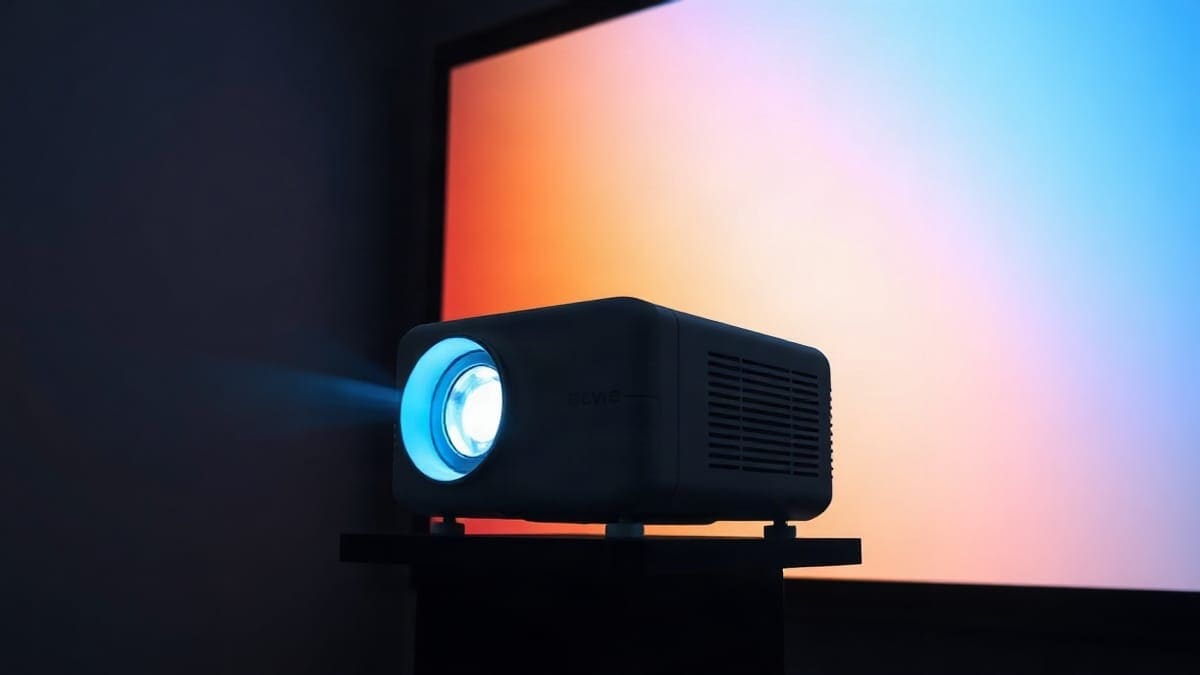
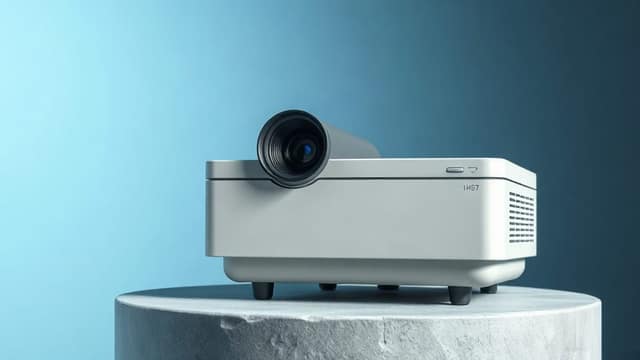
The JMGO N1S 4K is a 4.4 lb (2 kg) triple laser projector with a built-in gimbal, Google TV and Netflix, rated by JMGO at 1,700 ISO lumens. It is a good first big-screen projector for a dim living room or bedroom, projecting 60 to 200 inches from 5.2 to 17.4 feet. It is a poor pick for a sunny room, and the brighter N1S Ultra or N1S Ultimate are the better buy if daylight matters. The brightness is the figure JMGO announces; the other numbers come from ProjectorCentral, CGMagazine and The Gadgeteer, and where they disagree, we say so.
Which one should you get?
- Get the N1S 4K if you watch at night, want 4.4 lb you can carry between rooms, and plan a 100 to 120 inch picture.
- Get the N1S Ultimate if the room has windows. It is rated 3,500 ANSI lumens (about 2,600 to 2,800 measured) and its laser is rated for 30,000 hours. The N1S Pro 4K at 2,400 ANSI lumens is the cheaper step up.
- Neither if you need two HDMI inputs and a bigger daylight picture on a budget. Look at the XGIMI Horizon S Pro, at 1,800 ISO lumens with 12 W x 2 speakers, or compare ten models in our best projector guide.
Quick answer
- Brightness: 1,700 ISO lumens as announced by JMGO, against a rated 3,500 ANSI lumens for the N1S Ultimate, which ProjectorCentral measured at 2,608 (ISO and ANSI are different methods, and ISO 21118 is the stricter one, so the two are not a like for like ratio). Best with the room lights low or the blinds closed.
- Picture: 3840 x 2160 output from a single DLP chip, RGB laser light source, 110% of the BT.2020 color gamut, 1,600:1 contrast.
- Size and setup: 4.4 lb, 7.5 x 6.5 x 7.3 inches, gimbal stand with autofocus and automatic keystone correction. It needs no mount or table in the middle of the room.
- Smart features: Google TV with Netflix built in, Wi-Fi, Bluetooth, one HDMI 2.1 port and one USB-A port.
- Best for: apartments, bedrooms, small living rooms, and anyone moving a projector between rooms.
- Skip it if: you watch in daylight, want two HDMI inputs, or need a lens with optical zoom or lens shift.
What is the JMGO N1S 4K?
The N1S 4K is the compact member of JMGO's N1S family. The family started in 2024 with the 1080p N1S and the N1S Ultra, and then grew into a ladder of 4K models. The N1S 4K sits at the bottom of that ladder for brightness and at the top for portability. According to ProjectorCentral's specification page, it has been shipping since April 2025.
JMGO builds the whole N1S line around the same idea: a projector on a gimbal. The lens head swivels on a built-in stand, so the projector sits on a shelf, a nightstand or a coffee table and points up at the wall without a separate mount. Autofocus and keystone correction then square the image. If you have never used a projector, that is the reason people buy it.
JMGO is a Shenzhen-based company that says it has been building smart projectors since 2011, according to its About page. That answers the question many shoppers type, "where are JMGO projectors made": the company is Chinese. We could not verify the exact factory location of the N1S 4K, so we do not state one.
JMGO N1S 4K specs
These values come from ProjectorCentral's specification page, cross-checked against the reviews listed in Sources. Where reviewers disagree, we say so below the table.
| Spec | JMGO N1S 4K |
|---|---|
| Brightness | 1,700 ISO lumens (JMGO announced value) |
| Output resolution | 3840 x 2160 (4K UHD), 16:9 |
| Light source | RGB triple laser, single DLP chip |
| Contrast | 1,600:1 (full on/off) |
| Color gamut | 110% of BT.2020 |
| Throw ratio | 1.20:1 |
| Throw distance | 5.2 to 17.4 feet |
| Image size | 59.66 to 200.10 inches |
| Zoom | Digital only |
| Lens shift | None (gimbal instead) |
| Ports | 1 x HDMI 2.1, 1 x USB-A |
| Speakers | 2 x 5 W (per ProjectorCentral) |
| Weight | 4.4 lb (2 kg) |
| Dimensions (H x W x D) | 7.50 x 6.50 x 7.30 inches |
| Power | 100 to 240 V |
| System | Google TV, Netflix built in |
Two details differ between sources. First, speaker power: ProjectorCentral and The Gadgeteer list two 5 W speakers, while CGMagazine lists two 10 W speakers. Confirm on JMGO's product page before you buy if sound matters to you. Second, the sources do not say whether the 4K image is native or comes from pixel shifting on a single chip, so we do not claim native 4K.
How bright is the JMGO N1S 4K?
JMGO announces the N1S 4K at 1,700 ISO lumens on its home page. ProjectorCentral lists 1,100 ISO lumens for the same model, and CGMagazine repeats 1,100. We found no explanation for the gap, so we use the manufacturer's 1,700 as the announced value and treat the real output as lower. ISO lumens come from a different method than ANSI lumens, and ISO 21118 is the stricter test, so you cannot compare them one for one with the rated 2,400 to 3,500 ANSI lumens of the larger models.
CGMagazine's reviewer found the image held up with blinds open in daylight, but also described the brightness as near the lower limit of acceptable for home use and not suited to direct sunlight. The Gadgeteer reviewer saw a washed out picture with the room lights on and a strong picture with the lights off. Those two reports agree: use it with the lights low. Both describe units listed with the lower 1,100 figure, so a brighter real-world image than they describe is possible but unproven.
Here is our own calculation of how bright the image is at different sizes. We divide the announced 1,700 lumens by the screen area in square feet and assume a plain 1.0 gain white screen. Real output is lower than the announced value: lumens fade as the laser ages and drop in most picture modes, and ISO is a manufacturer rating, not a measurement we made. Treat the figures as the best case.
| Screen size (16:9) | Screen area | Brightness on screen | Verdict |
|---|---|---|---|
| 80 inches | 19.0 sq ft | 89.5 fL (about 307 nits) | Very bright, works with some light |
| 100 inches | 29.7 sq ft | 57.3 fL (about 196 nits) | Bright, works in a dim room |
| 120 inches | 42.7 sq ft | 39.8 fL (about 136 nits) | Good in a dim room |
| 150 inches | 66.7 sq ft | 25.5 fL (about 87 nits) | Above cinema level in a dark room |
| 200 inches | 118.7 sq ft | 14.3 fL (about 49 nits) | Near cinema level at best, dark room only |
Cinema standards aim for roughly 16 foot-lamberts. On paper the announced value covers that up to about 200 inches in a dark room, but real output is lower, so keep a margin: 100 to 150 inches is the realistic range. If you want a 120 to 150 inch picture with real ambient light, step up to a model with 2,400 ANSI lumens or more, which is the JMGO N1S Pro 4K. Our lumens guide explains the method.
How big a picture can it throw, and from how far?
The answer is the throw ratio of 1.2:1. The distance from the lens to the screen is 1.2 times the width of the picture. For a 16:9 picture, the width is 87.2% of the diagonal.
| Screen size | Picture width | Distance from the screen |
|---|---|---|
| 60 inches | 52.3 inches | 5.2 feet |
| 80 inches | 69.7 inches | 7.0 feet |
| 100 inches | 87.2 inches | 8.7 feet |
| 120 inches | 104.6 inches | 10.5 feet |
| 150 inches | 130.7 inches | 13.1 feet |
| 200 inches | 174.3 inches | 17.4 feet |
The Gadgeteer reviewer said the throw ratio is too long for small rooms. They have a point: a 100-inch picture needs 8.7 feet of room. In a bedroom that is only 10 feet deep, put the projector at the foot of the bed and aim at the far wall. There is no optical zoom, so you set the size with distance, and the digital zoom costs sharpness. Use our throw distance calculator for other sizes, and see the 100-inch screen guide for matching screens.
Is the JMGO N1S 4K good?
Yes, for the right room. It is a good projector for a dim room and a small budget compared with the brighter family members. Reviewers lean positive: CGMagazine scored it 8 out of 10, and The Gadgeteer called it outstanding for a darkened room. We have not tested it ourselves, so the points below come from those reviews and from the manufacturer's specifications.
What reviewers liked
- Setup in under 10 minutes, with strong autofocus and keystone correction.
- Gimbal projection that lets you point at a wall from a side table.
- Vivid color from the triple laser, and deep blacks in a dark room.
- Built-in Netflix and Google TV, so no streaming stick is needed.
- Audio that is good for a 4.4 lb body.
- Fan noise that The Gadgeteer reviewer never noticed, except in the dust cleaning mode.
What reviewers disliked
- Brightness near the lower limit for home use, and washed out in a lit room.
- A remote with no backlight, no custom presets, and no infrared for universal remotes.
- A hard foam carrying case that is not the most durable.
- Only one HDMI port, and no lens shift or optical zoom.
- A throw ratio that is long for small rooms.
Does it have a rainbow effect or laser speckle?
The two reviews that cover picture quality in detail do not mention a rainbow effect at all. That is not proof that nobody sees it. The N1S 4K uses a single DLP chip, and single chip DLP projectors can show brief color flashes for people sensitive to them. JMGO says its dynamic speckle reducer cuts laser speckle by 97% on the N1S family, according to its launch announcement, though that release covered the N1S and N1S Ultra rather than the 4K model. If you know you see rainbows on DLP projectors, buy from a seller with a free return window.
What are the best settings for the N1S 4K?
Start with the Movie or Cinema picture mode, turn off any dynamic contrast or motion smoothing for films, and turn the room lights low. We cannot give you a calibration table, because we have no measured data for this model and no reviewer published one. Do not copy settings from forum posts written for the Ultimate, which is much brighter. Reviewers did describe a good out-of-the-box picture in a dark room, which means you probably need little more than the mode switch.
Is the N1S 4K good for gaming?
It is workable, with one catch. CGMagazine reports 1080p at 120 Hz or 4K at 60 Hz, with low latency and ultra-low latency modes. In ultra-low latency mode the gimbal projection switches off, so the projector has to sit directly in front of the screen. We found no published input lag figure for this model, so we do not give one. For a console, see our gaming projector guide.
Can you use it outdoors, or on a ceiling?
For a backyard, the announced 1,700 ISO lumens is enough for a movie after sunset on a screen of about 100 to 120 inches, and JMGO itself lists outdoor use for this model. It will not hold up at dusk or under yard lights on a large screen. JMGO's brighter models handle twilight better. See how many lumens an outdoor projector needs.
For mounting, The Gadgeteer reports a threaded hole on the bottom that takes a tripod, wall mount or ceiling mount. Because the lens throws up to 17.4 feet, a ceiling mount only works if the mount sits at the right distance from the screen. Our ceiling mount picks cover the hardware.
JMGO N1S 4K vs N1S Pro, Ultra and Ultimate
Which one to buy comes down to brightness, size and ports. The whole N1S family shares the gimbal and the 1.2:1 throw ratio. The differences are below.
| Model | Brightness | Weight | HDMI | Notes |
|---|---|---|---|---|
| N1S 4K | 1,700 ISO lumens (JMGO) | 4.4 lb | 1 x HDMI 2.1 | Smallest, most portable |
| N1S Pro 4K | 2,400 ANSI lumens | 9.9 lb | 2 | 20 W speakers with Dolby Audio (BGR), September 2024 release |
| N1S Ultra | 3,000 ANSI lumens | 9.9 lb | 2 x HDMI 2.1 | 10 W x 2 speakers |
| N1S Ultimate | 3,500 ANSI lumens rated, 2,608 measured | 9.9 lb | 2 | 30,000 hour laser, JBL tuned sound |
The Pro, Ultra and Ultimate share a 7.99 x 9.29 x 9.48 inch body that is more than twice the weight of the N1S 4K. The Ultimate's 3,500 ANSI lumens is the rating on ProjectorCentral and New Atlas, retailers list 3,300 ISO, and ProjectorCentral measured 2,608 in its normal modes and 3,524 only in the green-tinted Ultra Brightness mode. Many forum posts compare the N1S 4K with "N1S Ultra 4K" and "Ultimate" as if the brightness were similar. It is not: the step up in lumens is large. See the Ultra vs N1 Ultra comparison and the JMGO lineup for the rest of the range.
Who should buy the N1S 4K, and who should not
The N1S 4K fits you if you project at night or in a room with blackout curtains, you want one cable and one remote, and you move the projector between rooms. It suits renters, because nothing is bolted to the wall. A 100 to 120 inch picture is the sweet spot.
It does not fit you if any of these are true:
- You watch in a bright living room. Take the N1S Pro 4K or Ultimate.
- You need two HDMI inputs. A game console and a soundbar on eARC will occupy the one port. A cheap HDMI switch solves it, but the larger models include a second port.
- You want a very large picture above 150 inches. At 200 inches our best-case calculation gives about 14 foot-lamberts, and real output is lower, so the picture will look dim.
- You sit in a daylight home office. See projectors for daylight.
Best for... at a glance
| You are | Best pick | Why |
|---|---|---|
| A renter in a small apartment | N1S 4K | 4.4 lb, no mount, gimbal aiming |
| A family with a bright living room | N1S Pro 4K or N1S Ultimate | 2,400 to 3,500 ANSI lumens rated |
| A traveler who wants 4K | N1S 4K | Smallest in the family |
| Someone who wants a second competing option | XGIMI Horizon S Pro | 1,800 ISO lumens, 12 W x 2 speakers |
Which alternatives are worth comparing?
The closest match from another brand is the XGIMI Horizon S Pro. ProjectorCentral lists it at 1,800 ISO lumens with a laser and LED hybrid light source rated for 20,000 hours, 12 W x 2 speakers, a 3.5 to 17.4 foot throw range and a 10.5 lb body. It is brighter, shoots a smaller image from closer, and weighs more than twice as much. The N1S 4K is the one that travels. Our XGIMI Horizon S Pro page has the full review. If you want a short list across brands, see our portable laser projector picks and the 4K portable projector guide.
How do you set up a JMGO projector?
The short answer is to plug in, pair the remote, connect to Wi-Fi, and let autofocus and keystone correction do the rest. The N1S 4K has no buttons on the body, so the first step is pairing the Bluetooth remote with two AAA batteries. The Gadgeteer reviewer also needed a Google account, and says the JMGO phone app can work as a remote and help install streaming services. Place it 8.7 feet from the wall for a 100-inch picture, tilt the head with the gimbal, and run autofocus. You can check the distances in the table above.
How do I turn on the JMGO projector?
The power button sits under the front of the gimbal, according to The Gadgeteer, and the Bluetooth remote also has a power button. Power comes through a detachable cord and a small 100 W power brick, so a loose cord at the back is the first thing to check if it does not light up. If the projector will not turn on at all, try another outlet and a different cord before contacting support.
How do I connect the JMGO projector?
There are three ways. For wireless, use Wi-Fi (2.4 and 5 GHz) and Bluetooth for speakers or headphones. For wired, use the HDMI 2.1 port for a console, streaming stick or laptop. For phone mirroring, use the casting built into Google TV. If it will not join your network, see why a projector will not connect to Wi-Fi and our phone connection guide.
How do I use a projector step by step?
Follow these five steps. Put the projector on a stable surface at the throw distance for your screen size. Point it at a flat light wall or a screen. Power on and let autofocus finish. Fix any trapezoid shape with keystone. Then pick a picture mode for the room. Our lumens guide and the screen size table cover the choices.
How do I restart or reset the JMGO projector?
First restart: unplug the power cord, wait 30 seconds, and plug it in again. For a factory reset on Google TV devices, the usual path is Settings, then System, then About, then Reset, then Factory reset, per Epson's Google TV projector guide. We could not find JMGO's own reset steps, so menu names may differ on the N1S 4K. A factory reset erases apps, your Google login and picture settings. Our reset guide has the general steps.
How do I change the language on a JMGO projector?
Open Settings from the Google TV home screen, then System, then Language, and pick English. We did not find JMGO documentation for this step, so the path follows standard Google TV. If the first setup screen shows another language, the same menu works from there.
FAQ
How bright is the JMGO N1S 4K?
JMGO announces 1,700 ISO lumens; ProjectorCentral lists 1,100. Either way it is a dim-room to dusk projector, below the rated 2,400 ANSI lumens of the N1S Pro and 3,500 ANSI lumens of the N1S Ultimate (2,608 measured), although ISO and ANSI are not directly comparable.
Is the JMGO projector good?
For a dark room, yes. Reviewers praise its setup, gimbal, color and built-in Netflix, and CGMagazine scored it 8 out of 10. They criticize its brightness in a lit room and its single HDMI port.
Which JMGO projector is best?
It depends on the room. For a dim room and portability, the N1S 4K. For a bright room, the N1S Pro 4K at 2,400 ANSI lumens or the N1S Ultimate, rated 3,500 ANSI lumens and about 2,600 to 2,800 measured. See all models on our JMGO page.
What is the difference between the N1S 4K and the N1S Pro?
The Pro is brighter (2,400 ANSI lumens against 1,700 ISO lumens announced for the 4K, two different rating methods), weighs 9.9 lb against 4.4 lb, and has two HDMI ports and 20 W Dolby Audio speakers per BGR. The 4K is smaller and easier to move.
How big a screen can the N1S 4K fill?
It fills 59.66 to 200.10 inches. For comfortable brightness, stay between 80 and 150 inches in a dim room.
What screen is best for the JMGO N1S 4K?
A plain white 1.0 gain screen of 100 to 120 inches suits a dark room. In a room with some light, an ALR screen helps. See our projector screen guide.
Does the N1S 4K have Netflix?
Yes, Netflix is built in, according to The Gadgeteer, and JMGO describes the N1S line as Netflix certified. It runs Google TV.
Can you game on the JMGO N1S 4K?
Yes. CGMagazine reports 1080p at 120 Hz or 4K at 60 Hz, with low and ultra-low latency modes. Ultra-low latency turns off gimbal projection. No input lag figure was published.
How loud is the N1S 4K?
No decibel figure is listed. The Gadgeteer reviewer did not notice the fan during testing, except in the dust cleaning mode.
Is the N1S 4K good in daylight?
No, not in direct sunlight. CGMagazine found it usable with blinds open but near the lower limit for home use.
Can I ceiling mount it?
Yes, there is a threaded hole for tripod, wall and ceiling mounts. Mind the throw distance. See ceiling mounts.
Is the N1S 4K worth it?
It is worth it for a dim room, a small space or a portable setup. If you watch in daylight or have a large living room, spend more on a brighter family member.
Does it have a lens shift or optical zoom?
No. The gimbal and digital zoom replace them, and digital zoom reduces sharpness.
Where are JMGO projectors made?
JMGO is a Shenzhen-based Chinese company founded in 2011. We could not verify the factory location of the N1S 4K.
Sources
- JMGO home page (announced 1,700 ISO lumens)
- ProjectorCentral: JMGO N1S 4K specifications
- ProjectorCentral: JMGO N1S Pro 4K specifications
- ProjectorCentral: JMGO N1S Ultimate specifications
- ProjectorCentral: XGIMI Horizon S Pro specifications
- CGMagazine: JMGO N1S 4K review
- The Gadgeteer: JMGO N1S 4K review
- JMGO N1S launch announcement on PR Newswire
- JMGO About page
- Epson: resetting a Google TV projector
Keep comparing
 Epson ProjectorsHome Cinema, EpiqVision and Pro Cinema models with lumens, 3LCD color brightness, lamp or laser life
 XGIMI ProjectorsHorizon 30, Horizon 20, Titan Noir, Aura, MoGo 4, Halo+ and Elfin Flip, with lumens, throw distance, Netflix
 Samsung Freestyle Projector ReviewReal brightness, battery limits, apps and four rivals, both generations
 Valerion ProjectorsVisionMaster Max, Pro 2, Pro, Plus 2, StreamMaster Plus 2 and Plus, with lumens, throw distance