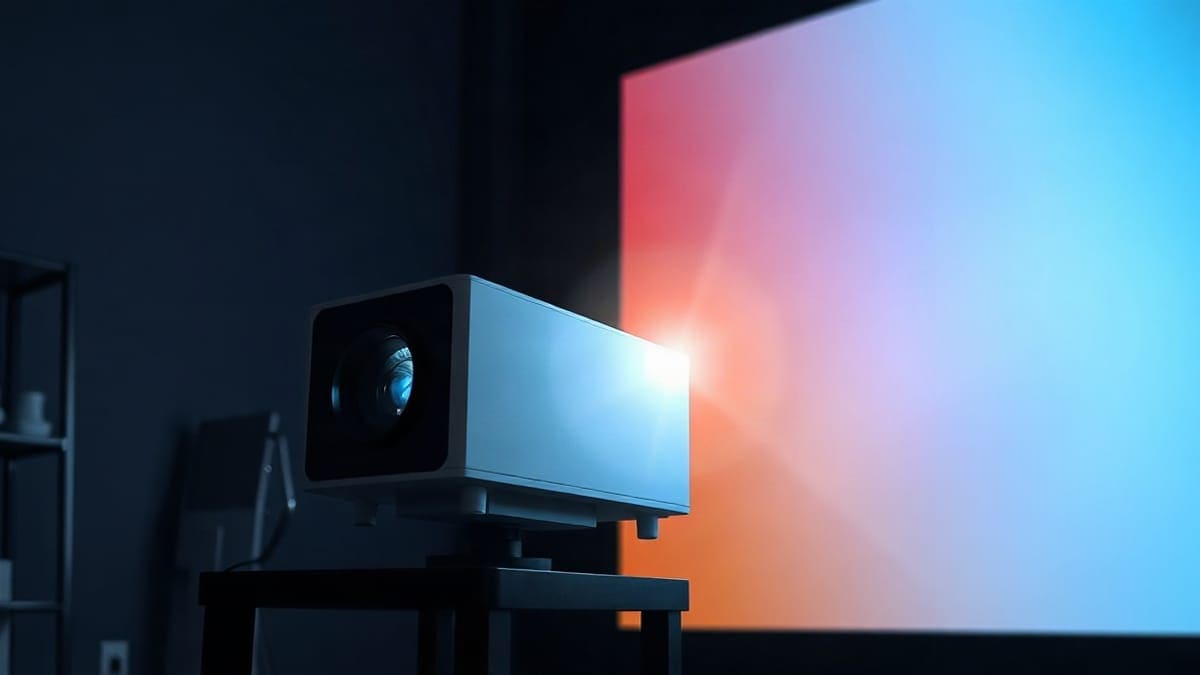
The JMGO N1S Pro 4K is a triple laser gimbal projector rated at 2,400 ANSI lumens, with Google TV and two HDMI inputs. It suits a lamp-lit living room better than the N1S 4K, and costs less than the rated 3,500 ANSI lumen N1S Ultimate. It throws 85 to 180 inches from 7.4 to 15.7 feet and weighs 9.9 lb. Sources disagree on brightness and speakers; we show the gaps.
Should you pick the Pro or a neighbour?
- Get the N1S Pro 4K if you watch with a lamp on or the curtains half open, want a 100 to 150 inch picture, and need two HDMI inputs for a console and a streaming box.
- Get the N1S 4K instead if the room goes dark, you carry the projector between rooms, and 4.4 lb matters more than brightness.
- Get the N1S Ultimate if the room has big windows or you want a 30,000 hour laser rating. See the Ultimate review.
- Neither if you want a shorter throw or a much brighter picture for a big room. The N3 Ultimate has a zoom lens and 5,800 ISO lumens, and the XGIMI Horizon S Pro fits smaller rooms. The best projector guide compares other brands.
Quick answer
- Brightness: 2,400 ANSI lumens on ProjectorCentral, TechRadar and Notebookcheck. BGR prints 2,400 ISO lumens, ProjectorCentral's highlights list 2,000 CVIA lumens, and retailer listings say 2,250.
- Picture: 3840 x 2160 output on a single DLP chip, RGB triple laser, 1,600:1 contrast, 110% of the BT.2020 gamut, HDR10.
- Size and throw: 7.99 x 9.29 x 9.48 inches, 9.9 lb, throw ratio 1.2:1, 85 to 180 inches (ProjectorCentral).
- Connections: two HDMI (BGR reports HDMI 2.1, one with eARC), one USB-A, a headphone jack, Wi-Fi 6 and Bluetooth 5.1.
- Noise and power: 26 dB and 180 W at the wall (ProjectorCentral).
- Weak points: no optical zoom, no lens shift, a remote without backlight, and a 1 year warranty.
What does the Pro add over its smaller sibling?
It adds brightness, a second HDMI port and a larger body. The two models share the gimbal head, the 1.2:1 throw ratio and Google TV. The jump is in the engine and the ports, which is why the Pro costs more.
| Spec | N1S 4K | N1S Pro 4K |
|---|---|---|
| Brightness | 1,700 ISO lumens (JMGO), 1,100 on ProjectorCentral | 2,400 ANSI lumens |
| Weight | 4.4 lb | 9.9 lb |
| Body (H x W x D) | 7.50 x 6.50 x 7.30 in | 7.99 x 9.29 x 9.48 in |
| HDMI inputs | 1 | 2 |
| Throw distance | 5.2 to 17.4 ft | 7.4 to 15.7 ft |
| Image size | 59.66 to 200.10 in | 84.90 to 180.13 in |
| Release | April 2025 | September 2024 |
Notice the dates. The Pro came first, in September 2024, and the N1S 4K arrived in April 2025 as the cheaper, lighter model. So the Pro is not a newer version of the 4K. It is a bigger, brighter sibling. Because one figure is in ISO lumens and the other in ANSI lumens, and ISO 21118 is the stricter test, you cannot divide one by the other. The step up is real, though: even on the most cautious reading the Pro is clearly brighter.
The full N1S 4K numbers sit in our N1S 4K review, and the whole range is in our JMGO projector guide.
JMGO N1S Pro 4K specs
Most values come from ProjectorCentral's N1S Pro 4K page, with network, processor and port details from BGR's review.
| Spec | JMGO N1S Pro 4K |
|---|---|
| Brightness | 2,400 ANSI lumens (2,000 CVIA lumens in the highlights) |
| Resolution | 3840 x 2160, single DLP chip |
| Light source | RGB triple laser |
| Contrast | 1,600:1 |
| Color | 110% BT.2020, 10-bit processing, HDR10 |
| Throw ratio | 1.20:1 |
| Throw distance | 7.4 to 15.7 feet |
| Zoom and shift | Digital zoom only, no lens shift |
| Gimbal | 360 degrees horizontal, 135 degrees vertical |
| Ports | 2 x HDMI, 1 x USB-A, 3.5 mm audio out |
| Wireless | Wi-Fi 6, Bluetooth 5.1 (BGR) |
| Processor and memory | MediaTek MT9629, 2 GB RAM, 32 GB storage (BGR) |
| Noise | 26 dB |
| Power | 180 W, 100 to 240 V |
| Weight | 9.9 lb |
| Warranty | 1 year |
Three values need care. First, brightness: the manufacturer-style 2,400 appears on most pages, but you will also see 2,250 on retailer pages and 2,000 CVIA on ProjectorCentral. One listing even claims real-world measurements of 1,500 to 1,600 lumens in the best color modes, but that is a sales page, so we do not rely on it. Second, laser life: none of the pages we read gives a rating for this model, while ProjectorCentral lists 30,000 hours for the Ultimate. Third, the 4K image: sources list 3840 x 2160 output from one DLP chip and do not say if it is native or pixel shifted, so we do not call it native 4K.
What brightness should you expect from the Pro?
Bright enough for a lamp-lit living room, not for direct sun. BGR called the brightness exceptional and said it worked without closing the blinds, though ambient light still washed out the image. That matches the number: 2,400 lumens is about 40% more than the N1S 4K's announced 1,700 ISO lumens, and the gap is wider if ProjectorCentral's lower figure for the smaller model is right.
Here is our own calculation. We divide the 2,400 lumens by the screen area of a 16:9 picture on a plain 1.0 gain white screen. It is a best case: real output falls with the picture mode, the laser age and the screen.
| Screen size | Screen area | Brightness on screen | Verdict |
|---|---|---|---|
| 85 inches | 21.4 sq ft | 112 fL (about 384 nits) | Handles a lit room |
| 100 inches | 29.7 sq ft | 81 fL (about 277 nits) | Good with a lamp on |
| 120 inches | 42.7 sq ft | 56 fL (about 193 nits) | Good in a dim room |
| 150 inches | 66.7 sq ft | 36 fL (about 123 nits) | Dim room or evening |
| 180 inches | 96.1 sq ft | 25 fL (about 86 nits) | Dark room only |
Cinema aims for roughly 16 foot-lamberts in a dark room. The Pro clears it up to 180 inches on paper, but you need a large margin with lights on, so 100 to 130 inches is the practical zone. Our lumens guide explains how much margin each lighting level asks for, and our daylight picks cover rooms where even this is too dim.
Will the Pro hold up when the sun is out?
Only partly, and the lumens and the screen decide it, not the laser type. The N1S Pro 4K at 2,400 ANSI lumens works with blinds open on a screen around 100 inches, according to BGR, and loses contrast when sun hits the screen. Brighter models and an ambient light rejecting screen do better. See best projector for daylight and our screen guide.
What screen size and distance suit the Pro?
The throw ratio is 1.2:1, so the lens sits 1.2 times the picture width from the screen. For 16:9, the width is 87.2% of the diagonal.
| Screen size | Picture width | Distance from the screen |
|---|---|---|
| 85 inches | 74.1 inches | 7.4 feet |
| 100 inches | 87.2 inches | 8.7 feet |
| 120 inches | 104.6 inches | 10.5 feet |
| 150 inches | 130.7 inches | 13.1 feet |
| 180 inches | 156.9 inches | 15.7 feet |
ProjectorCentral lists a 7.4 to 15.7 foot range that matches this math. BGR says the projector reaches down to 60 inches, which would need 5.2 feet, so ProjectorCentral's 84.9 inch minimum and BGR's 60 inch figure disagree. There is no optical zoom: you move the projector to change the size, and digital zoom costs sharpness. BGR also found the projector does not remember the image size, so it had to be re-adjusted through the Image Adaption setting. For other sizes use our throw distance calculator.
Does it have a ceiling mount or stand?
The ProjectorCentral page we read does not mention a mount thread for this model, while The Gadgeteer reports one on the smaller N1S 4K. Check the box or JMGO before you buy a ceiling bracket. For the hardware, see ceiling mount picks and stands and tripods.
What are the strengths and flaws?
Reviewers lean positive. TechRadar scored it 4 out of 5 and called it solid and versatile. We have not tested it ourselves, so the lists below come from those reviews and the specifications.
What reviewers liked
- A gimbal that turns 360 degrees and tilts 135 degrees, which makes placement easy (BGR).
- Autofocus and auto keystone that TechRadar found to work fairly well, and that The Gadgeteer set up with no difficulties.
- Two HDMI ports, one with eARC, according to BGR.
- A fan that BGR described as essentially inaudible, in line with the 26 dB rating.
- Loud, clear 20 W speakers with Dolby Audio, though BGR found the bass weak.
- Google TV with Netflix licensed and built in, and a carrying case in the box.
What reviewers disliked
- TechRadar's single drawback was that it can struggle with motion, and it noted some black crush in dark scenes.
- BGR saw blue tints in white icons and reds that looked pinkish.
- No optical zoom, no lens shift and no memory for image size.
- A Bluetooth remote with no infrared and no backlight, according to The Gadgeteer.
- BGR worried that 2 GB of RAM might slow the system over time.
One more gap: a review we read lists the Pro's speakers as 20 W with Dolby Audio, while other pages for the same line mention Dynaudio tuning and give no wattage. Confirm on JMGO's product page if sound is a deciding factor.
Is the JMGO projector good, and where are JMGO projectors made?
JMGO is a Shenzhen-based company founded in 2011, and our JMGO projector guide covers its warranty, range and track record. For the N1S Pro 4K, the answer is yes if you accept the weak points above. The factory location of this model is not published on any page we read, so we do not state one.
Setting up, connecting, resetting and choosing among JMGO models
Which JMGO projector is best? The N1S 4K review and the Ultra comparison answer it by room. The setup steps match the other N-series models, since all run Google TV: plug in, pair the remote, join Wi-Fi, let autofocus finish, and then fix any slant with keystone. We wrote the button by button walkthrough once, in the N1S 4K setup section, covering how to turn on, connect, use, restart, reset and change the language of a JMGO projector. For a general guide, see our reset steps and the Wi-Fi troubleshooting page. Where the Pro differs: it has two HDMI inputs, so a console and a streaming box can stay plugged in. BGR tested it from about 13 feet away from a white wall.
What does it mean when a projector supports 4K?
It means the projector accepts and shows a 3840 x 2160 picture, 8.3 million pixels, but not that it has that many separate pixels on its chip. Many single-chip DLP projectors shift a smaller chip quickly to build the 4K image. The sources for the N1S Pro 4K list 3840 x 2160 output without saying how it is built. Our native vs pixel shifting guide explains the difference, and the 4K projector picks compare other models.
What does the triple laser engine mean for the Pro?
The Pro uses red, green and blue lasers on one DLP chip, which is how it reaches 110% of the BT.2020 gamut. The general questions (how a triple laser projector works, how long it lasts, whether it dims, whether it works in daylight and whether it is worth it) are answered in our Ultra vs N1 Ultra comparison, and the brands are lined up in our triple laser guide and what is a laser projector. For this model, remember that no laser life rating is published, while the N1S Ultimate lists 30,000 hours on ProjectorCentral. JMGO says its speckle reducer cuts laser speckle by 97% on the N1S family, according to its launch announcement, and single chip DLP can show a rainbow effect to a few viewers, so buy from a seller with a free return window.
How does it handle console play?
It is workable for console play, with an unproven input lag. One listing reports 35 ms at 4K 60 Hz, and Notebookcheck repeats JMGO's claim of 16 ms for the Pro line. TechRadar says it measured lag with a Leo Bodnar tester, but we could not read the result. Without a confirmed figure, we say that it suits casual play, not competitive play. For picks tuned for fast games, see best gaming projector.
JMGO N1S Pro 4K vs the competition
The closest rival from another brand is the XGIMI Horizon S Pro, which ProjectorCentral lists at 1,800 ISO lumens with a laser and LED hybrid source rated for 20,000 hours, 12 W x 2 speakers, a throw of 3.5 to 17.4 feet and a 10.5 lb body. ISO and ANSI numbers are not like for like, so do not rank them by lumens alone. The Horizon S Pro throws a picture from closer, which suits small rooms. The Pro suits a bigger room and two HDMI inputs. Read the Horizon S Pro review for more.
Other triple laser names that shoppers type, such as Hisense, Nebula and Valerion, are covered on our triple laser guide. We did not verify their specs for this page, so we make no head to head claim here.
Does the Pro fit your living room, or your bedroom?
Best for: a family living room with a lamp on, a 100 to 130 inch picture, a console plus a streaming box, and someone who wants Google TV and Netflix without a stick.
Not for: a small room needing a short throw, since 7.4 feet is the minimum for 85 inches. Not for a sunny room with no curtains, and not for anyone who wants a very large 150 inch picture in daylight. Not for people sensitive to the rainbow effect who cannot return the unit.
| You are | Best pick | Why |
|---|---|---|
| A renter with a dark bedroom | N1S 4K | 4.4 lb and a 5.2 foot minimum throw |
| A family with a lamp-lit living room | N1S Pro 4K | 2,400 ANSI lumens and 2 HDMI |
| Someone with big windows | N1S Ultimate | 3,500 ANSI lumens rated (2,608 measured), 30,000 hour laser |
| A buyer who wants another brand | XGIMI Horizon S Pro | 1,800 ISO lumens, 3.5 ft minimum throw |
FAQ
Should you pay more than for the N1S 4K?
Yes for a living room where the N1S 4K is too dim. You get 2,400 ANSI lumens, two HDMI ports and a 26 dB fan. For a dark bedroom the cheaper and lighter N1S 4K does the job.
How many lumens does the N1S Pro 4K have?
ProjectorCentral, TechRadar and Notebookcheck list 2,400 ANSI lumens. BGR prints 2,400 ISO lumens, and retailer pages say 2,250. The sources disagree, so plan for the lower end.
Does the N1S Pro 4K have native 4K?
The sources list 3840 x 2160 output from a single DLP chip but do not say if it is native or pixel shifted, so we cannot say native.
How far should the N1S Pro 4K be from the screen?
8.7 feet for a 100 inch picture, 10.5 feet for 120 inches and 13.1 feet for 150 inches. The throw ratio is 1.2:1.
How does the Pro rank against the Ultra?
The Ultra is rated at 3,000 ANSI lumens against 2,400, lists two HDMI 2.1 ports and 10 W x 2 speakers, and has the same 9.9 lb body. The Pro is the cheaper step.
Is Netflix built in?
Yes. It runs Google TV, and The Gadgeteer reports that Netflix is licensed and built in.
What does 26 dB sound like?
ProjectorCentral lists 26 dB, and BGR called the fan essentially inaudible.
Does it work with the blinds open?
Not in direct sun. It worked with the blinds open in BGR's review, though ambient light still washed out the picture.
How many HDMI ports does it have?
Two, plus one USB-A and a 3.5 mm audio output. BGR reports HDMI 2.1 with eARC on one port.
Can the lens zoom or shift?
No. It has digital zoom, which reduces sharpness, and a gimbal for aiming.
What warranty does it have?
ProjectorCentral lists 1 year. Check the seller's return window too.
Can you play consoles on it?
For casual play yes, with a reported 35 ms input lag at 4K 60 Hz that we could not confirm. See our gaming projector picks.
Sources
- ProjectorCentral: JMGO N1S Pro 4K specifications
- BGR: JMGO N1S Pro 4K review
- TechRadar: JMGO N1S Pro 4K review
- The Gadgeteer: JMGO N1S Pro 4K review
- Notebookcheck: JMGO N1S Pro launch
- ProjectorCentral: JMGO N1S 4K specifications
- ProjectorCentral: XGIMI Horizon S Pro specifications
- JMGO N1S launch announcement on PR Newswire
- JMGO About page
Keep comparing
 Epson ProjectorsHome Cinema, EpiqVision and Pro Cinema models with lumens, 3LCD color brightness, lamp or laser life
 XGIMI ProjectorsHorizon 30, Horizon 20, Titan Noir, Aura, MoGo 4, Halo+ and Elfin Flip, with lumens, throw distance, Netflix
 Samsung Freestyle Projector ReviewReal brightness, battery limits, apps and four rivals, both generations
 Valerion ProjectorsVisionMaster Max, Pro 2, Pro, Plus 2, StreamMaster Plus 2 and Plus, with lumens, throw distance