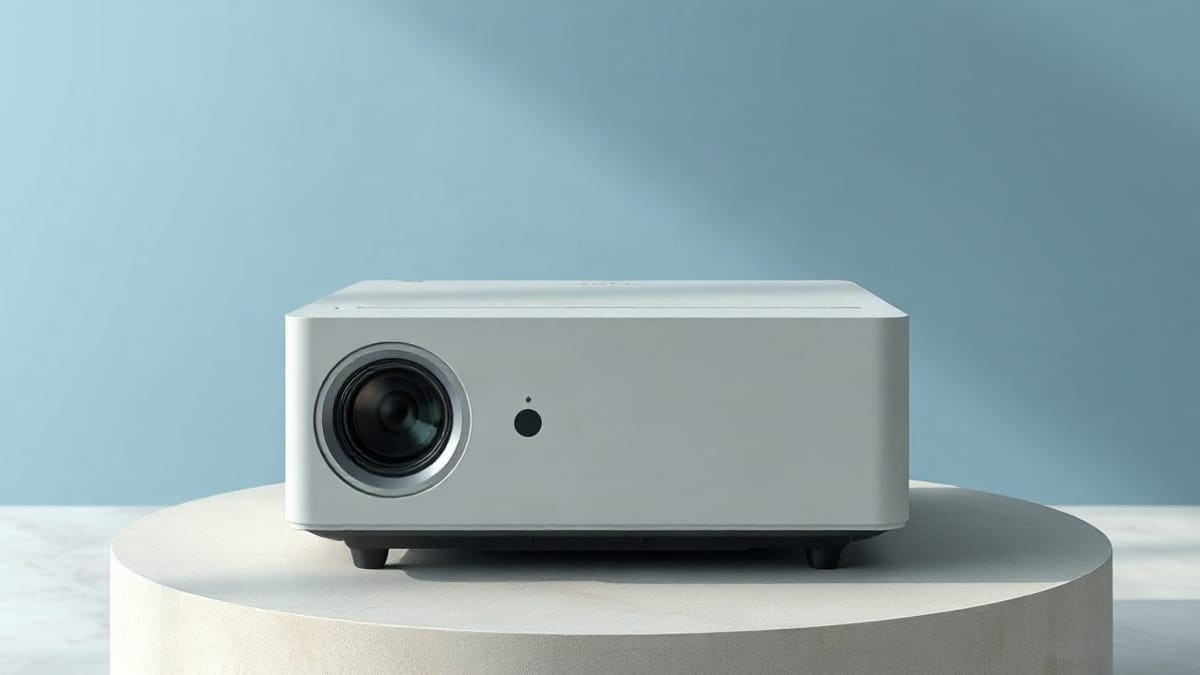
The Samsung Freestyle is a swivel-cradle LED projector, light enough for a daypack, that focuses and levels itself. It suits a dark bedroom, dorm or hotel desk, and fails in a bright living room. The first model is rated at 550 "LED lumens", which no lab confirmed; one reviewer measured 249. The 2nd Gen is rated at 230 ANSI lumens and adds Gaming Hub. Neither has a battery.
Shelf, outlet, dark room: pick the 2nd Gen. Need a battery: look at the XGIMI MoGo 4 or the Capsule 3 Laser. Above 100 inches or in daylight: none of these, see the best projector guide.
Quick answer: what the Freestyle gives you
- Size and weight. 6.8 x 4.0 x 3.7 inches and 1.8 lb (0.83 kg with the cradle, 0.71 kg without). It fits a daypack.
- Picture. 1920 x 1080 from a single DLP chip, 30 to 100 inches, at a 1.20:1 throw ratio on the 2nd Gen (1.22:1 on the first).
- Brightness. 230 ANSI lumens rated on the 2nd Gen. The first gen has no ANSI rating; a published measurement shows 249 lumens at best.
- Power. A 50 W USB-C supply on the 2nd Gen (65 W on the first). No internal battery on either; a Battery Base or a USB-PD bank at 50 W / 20 V or higher is needed away from a wall.
- Software. Samsung Tizen with streaming apps, AirPlay 2 and, on the 2nd Gen, Gaming Hub.
- Sound. 5 W mono through a speaker Samsung calls 360 degree. Fine for a bedroom, thin for a party.
- We did not test it. The numbers come from Samsung support pages, ProjectorCentral and published reviews, and we say where they disagree.
Our picks at a glance
- 1XGIMI MoGo 4a backpack, a desk and gaming at 40 to 80 inchesCheck price
- 2Nebula Capsule 3 Lasera tent, a dorm and a trip without an outlet, at 40 to 80 inchesCheck price
- 3JMGO PicoFlixa film off the grid at 60 to 100 inches, or a kids' roomCheck price
What is the Samsung Freestyle projector?
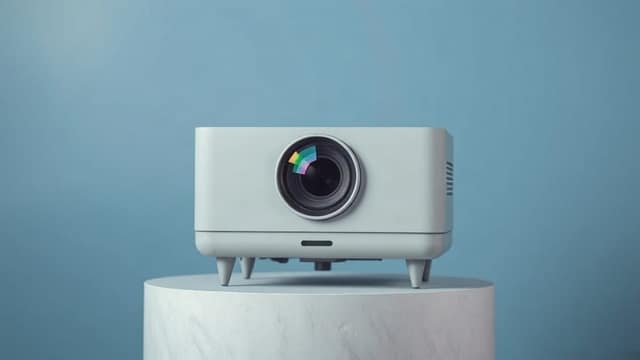
The Freestyle is Samsung's portable smart projector: a small cylinder with a lens on one side, sitting in a cradle that tilts and swivels. Samsung calls it "The Freestyle". It launched in February 2022 and ProjectorCentral lists that first model as discontinued in July 2024. The 2nd Gen followed in August 2023 and is the one still sold in most shops.
Its trick is setup. Turn it on, point it at a wall or ceiling, and it focuses and squares the picture by itself. Samsung says rotating the unit makes it recalibrate to the new surface and its colors. That is why the name fits: you can aim it at a wall, a ceiling, or a bedsheet, with no tripod and no screen.
It is also a smart speaker and a game console front end. Tizen, the same system as Samsung TVs, brings the app store, Alexa and Bixby. The 2nd Gen adds Gaming Hub, which Samsung offers in the US, Canada, the UK, France, Germany, Spain, Italy, Brazil and Korea, and which needs a Samsung account and, for most services, a controller and a subscription.
What is the Samsung Freestyle 2nd Gen?
The 2nd Gen is the same body with a refreshed engine and software. Reviewers who compared them, and the ProjectorCentral spec pages, show these differences:
| Spec | Freestyle (1st gen) | Freestyle 2nd Gen |
|---|---|---|
| Release date | February 2022 | August 2023 |
| Rated brightness | 550 "LED lumens", no ANSI figure | 230 ANSI lumens (maker rating) |
| Measured brightness | 249 lm brightest mode, 195 lm Movie | Not published by a lab we could find |
| Throw ratio | 1.22:1 | 1.20:1 |
| Image size | 30 to 100 in | 29.6 to 100.4 in |
| Light source life | 20,000 h LED | 30,000 h LED |
| Power supply | 65 W | 50 W |
| Gaming Hub | No | Yes |
| Noise | Not listed | 30 dB |
| Status | Discontinued July 2024 | Shipping |
Read the brightness row twice. The 550 figure on the older model and the 230 figure on the newer one use different tests, so the 2nd Gen is not dimmer. Reviewers who handled both describe the same picture brightness. The 2nd Gen adds cloud gaming, a longer-lived LED and a lighter power supply. For the full 2nd Gen breakdown see the Freestyle 2nd Gen page.
A third model exists. Samsung announced the Freestyle+ in 2026 with a rating of 430 ISO lumens, no built-in battery and a launch price well above the 2nd Gen. We cover it on the Freestyle Plus page.
How bright is the Samsung Freestyle, and does it work in daylight?
It is bright enough for a dark room at 40 to 80 inches, and not for daylight. 230 ANSI lumens on a 60 inch screen gives about 21.5 foot-lamberts; the same projector on a 100 inch screen gives about 7.7. A common dark-room target for movies is 16 foot-lamberts, so the Freestyle clears it up to roughly 70 inches.
Here is the calculation, so you can check it. Foot-lamberts equal lumens divided by screen area in square feet, for a matte screen with a gain of 1. A 60 inch 16:9 picture is 52.3 x 29.4 inches, or 10.7 square feet. 230 divided by 10.7 is 21.5.
| Picture size | Screen area | 230 lm (2nd Gen rated) | 249 lm (1st gen measured) | 195 lm (1st gen Movie mode) |
|---|---|---|---|---|
| 40 in | 4.8 sq ft | 48.3 fL | 52.3 fL | 41.0 fL |
| 60 in | 10.7 sq ft | 21.5 fL | 23.3 fL | 18.2 fL |
| 80 in | 19.0 sq ft | 12.1 fL | 13.1 fL | 10.3 fL |
| 100 in | 29.7 sq ft | 7.7 fL | 8.4 fL | 6.6 fL |
The measured column comes from Projector Reviews, which read 249 lumens in Dynamic, within a few lumens of that in Standard and Game, and 195 lumens in Movie. That reviewer judged the picture best under 75 inches, despite Samsung's 100 inch claim, and found HDR10 made no visible difference from SDR. We could not find a lab figure for the 2nd Gen. If its maker rating holds, expect numbers close to the first column.
Daylight is where it fails. With an unshaded window, ambient light adds to the black level and a 20 foot-lambert picture looks gray. Reviewers consistently call the Freestyle a dim-room projector, and Samsung itself says brightness varies with the setting and the room. Close the blinds, or step up in brightness. The how many lumens guide shows what a lit room asks for, and the daylight projector picks start far above the Freestyle's output.
Adding 30 percent to your target is wise, because picture modes lose light. On the Freestyle, Movie mode gave up about 22 percent against Dynamic (195 against 249 lumens). Put differently: for movies, plan on 60 inches, for a game night with the lights low, 80 inches is the practical top.
Is the Samsung Freestyle worth it?
Yes, for one kind of buyer: someone who wants the smallest 1080p projector that sets itself up, in a room they can darken. It is not worth it as a cheap screen replacement or as a living room TV, because the money buys convenience, not brightness. Reviewers who like it praise the autofocus, the cradle and the sound for its size. Reviewers who do not point to the dim image given the price, and to a missing battery.
Pros that hold up across sources:
- Set up in seconds. Auto focus and auto keystone both work when you power it on, and Samsung says focus settles within seconds.
- Light and small. At 1.8 lb it is lighter than any rival here with a battery, such as the Capsule 3 Laser at 2.1 lb.
- Good colors for a portable LED. Projector Reviews found less of the green skin tone common to the class.
- Apps built in. Tizen is Samsung's own app platform, but Netflix is not confirmed by the maker; see best projector for Netflix. Confirm the app list on the model you buy, because we could not verify it on a Samsung page.
- Phone friendly. AirPlay 2 works from iPhone, iPad and Mac.
Cons you should accept before paying:
- Dim. 230 ANSI lumens is low next to the 450 lumen class (see the rivals below).
- No battery. Away from an outlet you add an accessory.
- Mono speaker. 5 W from one driver, where the XGIMI MoGo 4 offers two 6 W Harman Kardon speakers.
- Micro HDMI. The port is not a standard HDMI, so you need the right cable.
- Input lag. The first gen measured 43.2 ms at 1080p/60 on ProjectorCentral. Treat that as fine for movies and mediocre for fast shooters.
If those cons sound tolerable, the Freestyle 2nd Gen is the strongest pocket projector for a shelf. Our best mini projector and best portable projector lists rank it first for plug-in use for the same reasons. If a battery matters more than size, skip to the rivals.
Does the Samsung Freestyle have a battery, or does it have to be plugged in?
It has no internal battery and needs a USB-C power source. Both ProjectorCentral and Samsung list a plug-in supply: 65 W on the first gen and 50 W on the 2nd Gen. Without a wall outlet there are two routes.
The Samsung Battery Base. Samsung sells it separately and rates it for up to 3 hours when it powers only the projector, measured under IEC 62087. The projector must go into the port labeled 50W Output. The second port, labeled In & 10W Output, will not run it. Specs vary by region, so check the box.
A third-party power bank. Samsung says the external battery must support USB-PD at 50 W / 20 V or higher, and notes it is not liable for third-party packs. Samsung Belgium's support page recommends at least 20,000 mAh. The arithmetic explains why: a 20,000 mAh bank at 3.7 V holds 74 Wh. At the full 50 W the projector can draw, that is about 1.3 hours after conversion losses. One review reported 2 to 3 hours from a 26,000 mAh bank, which fits a lower real draw. Treat 2 hours as the plan.
So the questions people type have short answers. Does the Samsung Freestyle have to be plugged in? Yes, to a wall or a power source. Does it have a battery? No. Can it work with a power bank? Yes, with the PD rule above. Does the 2nd Gen differ? No, it has no battery either.
If battery matters, the better move is a projector built with one. The battery powered projector guide lists them, and the camping projector page covers outdoor use.
How do I connect the Samsung Freestyle to a phone?
An iPhone connects over AirPlay 2 on the same Wi-Fi network; an Android phone uses Samsung's SmartThings or the Cast route. Samsung's own support page gives the iPhone steps:
- Put the iPhone and the Freestyle on the same Wi-Fi network and power both on.
- Open Control Center on the iPhone and tap Screen Mirroring.
- Choose Samsung Projector from the list.
- If a code appears on the picture, type it on the iPhone and tap OK.
To stop, open Control Center, tap Screen Mirroring and choose Stop Mirroring. On the projector, the AirPlay toggle and a code requirement sit under Settings, All Settings, Connection, Apple AirPlay Settings. Samsung says older AirPlay 1 devices may not work.
AirPlay is not the only way in for an iPhone. The Freestyle 2nd Gen has a Micro HDMI input, per Samsung's connection page, so an iPhone 15, 16 or 17 (not the 16e or 17e, which have no USB-C video output) can use a USB-C to HDMI adapter and a Micro HDMI to HDMI cable, or a Micro HDMI to USB-C cable if the adapter chain allows it. We could not confirm the HDCP behavior of that port, so a streaming app may still show a black screen over the cable.
Android is less clear. Samsung markets SmartThings for pairing, and the app asks you to type a PIN shown on the picture; if the QR scan fails, use "Scan for nearby devices". Galaxy phones also get a one-touch mirroring feature, and one review says ultrawide mirroring is limited to Samsung phones. Whether the projector supports Google Cast depends on the source: a Best Buy answer says yes, while a CDW spec sheet says no. We could not settle it, so do not buy for Cast alone.
Because Netflix does not allow AirPlay mirroring, casting it will not work, and Netflix is not confirmed by the maker on the Freestyle's own app (see best projector for Netflix). For the full phone picture across brands, see the phone projector guide and how to connect a phone to a projector.
How far from the wall does the Samsung Freestyle need to sit?
At a 1.2:1 ratio, the projector sits 2.6 feet from the wall for a 30 inch picture and 8.7 feet for 100 inches. These are Samsung's own figures; the size shifts slightly with the surface and the room.
| Picture size | Distance (feet) | Distance (meters) |
|---|---|---|
| 30 in | 2.6 ft | 0.8 m |
| 40 in | 3.5 ft | 1.1 m |
| 50 in | 4.4 ft | 1.3 m |
| 60 in | 5.2 ft | 1.6 m |
| 70 in | 6.1 ft | 1.9 m |
| 80 in | 7.0 ft | 2.1 m |
| 90 in | 7.8 ft | 2.3 m |
| 100 in | 8.7 ft | 2.6 m |
A coffee table 5 feet from the wall therefore gives a 60 inch picture, which is also the size where the brightness math above is happiest. Use the throw distance calculator for other ratios, and the projector on wall guide for surfaces. There is no zoom lens, so size changes only by moving the projector. The Freestyle's remote works within 6 meters (20 feet) of the projector.
Which projector should you buy instead of the Samsung Freestyle?
Four Impact-brand models cover the gaps the Freestyle leaves: battery, brightness and 4K. The table puts the rival numbers beside the 2nd Gen. Ratings differ in unit, so read the unit column.
| Model | Weight | Brightness | Resolution | Power | Speakers |
|---|---|---|---|---|---|
| Samsung Freestyle 2nd Gen | 1.8 lb | 230 ANSI rated | 1080p | 50 W plug, no battery | 5 W mono |
| XGIMI MoGo 4 | 2.9 lb | 450 ISO rated | 1080p | USB-C 65 W, 2 h battery | 2 x 6 W |
| Nebula Capsule 3 Laser | 2.1 lb | 300 ANSI rated, 302 to 341 measured | 1080p | 52 Wh battery, about 2 h | 8 W mono |
| JMGO PicoFlix | 3.3 lb | 450 ANSI rated | 1080p | About 4 to 4.5 h battery | 2 x 5 W |
| JMGO N1S 4K | 4.4 lb | 1,700 ISO (JMGO), 1,100 ISO (ProjectorCentral) | 4K | Plug-in | Built-in |
The values above come from the verified entries on our portable projector guide. ISO lumens are a maker rating under ISO 21118, the strictest lumen test, so the 450 ISO of the MoGo 4 is a tougher number than an ANSI rating and still not directly comparable with the Freestyle's 230 ANSI. Only the Capsule 3 Laser has a published lab measurement here.
XGIMI MoGo 4: the daily carry alternative
The MoGo 4 is a 2.9 lb, 1080p LED projector rated at 450 ISO lumens with two 6 W Harman Kardon speakers and 20 ms of input lag. It runs on Google TV with Google Cast, takes 65 W by USB-C, so a power bank can run it, and lists about 2 hours on its battery. It costs weight (1.1 lb more than the Freestyle) and buys stereo sound and a faster game response.
Best for: a backpack, a desk and gaming at 40 to 80 inches. Not for: a buyer who wants a long battery run, since it lasts about 2 hours (a launch report says up to 2.5 hours in Eco mode). XGIMI's Netflix page lists the MoGo 4 as certified. See the XGIMI MoGo 4 page and the XGIMI range.
Nebula Capsule 3 Laser: the battery pocket pick
The Capsule 3 Laser weighs 2.1 lb, carries a 52 Wh battery and is rated at 300 ANSI lumens, with 302 to 341 measured on AC power. On battery it drops: ProjectorCentral measured 192 lumens in Standard mode and about 2 hours 4 minutes of runtime. It beats the Freestyle's 230 only on a plug. It comes in two versions, Android TV (2023, no authorized Netflix app, the one ProjectorCentral measured) and Google TV with Netflix (August 2024). The measured one produced 38.6 dBA of fan noise against Nebula's 28 dB claim.
Best for: a tent, a dorm and a trip without an outlet, at 40 to 80 inches. Not for: a buyer who needs the 2023 Android TV version to run Netflix, or a silent room. See the Nebula Capsule 3 Laser page and the Nebula family.
JMGO PicoFlix: the long-battery pick
The PicoFlix is rated at 450 ANSI lumens, about 4 hours of battery (up to 4.5 hours on the maker page), and weighs 3.3 lb. It has two 5 W speakers, HDMI 2.1, Google TV and a bottle-shaped body of 3.15 x 9.45 x 3.15 inches. No independent lumen figure exists, so 450 is the maker's word.
Best for: a film off the grid at 60 to 100 inches, or a kids' room. Not for: a 4K source or anyone who needs a measured brightness. JMGO is an Impact partner, so see the JMGO range.
JMGO N1S 4K: the bigger picture pick
The N1S 4K is a 4.4 lb triple laser projector on a gimbal stand, with 4K input and a 1.2:1 throw ratio from 5.2 to 17.4 feet for 60 to 200 inches. JMGO says 1,700 ISO lumens, and ProjectorCentral lists 1,100 ISO for the same model. At the lower figure, 100 inches gives about 37 foot-lamberts, against the Freestyle's 7.7 at that size. It has no battery, so it needs an outlet.
Best for: a bedroom or living room, 80 to 120 inches, 4K streaming. Not for: a bag. See the JMGO N1S 4K review.
Which one fits your situation?
| Your situation | Picture size | Take | Why |
|---|---|---|---|
| Shelf or hotel desk, outlet nearby | 40 to 80 in | Freestyle 2nd Gen | 1.8 lb, 1080p, self-setup |
| Daily carry with sound | 40 to 80 in | XGIMI MoGo 4 | 2 x 6 W, 20 ms lag |
| Two hours off the wall | 40 to 80 in | Nebula Capsule 3 Laser | 52 Wh battery, 2.1 lb |
| Longest film without a plug | 60 to 100 in | JMGO PicoFlix | About 4 to 4.5 h |
| Lights on or 100 in and up | 100 to 150 in | JMGO N1S 4K | 1,100 to 1,700 ISO lm, 4K |
| Tight budget, 1080p | 40 to 80 in | See the cheap projector picks | Lower cost, similar dark-room limits |
What the numbers cannot tell you
Some questions stay open after a careful read. We found no lab brightness figure for the 2nd Gen, so the 230 ANSI value is Samsung's own. The Cast support on the 2nd Gen conflicts between two retailers. The battery base capacity differs by region (one listing says 7,800 mAh at 14.4 V, others 32,000 mAh at 3.6 V). Samsung's pages give no manual firmware path or restart method. Where a section above flags this, take it as unconfirmed, and check the model sheet before you buy. For a wider view, the projector vs TV guide puts the Freestyle's limits next to a screen.
FAQ
Is the Samsung Freestyle 4K?
No. Both generations use a 1920 x 1080 DLP chip, so they are 1080p projectors. Retail spec sheets list 60 Hz output. We could not confirm that either model accepts a 4K signal at its HDMI port, so assume a 1080p picture. For real 4K at a wall outlet, see the 4K projector guide or the JMGO N1S 4K above.
Does the Samsung Freestyle have Bluetooth, and can it connect to a Bluetooth speaker?
Yes, it has Bluetooth 5.2 on the 2nd Gen, and Samsung says Multi Bluetooth lets you pair two sets of earbuds. A Bluetooth speaker usually pairs the same way, through the sound output settings. Samsung's pages do not list Sonos support, and we could not confirm it; a wired eARC link to a soundbar over the micro HDMI port is the documented route. The 5 W built-in speaker is enough for one room. See projectors with speakers.
Does the Samsung Freestyle have HDMI, and does it come with a cable?
It has one HDMI input, and it is a Micro HDMI port, not Mini, so a Micro HDMI to HDMI or a Micro HDMI to USB-C cable is needed. Samsung's list of the contents names a USB-C power cable, the remote, a manual and an e-manual, and no HDMI cable. The HDMI port also supports eARC for a soundbar, according to Samsung.
How do I connect the Samsung Freestyle to a laptop?
Plug a Micro HDMI to HDMI cable from the projector to the laptop, turn both on, and pick the source under Menu, Connected Devices. For a game console the steps are the same. Windows laptops also need the display set to Duplicate or Extend. Our laptop connection guide covers black screens and cable problems.
How do I use the Samsung Freestyle without the remote?
Samsung's remote works within 6 meters (20 feet), and it has a solar panel on the back. Without it, use the SmartThings app: scan the QR code on setup or "Scan for nearby devices", then type the PIN shown on the picture. The power button and a function key sit on the top of the projector. The general setup is in our projector setup guide.
How do I focus the Samsung Freestyle?
Press and hold the function key in the top-left corner to start auto focus, and Samsung says it clears the image within seconds. The lens is fixed, so size comes from distance, not zoom. If the picture stays soft, move the unit to a stable surface, since Samsung says rotating it makes it recalibrate. See how to focus a projector.
How do I reset or restart the Samsung Freestyle?
Hold the Home button on the remote, go to All Settings, General & Privacy, then Reset, and enter the PIN (0000 by default). The projector restarts and restores factory settings, though network settings are excluded. Samsung says Reset is not available while an app is open, and forum users report no hardware reset button. If the remote has lost its pairing, point it at the front and hold Return and Play/Pause for 3 seconds or more. A plain restart by cutting power is common practice, but we found no Samsung page that confirms it. More in how to reset a projector.
How do I update the Samsung Freestyle?
During first setup, after you accept the terms, the projector looks for updates and downloads any it finds. We found no Samsung page with manual update steps, so check the Support menu on the projector itself. Keep it on Wi-Fi while it updates.
How do I clean the Samsung Freestyle?
Samsung's support pages do not cover lens cleaning. General practice for a DLP lens is a dry microfiber cloth or a blower, never a spray on the glass. If dust sits inside the lens, that is a service case, not a home repair.
How do I fix a Samsung Freestyle that will not turn on or looks wrong?
Check the supply first: use the included USB-C adapter and cable, plug it in, then tap Power. A power bank below 50 W / 20 V PD can fail to run it. For a blurred or crooked picture, put it on a stable surface and rerun auto focus. For error messages and fan trouble see the Freestyle problems page.
What is a Samsung Freestyle skin?
We found no official Samsung "skin" for The Freestyle. The accessories Samsung lists are the Battery Base and a carrying case. A skin on a third-party shop is a decorative cover, and it is not a Samsung part. More on the add-ons at Freestyle accessories.
Where can I buy the Samsung Freestyle, and how much is it?
The 2nd Gen is sold at Samsung, Best Buy, Amazon and other US shops; the first gen is discontinued, so only old stock remains. Street prices move often and we do not print them. ProjectorCentral lists the launch prices, and the Check price buttons open the live offers: Freestyle 2nd Gen and Freestyle 1st gen.
When is the Samsung Freestyle 3 coming out?
We found no announced model called Freestyle 3. The 2026 update is the Freestyle+, rated at 430 ISO lumens, with no built-in battery. See the Freestyle Plus page.
Sources
- ProjectorCentral: Samsung Freestyle
- ProjectorCentral: Samsung Freestyle 2nd Gen
- Projector Reviews: Samsung The Freestyle performance
- Samsung Canada: The Freestyle 2nd Gen specifications
- Samsung: stream your iPhone to The Freestyle with AirPlay 2
- Samsung US: connect your devices to The Freestyle
- Samsung Canada: troubleshoot issues while using The Freestyle
- Samsung Canada: factory reset and self-diagnosis tools
- Samsung Canada: The Freestyle Battery Base
- Samsung Belgium: using a power bank with The Freestyle
- Samsung US newsroom: The Freestyle+
Keep comparing
 Epson ProjectorsHome Cinema, EpiqVision and Pro Cinema models with lumens, 3LCD color brightness, lamp or laser life
 Valerion ProjectorsVisionMaster Max, Pro 2, Pro, Plus 2, StreamMaster Plus 2 and Plus, with lumens, throw distance
 Hisense Laser TVPX4-Pro, PX3-Pro, L9Q, L9H, L5H and the retired PX1-Pro and PX2-Pro, with lumens, wall distance, screens
 JMGO N1S Ultra vs N1 Ultra3,000 ANSI lumens vs a disputed 1,900 to 4,000 claim, Google TV, 2 HDMI 2.1, 9.9 lb