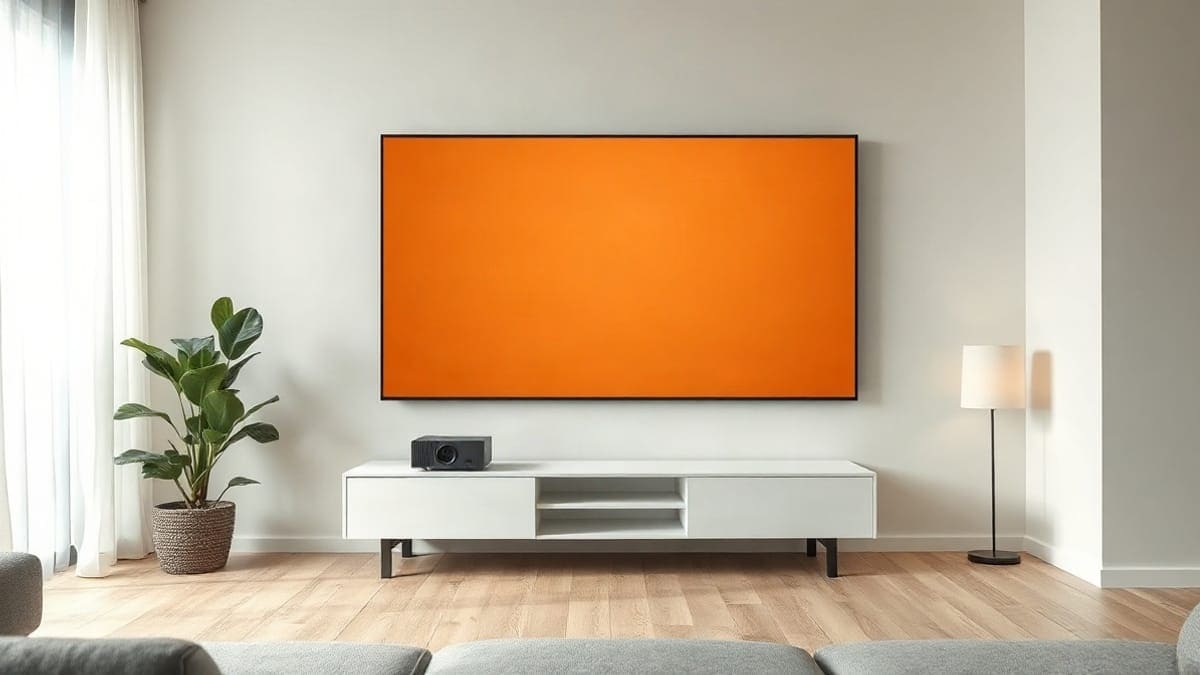
Hisense Laser TV is the name for its ultra short throw projectors: a low box that sits inches from the wall and throws 80 to 200 inches, with sound and software built in. The US range runs from the L5H at 2,700 rated lumens to the L9Q at 5,000, and the PX4-Pro at 3,500 is newest. Take the PX4-Pro if you own a screen, the L9H for one in the box, the L9Q for a bright room.
Your Hisense in three lines
- Get the PX4-Pro if you have a cabinet, a wall of 100 to 150 inches and want the current mid-range Hisense with 3,500 ANSI lumens rated. It is sold without a screen, so budget for an ambient light rejecting (ALR) one.
- Get the L9H or L5H if you want one purchase that includes the 100 or 120 inch ALR screen. Check that the kit is still in stock where you shop, because the US store and retailers differ.
- Get the L9Q if the room has windows and you want 5,000 ANSI lumens rated and a 116 W speaker system. It is the most expensive Hisense projector.
- Get none of them if you want to carry the projector or hang it from a ceiling. A 0.18 to 0.25:1 lens only works a foot or two from one wall. Then read our short throw guide or the best projector guide.
Our picks at a glance
- 1Your Hisense in three linesCheck price
- 2Hisense PX4-Proa living room with a cabinet, a screen of 100 to 150 inches, and a budget under the L9QCheck price
- 3Hisense PX3-Proa 100 to 120 inch picture and a buyer who wants Google TVCheck price
Quick answer
- What it is: a triple laser (red, green, blue) ultra short throw projector, sold on its own or with a 100 or 120 inch ALR screen.
- Brightness scale: 2,700 ANSI lumens (L5H) to 5,000 (L9Q), as rated by Hisense. The L9Q Pro is listed at 5,500 by retailers.
- Size: 80 to 200 inches depending on the model; the 100 and 120 inch screens are the common kits.
- Wall distance: about 16 to 33 inches from the wall to a 100 to 150 inch picture, by our calculation from the throw ratio.
- Light source life: 25,000 hours or more on every current model, and no lamp to replace.
- Warranty: two years on Hisense's US Laser TV page.
- System: Google TV on the PX3-Pro, L9Q, L9H and L5H; VIDAA OS on the PX4-Pro, according to Hisense's US release.
- Price: not printed here. Use the buttons for today's price.
What is a Hisense Laser TV?
A Hisense Laser TV is an ultra short throw (UST) projector built to replace a television. The projector, the sound system and the smart TV software come in one box, and in the L-series a large ALR screen ships in the same order. You put the box on a low console, point it at the wall, and the picture climbs the screen at a steep angle.
The wording is loose. Hisense uses "Laser TV" for the L-series kits (L5H, L9H), and "Laser Cinema" or "Triple Laser Home Theater UST projector" for the PX-series and the L9Q. Retailers call all of them laser TVs, and so do the people who search for them. This page treats them as one family.
The family sits between two things you may already know. It is not a normal projector that sits 10 feet back, and it is not a television. Our projector versus TV page covers that choice, and the laser TV explainer covers the technology in general. Here we stay with Hisense models.
How does a Hisense Laser TV work?
A Hisense Laser TV makes light with red, green and blue lasers, shapes it into a picture with a DLP chip, and bounces it off a mirror and lens at a very steep angle so it lands on a wall a few inches away. The screen then sends that light toward the viewers instead of the ceiling.
Three parts do the work:
- The light engine. Hisense calls it TriChroma on the L-series and "LPU" (laser projection unit) on newer models. Three lasers replace a lamp, which is why the rated life is 25,000 hours and why colors reach 107% of the BT.2020 gamut on the L9H and 118% on the PX4-Pro and L9Q Pro, as Hisense and retailers state.
- The chip. ProjectorCentral lists a 0.47 inch DLP chip on the PX3-Pro, the PX4-Pro and the L9Q. For the L9Q it describes 1080p with pixel shifting to a 3,840 x 2,160 picture; for the PX3-Pro and PX4-Pro it lists 3,840 x 2,160 without saying how it is reached. Projector Reviews also lists a 0.47 inch TI chip on the L9H and says its native resolution is unclear between the spec table and the text. Hisense sells all of them as 4K. We call that pixel shifted 4K unless a lab says native.
- The screen. A UST projector fights room light because its beam comes from below. An ALR screen has tiny ridges that reflect the low beam toward your eyes and absorb light from the sides and the ceiling. That is why a white wall looks washed out and a laser TV screen does not. Our ALR screen explainer shows the structure.
The same optics are why the box is fussy. A tiny move of the projector shifts the picture edges by inches. We cover leveling in the setup section below.
Every Hisense laser model side by side
Hisense has changed names often, so a table helps before any detail. It lists what Hisense, ProjectorCentral and retailers publish, and marks what we could not confirm. "Rated" means the maker's figure.
| Model | Type | Rated brightness | Image size | System | Screen in the box |
|---|---|---|---|---|---|
| PX4-Pro | UST projector | 3,500 ANSI lm | 80 to 200 in | VIDAA OS | No |
| PX3-Pro | UST projector | 3,000 ANSI lm | 50 to 150 in | Google TV | No |
| L9Q | UST projector | 5,000 ANSI lm | 80 to 200 in | Google TV | No (bundle sold) |
| L9Q Pro | UST projector | up to 5,500 ANSI lm (retailer) | 80 to 200 in | Google TV (retailer) | No |
| L9H | Laser TV kit | 3,000 ANSI lm | 100 or 120 in | Google TV | Yes, ALR screen |
| L5H | Laser TV kit | 2,700 ANSI lm | 100 or 120 in | Google TV | Yes, ALR screen |
| PX2-Pro | UST projector | 2,400 lm (retailer title) | not confirmed | Google TV | No |
| PX1-Pro | UST projector | 2,200 ANSI lm | not confirmed | not confirmed | No |
| XR10 | Zoom projector | 6,000 ANSI lm | 65 to 300 in | not confirmed | No |
The XR10 is not a laser TV: Hisense announced it at CES 2026 with optical zoom, lens shift and no stated throw ratio, so it can sit farther from the screen. We list it so you do not mistake it for a UST. Its shipping date was not stated in the coverage we read.
Which Hisense laser models can you still buy in the US?
The PX4-Pro, the L9Q and the L9H are the ones to look for. The PX3-Pro still shipped in ProjectorCentral's listing, but the PX4-Pro now succeeds it. The PX2-Pro and PX1-Pro are discontinued. We could not confirm the L5H's status in any source we opened.
| Model | Status we found | Source type |
|---|---|---|
| PX4-Pro | Sold from July 21, 2026 at Hisense's store, Amazon and Best Buy | Hisense US release |
| PX3-Pro | "Shipping" on ProjectorCentral, replaced by the PX4-Pro | Lab database |
| L9Q | On sale at Best Buy; one reseller marks it "Discontinued" next to the L9Q Pro | Retailers (they disagree) |
| L9Q Pro | In stock at one reseller | Retailer |
| L9H | Kit and projector-only listings on Hisense's US store; clearance and open-box units elsewhere | Retailers |
| L5H | Not confirmed | None found |
| PX2-Pro | Discontinued, released June 2023 | ProjectorCentral |
| PX1-Pro | Discontinued, 2022 model | Projector-Database |
Two lessons come out of this. First, stock moves faster than any page: check the retailer button for the model you want before you plan the room. Second, a discontinued Hisense on sale as open box can be a fair deal, but it carries the older optics and, for the PX1-Pro, 2,200 lumens only. We do not recommend the retired two in our picks.
Hisense L-series or PX-series: is the screen included?
The L-series kits include the screen and the PX-series does not. That is the real difference, more than any lumen figure. Hisense's US Laser TV page says the screen ships flat-packed in a cardboard box and that two people need about 1 to 2 hours to assemble it. Projector Reviews lists the L9H screen box at 93.7 x 20.3 x 5.8 inches and 34.2 lb.
A kit is simple but fixed: you get the screen Hisense chose. Hisense Canada describes the L5H screen as Fresnel ALR measuring 89.1 by 50.9 by 1.1 inches for the 100 inch size, and Hisense UK calls the same screen "flexible," so check which one ships to you. A Fresnel screen narrows the seating area, and the gain was not stated in the lab review of the L9H.
A projector-only model lets you choose a screen, a size and a frame. The L9Q is the clearest case: the standalone listing is the projector only, and a bundle exists with a third-party 127 inch ALR screen. For that route, read our UST projector screen guide and the projector screens page. The kit route is covered on projector and screen combos.
How bright is a Hisense Laser TV?
The brightest rated Hisense is the L9Q at 5,000 ANSI lumens, and its lab result beat the rating: ProjectorCentral measured 5,185 lumens in Vivid mode, 3.57% above the claim, with 4,372 in Theater and 5,061 in IMAX. The L9H measured 3,125 lumens in Vivid against 3,000 rated, per Projector Reviews. No lab figure for the PX4-Pro was in the pages we could read, so its 3,500 is "rated."
Rated lumens do not tell you how bright the screen is. A larger picture spreads the same light over more area. We divide the rated lumens by the picture area in square feet. The result is foot-lamberts (fL) before the screen's gain, and a normal ALR screen with a gain below 1 lowers it.
| Rated lumens (model) | 100 in | 120 in | 150 in | 200 in |
|---|---|---|---|---|
| 2,700 (L5H) | 91.0 fL | 63.2 fL | 40.5 fL | n/a |
| 3,000 (PX3-Pro, L9H) | 101.1 fL | 70.3 fL | 45.0 fL | n/a |
| 3,500 (PX4-Pro) | 118.0 fL | 82.0 fL | 52.5 fL | 29.5 fL |
| 5,000 (L9Q) | 168.5 fL | 117.1 fL | 75.0 fL | 42.2 fL |
Our calculation: rated lumens divided by the area of a 16:9 picture (29.7 ft2 at 100 in, 42.7 at 120, 66.7 at 150, 118.6 at 200). It ignores screen gain and the difference between rated and measured output.
For a real screen the numbers fall. The L9Q review at ProjectorScreen.com used a 100 inch ALR screen with a gain of 0.5 and reached about 200 nits, which is 58 fL. Their advice: about 150 inches is the practical top for a low-gain ALR screen, and the L9Q can fill 200 inches only if you accept a dimmer picture. Our lumens guide explains the rule of thumb, and the 100 inch screen page applies it.
A final caution about names: Hisense and sellers say "ANSI lumens," while some other brands rate in ISO lumens, which is the stricter test. The two are not interchangeable, and a 3,000 ANSI Hisense is not automatically brighter than a 3,000 ISO AWOL.
What size should you buy: 100, 120, 150 or 200 inches?
Buy 100 inches for a bedroom or a small living room, 120 for a normal living room, and 150 or more only with the 3,500 lumens of the PX4-Pro or the 5,000 of the L9Q. Your wall and your seat decide the rest. A 16:9 picture is 87.2% of its diagonal wide, so a 100 inch picture is 87.2 inches wide, and 150 inches is 130.7 inches, which is nearly 11 feet of wall.
Hisense's Laser TV page recommends a minimum viewing distance of 13 feet from the screen. One of Hisense's installation guides asks for 118 inches of free width and 79 inches of height from the installation surface to the ceiling. Another guide gives 120 or 177 inches as the minimum seating distance, so the number depends on the model and the guide. Read the one for your exact model number.
The widths work out as follows: 100 inches is 87.2 by 49.0 inches (7.3 feet of wall), 120 inches is 104.6 by 58.8, 150 inches is 130.7 by 73.5 and 200 inches is 174.3 by 98.0 (14.5 feet).
The frame adds length. The L5H 100 inch screen measures 89.1 by 50.9 inches, which is 1.9 inches wider than the picture alone. The 120 inch projector page and our throw distance calculator help you check your own wall.
How far from the wall does a Hisense Laser TV sit?
Hisense recommends 8 inches between the projector and the wall in its Laser TV FAQ for the L-series. That figure is the gap to the back of the unit, not to the lens, and one Sound & Vision review measured 6 inches from the back of a Laser TV to the screen plane. The distance for the picture is bigger, because the lens sits forward of the back panel and the picture is taller at the top.
We can calculate the lens distance from the throw ratio. ProjectorCentral lists 0.22:1 for the PX3-Pro and 0.18:1 for the L9Q. Hisense UK lists 0.25:1 for the L9H, and we could not confirm that figure for the US model. Multiply the picture width by the ratio.
| Picture | PX3-Pro (0.22:1) | L9H (0.25:1, UK) | L9Q (0.18:1) |
|---|---|---|---|
| 100 in | 19.2 in (1.6 ft) | 21.8 in (1.8 ft) | 15.7 in (1.3 ft) |
| 120 in | 23.0 in (1.9 ft) | 26.2 in (2.2 ft) | 18.8 in (1.6 ft) |
| 150 in | 28.8 in (2.4 ft) | 32.7 in (2.7 ft) | 23.5 in (2.0 ft) |
ProjectorCentral prints different numbers for the L9Q: 2.2 inches for an 80 inch picture and 21.06 inches for 200 inches. The difference between those two points is 18.9 inches over 104.6 inches of extra width, which is exactly 0.18, so the ratio matches and the 2.2 inch figure is measured from a different point than the lens. That is why we advise you to measure to the lens, not the back of the box.
Our projector on a wall page deals with bumpy walls and paint, and the laser TV cabinet guide covers the console you will need.
Does a Hisense Laser TV use Google TV or VIDAA?
Most Hisense laser models run Google TV, and the new PX4-Pro runs VIDAA OS, according to Hisense's own US release. Google TV gives you the Google Play app store, Chromecast built in and voice search. VIDAA is Hisense's own system and ships on many of its televisions.
Sources agree on Google TV for the PX3-Pro (ProjectorCentral), the L9Q (ProjectorScreen.com and the reseller listings) and the L9H and L5H (Notebookcheck, which also mentions NEXTGEN TV). We found no one saying the PX4-Pro has Google TV. What Hi-Fi calls its app and HDR support solid, but its excerpt did not name the system.
This matters for two reasons. First, streaming app lists differ: Netflix not confirmed by the maker for the L9Q (ProjectorCentral lists certification as a plus, with no Hisense page behind it) or the PX4-Pro; see best projector for Netflix. Check your own apps before you buy. Second, Google TV owners can add apps and use casting from a phone more easily. Our Google TV projector page lists the models that carry it.
What does the built-in speaker system deliver?
Every Hisense laser model has a real sound system, and the better ones can replace a soundbar. The PX3-Pro has a 50 W Harman Kardon system with Dolby Atmos, the L9H a 40 W Dolby Atmos system, and the L9Q a Devialet system of 116 W in a 6.2.2 layout with Dolby Atmos and DTS:X. Hisense says the PX4-Pro is tuned by Devialet, and no wattage was published in the release we read.
The ProjectorScreen.com reviewer found the L9Q "surprisingly usable," with adequate bass and enough volume for a reasonably sized living room, and still recommends an external system for blockbusters and games. Our projector with speakers page lists models by sound, and the home theater projector guide covers the next step.
An eARC port lets you send the sound to a receiver. The PX3-Pro has eARC on its HDMI port, the L9H lists eARC on an HDMI 2.1 port, and the L9Q puts eARC on HDMI 3.
Which Hisense Laser TV is good for gaming and HDR?
The L9Q is the best Hisense for gaming, with 8 ms of input lag at 1080p and 240 Hz and 18 ms at 4K and 120 Hz in the ProjectorCentral measurements, though an editor comment says the unit outputs 4K at 60 Hz, so treat the 4K/120 row with care. The L9H measured 30 to 35 ms at 4K and 60 Hz in Game mode. What Hi-Fi lists "no 4K/120Hz gaming" as a con of the PX4-Pro.
On ports, the PX3-Pro lists two HDMI 2.1 and one HDMI 2.0, the L9Q two HDMI 2.1 and two HDMI 2.0, and the L9H two HDMI 2.1 and one HDMI 2.0. HDR support: the PX3-Pro lists HDR10, HDR10+, Dolby Vision and HLG, the L9Q Dolby Vision and HDR10+, the L9H Dolby Vision, HDR10 and HLG without HDR10+, and the PX4-Pro Dolby Vision, IMAX Enhanced and FreeSync Premium. Hisense's PX4-Pro release gives no port count.
If gaming leads your list, read our gaming projector guide first. A UST is not the fastest display on the market, and the L9H's 30 to 35 ms is slower than some Epson and AWOL Vision models, according to its reviewer.
Hisense PX4-Pro: the newest projector-only model
The Hisense PX4-Pro is a 4K triple laser ultra short throw projector rated at 3,500 ANSI lumens, 6,500:1 contrast and up to 118% of the BT.2020 gamut, sold from July 21, 2026. Hisense's release adds a 7-level adjustable iris, an 80 to 200 inch picture, VIDAA OS, a Devialet-tuned sound system, Dolby Vision, IMAX Enhanced and FreeSync Premium. Hisense's release lists no throw ratio, port count or speaker wattage, but ProjectorCentral lists a 0.47 inch DLP chip, a 0.19:1 throw ratio, two HDMI 2.0 ports, an 18.3 lb body and six 11 W speakers. Its spec table gives 80 to 200 inches while its highlights say 80 to 150, and it lists 3,840 x 2,160 without saying whether that is native.
What Hi-Fi calls it a huge step forward over the PX3-Pro, with upgrades to peak brightness, color accuracy and black level, but lists no 4K/120 gaming, some color inconsistency and a tendency to show the rainbow effect. A German review at hifi.de says it resolves 1080p natively and uses pixel shifting for 4K, while retail sheets list native 4K, so we say "4K" without "native."
Best for: a living room with a cabinet, a screen of 100 to 150 inches, and a budget under the L9Q. Not for: anyone who needs Google TV for a specific app, or who wants 4K/120 for a console.
Hisense PX3-Pro: the one most guides still cite
The Hisense PX3-Pro is a 3,000 ANSI lumen RGB laser ultra short throw projector at 0.22:1 that puts a 100 inch picture 1.6 feet from the wall. ProjectorCentral lists a 50.07 to 150.20 inch picture from 0.8 to 2.4 feet, 25,000 hours of laser life, Google TV, a 50 W Harman Kardon system, a 19.8 lb body (4.8 x 21.7 x 11.7 inches) and a release date of August 2024. Its contrast is 3,000:1 and it has no lens shift.
The PX3-Pro is the model our other pages recommend, such as the best projector and home theater guides. The PX4-Pro now succeeds it. If you find a PX3-Pro at a clear discount, it is still a fair 100 to 120 inch machine.
Best for: a 100 to 120 inch picture and a buyer who wants Google TV. Not for: a room with strong daylight, or 150 inches and above.
Hisense L9Q and L9Q Pro: the bright-room flagship
The Hisense L9Q is a 5,000 ANSI lumen triple laser ultra short throw projector at 0.18:1, and ProjectorCentral measured 5,185 lumens in Vivid mode. It uses a 0.47 inch DLP chip (1080p pixel shifted to 4K), runs Google TV, weighs 28.4 lb and carries a Devialet 6.2.2 system of 116 W. It was released in June 2025. ProjectorCentral measured 3,900:1 contrast against 5,000:1 rated, and found some laser speckle, though it gave the L9Q its Highly Recommended award.
The standalone L9Q has no screen. One reseller lists a bundle with a 127 inch third-party ALR screen. The L9Q Pro, listed by retailers at up to 5,500 lumens, 118% BT.2020 and plus-or-minus 5% lens shift, has no Hisense spec sheet in the results we read, so treat those numbers as retailer claims. Retailers also disagree on which of the two is still sold.
Best for: a bright room, a 130 to 200 inch picture, and an owner who wants the loudest built-in sound. Not for: a small budget. TechRadar's reviewer recommends the PX3-Pro for most people who do not need the added brightness and already have a good sound system.
Hisense L9H and L5H: the kits with the screen in the box
The Hisense L9H is a TriChroma laser TV rated at 3,000 ANSI lumens, with a 100 or 120 inch ALR screen included; Projector Reviews measured 3,125 lumens in Vivid mode. It runs Google TV, has a 40 W Dolby Atmos system, three HDMI inputs (two HDMI 2.1), 25,000 hours of laser life and a two-year warranty. Notebookcheck reported the US launch in October 2023 and the claim of 107% of BT.2020. Its throw ratio is 0.25:1 on Hisense's UK page; we found no US figure.
The review praised color accuracy, quiet running and sound. It listed no 3D, a dim remote backlight, aggressive HDR tone mapping and no digital focus. The L9H weighs 24.7 lb. The 100 inch screen box weighs 34.2 lb.
The L5H is the cheaper 4K kit: 2,700 lumens, Google TV, Dolby Vision and Dolby Atmos, with a 100 or 120 inch screen. We could not confirm its current US stock in any source.
Best for: a living room where you want one box, a normal 100 to 120 inch picture and a TV-like system. Not for: a renter who cannot assemble a frame, or a wall wider than 9 feet that already holds furniture. See our combo guide for kit comparisons.
Hisense PX2-Pro and PX1-Pro: retired models to avoid buying new
The PX1-Pro (2022) and PX2-Pro (June 2023) are discontinued. The PX1-Pro was rated at 2,200 ANSI lumens, and a Best Buy listing title gives 2,400 lumens for the PX2-Pro. Both are projector-only models that sit on a console, and both are older optics than the PX3-Pro, which a retailer describes as 25% brighter than the PX2-Pro.
If you see one as open box, treat it as a 100 inch model for a dark room, and check the warranty. We do not list a buy button for them.
Is a Hisense Laser TV good?
Yes for a living room that stays dim in the evening, and a good value when you want a 100 to 150 inch picture and a built-in system. The weak points are glare in rooms with windows, a price that rivals a large OLED, and the stock confusion above. Reviewers rate the line well: Highly Recommended for the L9Q at ProjectorCentral, a "huge step forward" for the PX4-Pro at What Hi-Fi.
How does a Hisense compare with its closest older rival? AWOL Vision sold the same kind of box, and ProjectorCentral lists the AWOL LTV-3500 Pro as discontinued in September 2026, so this is a reference point and not a buying option. Our pages list it at 3,000 ISO lumens, 0.25:1 and 18 W x 2 speakers, against the Hisense PX3-Pro at 3,000 ANSI lumens, 0.22:1 and 50 W.
| Point | Hisense PX3-Pro | AWOL LTV-3500 Pro (discontinued) |
|---|---|---|
| Rated brightness | 3,000 ANSI lm | 3,000 ISO lm |
| Throw ratio | 0.22:1 | 0.25:1 |
| 100 in picture, wall to lens | 1.6 ft | 1.8 ft |
| Built-in sound | 50 W | 18 W x 2 |
| Weight | 19.8 lb | 21.0 lb |
| Contrast listed | 3,000:1 | 2,200:1 |
On paper the Hisense has more sound, more contrast and a shorter throw. The AWOL has the same lumen count under ISO 21118, the strictest test, but both numbers are maker ratings. Used or leftover AWOL units are the only ones left, so compare the current field on our ultra short throw guide.
Against a TV, a laser TV wins on size per dollar above about 100 inches and loses on daylight brightness. If your living room is bright, our projector versus TV page walks through the test.
How much is a Hisense Laser TV?
Hisense Laser TVs cost more than most projectors and less than the biggest OLED televisions, and the price depends on whether the screen is included. We print no figures because prices change weekly and we have no live feed for US retailers. Hisense's US release gave a launch price for the PX4-Pro, which we do not print, and the L9Q is the dearest projector in the range.
Three habits keep the cost down:
- Decide on the screen first. A kit is one price, a projector-only model plus a screen is two.
- Compare the same size. A 100 inch kit and a 120 inch kit are different products with different prices.
- Watch for sales. Retail prices drop at times. See our Black Friday projector page.
Use the "Check price" buttons above. Hisense is part of the Best Buy program, so the buttons lead to Best Buy listings by an affiliate link. A purchase through them pays this site a commission and does not change your price.
How to install a Hisense Laser TV projector
Install a Hisense Laser TV by building the screen, fixing it to the wall, then placing the projector on a level console 8 to 12 inches in front of the wall and centering it. Do it with two people, since Hisense says screen assembly takes two people 1 to 2 hours. The same steps apply to the PX models, except you supply the screen.
- Measure the wall. Use the table in the size section. Keep the frame in mind.
- Assemble the screen on the floor. Lay out a blanket and keep the surface clean. Do not press on the ALR surface.
- Hang the screen. Mount it at a height that puts the picture's center near eye level when you sit.
- Set the console. It should be level and the same width as the projector or wider, and sit parallel to the screen.
- Place the projector. Use the distance from the throw table, then check against Hisense's 8 inch figure for your model.
- Level the feet. One Sound & Vision review describes adjusting five feet with a test pattern in the setup menu.
- Run the on-screen setup. Pick floor, ceiling or rear installation, then the ALR screen type, then focus.
The same review lists geometric correction among the menu items. We prefer leveling the feet and squaring the screen first, because software correction can soften the picture. That is our advice, not Hisense's.
A ceiling install is a different job. The menu has a ceiling mode, but a UST that sits 16 inches from the wall is built for a console. See our ceiling mounted projector page for the projectors made for it, and the how to set up a projector guide for the general steps.
How to adjust a Hisense Laser TV
Adjust a Hisense Laser TV in this order: height and level with the feet, distance to the wall, focus, then the picture settings. The picture needs the geometry right before the colors matter.
- Edges tilted or bowed: change the feet and the distance in small steps, a quarter inch at a time. A move of an inch changes the picture by several inches.
- One corner soft: the console is probably not level or the wall is not flat. Test with the built-in pattern.
- Picture too bright in a dark room: choose Theater mode. On the L9Q ProjectorCentral lists Theater at 4,372 lumens against 5,185 in Vivid.
- Dim in the day: use a brighter mode and a smaller picture.
- Fan noise: the L9H reviewer found the fan barely audible even at high light levels, and ProjectorCentral measured 35.1 dBA on the L9Q at about 3 feet.
For calibration, ProjectorCentral says the L9Q tracks BT.2020, P3 and Rec.709 well in Filmmaker mode and that its calibration controls are somewhat coarse. Start in Filmmaker or Theater and leave the rest alone unless you own a meter.
How to clean a Hisense Laser TV
Unplug the unit, wipe the screen with a soft lint-free cloth, and never use acetone, benzene or alcohol. That is the line in Hisense's installation guides, and one of them adds a damp cloth for the 120 inch screen and no abrasive cleaners. Do not press: the ALR surface has fine ridges.
For the projector, use a soft dry cloth on the body and a blower on the vents. That is our advice, and the guides we read give no lens procedure, so check your own manual before touching the lens. A laser engine has no lamp to change, and the rated life is 25,000 hours or more, or about 13.7 years at 5 hours a day. A question about "bulb replacement" does not apply to the current models.
If a dead pixel shows, note the model number and call Hisense under the two-year warranty. A bright or dark spot can also be a mark on the screen, so wipe the screen first.
Does a Hisense TV spy on you?
A Hisense smart TV can collect what you watch, as most smart TVs can, but you can switch the main feature off. Hisense's version of automatic content recognition (ACR) is called Viewing Information Services in several third-party guides, and the Google TV models show Hisense's own user agreement during setup, where you can opt out.
On Google TV models the common path is Settings, then System, then Privacy, then Viewing Information Services. Labels differ by system, and one guide could not find the option on VIDAA at all, so look through the privacy menus of your PX4-Pro. After that, reset the advertising ID. Turning off ACR does not stop all collection. The only certain way is to keep the projector off the internet and use an external streaming box.
We found no Hisense page with the steps, so these come from third-party guides. Check the Privacy menu on your own unit.
Who is Hisense, and why does it make laser TVs?
Hisense is a Chinese electronics group founded in September 1969 as the Qingdao No. 2 Radio Factory in Shandong, and its revenue was about 12.2 billion US dollars in 2023, according to Wikipedia. Its US arm, Hisense USA, is based in Georgia. The group also owns Toshiba's TV business, acquired in 2017, and the Gorenje appliance maker.
It is the only large television maker that sells UST laser projectors as a main line. That gives it three strengths: it builds the screen, the projector and the software together; its retail footprint in the US is large; and it supports the products with a two-year warranty on the Laser TV page. The cost is a small family of confusingly named models.
Where do you buy a Hisense Laser TV?
Buy at Hisense's own US store, Best Buy or Amazon, where Hisense says the PX4-Pro is sold. Model numbers vary by region: a 100L9HTUKD is the UK version of the 100L9H, and Hisense Canada and Australia list their own pages. Searches that end in "zoll," "preis" or "kaufen" are German listings, which carry different plugs, tuners and warranty terms. Buy the US version if you live in the US.
The model number tells you what is in the box. Names such as 100L9H, 120L9H and 100L5H mean a projector plus a screen of that size. A name that ends "projector only" does not include the screen. A reseller title such as "100L9G-CINE100" is an older generation. Cross-check the number, the screen size and the seller before you pay.
FAQ
Is the Hisense L9Q better than the PX4-Pro?
For brightness and sound, yes. The L9Q is rated at 5,000 ANSI lumens against 3,500, and it has a 116 W system. The PX4-Pro is newer, runs VIDAA, and costs less. Pick the L9Q for a bright room and the PX4-Pro for a dim one.
Can you ceiling mount a Hisense Laser TV?
The menu has a ceiling mode, but a UST is made for a console. A 100 inch picture needs the lens 1.3 to 1.8 feet from the wall, so a ceiling install means hanging the projector a foot or two off the wall, right above the screen. Most owners use a console, and a long throw projector suits a ceiling better.
Does a Hisense Laser TV need an ALR screen?
Yes, to look its best. A white wall washes out a beam that comes from below. An ALR screen rejects room light, and the L9Q review used one with a gain of 0.5. A dark room can get by with a white wall, with less contrast.
Does a Hisense Laser TV have a tuner?
The L-series lists an RF antenna input for an ATSC 3.0 tuner (L9H) and Notebookcheck mentions NEXTGEN TV, and the L9Q lists an RF antenna input. Check your model for the input before you count on over the air TV.
Does a Hisense Laser TV work with a soundbar?
Yes. Use eARC on the HDMI port that carries it: HDMI 3 on the L9Q and one of the HDMI 2.1 ports on the L9H. The PX3-Pro lists eARC too.
Is there a foldable Hisense Laser TV?
We found no foldable Hisense laser TV. The screens ship flat-packed and you assemble them. Roll-up or pull-down screens are third-party products for projector-only models.
Does a Hisense Laser TV work in daylight?
In a room with strong sun, only the brighter models do. The L9Q is rated at 5,000 ANSI lumens, and the PX4-Pro at 3,500. The rest need blinds. See our daylight guide.
How long does a Hisense Laser TV last?
The rated life of the laser is 25,000 hours or more. At 5 hours a day that is about 13.7 years. Rated life is the point where brightness falls, not when the unit stops working.
Is Hisense Laser TV sold in other countries?
Yes. The L9H has UK, Canadian and Australian versions, and the L9Q has Canadian and UK pages. Specs and screens differ by region, so use the page for your country.
Why is a Hisense Laser TV not just a bigger projector?
A laser TV is a UST with a screen, speakers and software built for a living room, while a normal projector sits 8 to 17 feet back. For that kind, see the best projector guide.
Sources
- ProjectorCentral: Hisense PX3 PRO
- ProjectorCentral: Hisense L9Q 4K Triple Laser UST review
- ProjectorCentral: Hisense PX2-PRO
- Projector Reviews: Hisense L9H review
- Hisense US newsroom: PX4 Pro now available
- Hisense USA: Laser TV FAQ
- Notebookcheck: Hisense L9H and L5H in the US
- What Hi-Fi: Hisense PX4 Pro review
- CE Pro: Hisense XR10 and PX4-Pro at CES 2026
- ProjectorScreen.com: Hisense L9Q review
- TechRadar: Hisense L9Q review
- Hisense Canada: 100L5H
- Sound & Vision: Hisense Laser TV 4K DLP review
- Wikipedia: Hisense
Keep comparing
 Epson ProjectorsHome Cinema, EpiqVision and Pro Cinema models with lumens, 3LCD color brightness, lamp or laser life
 XGIMI ProjectorsHorizon 30, Horizon 20, Titan Noir, Aura, MoGo 4, Halo+ and Elfin Flip, with lumens, throw distance, Netflix
 Samsung Freestyle Projector ReviewReal brightness, battery limits, apps and four rivals, both generations
 Valerion ProjectorsVisionMaster Max, Pro 2, Pro, Plus 2, StreamMaster Plus 2 and Plus, with lumens, throw distance