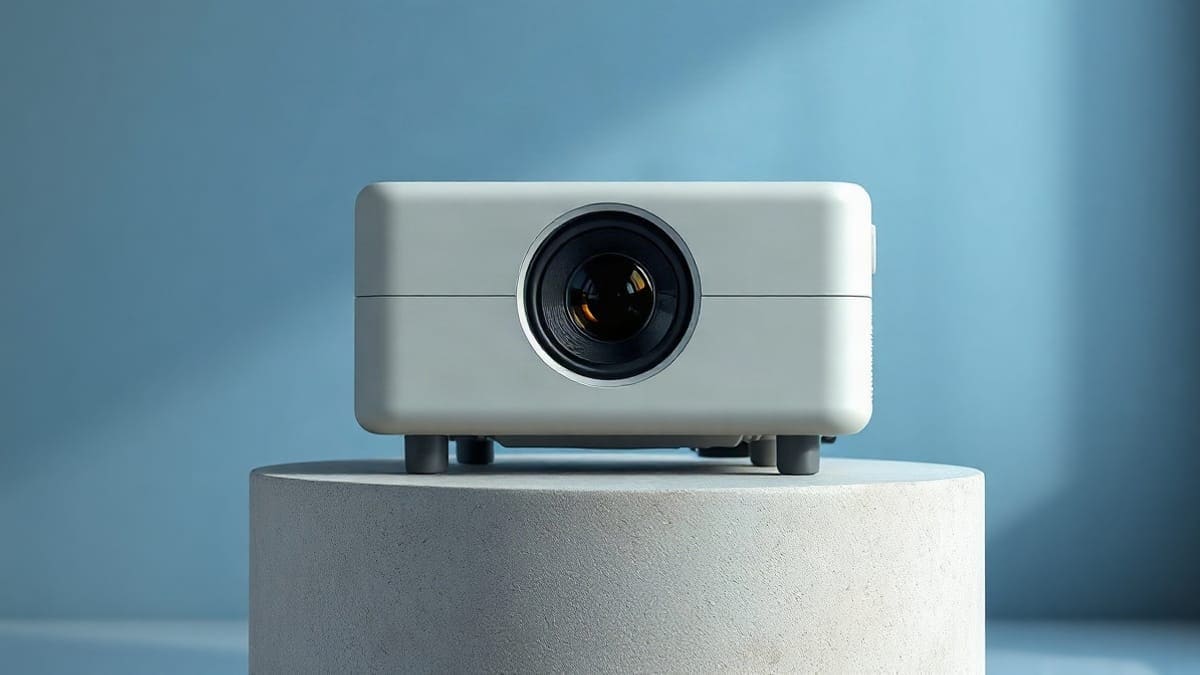
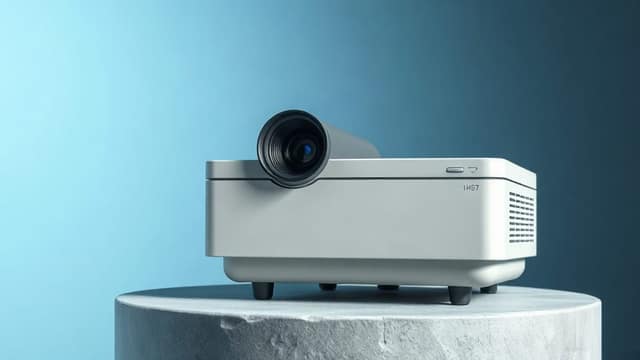
JMGO's flagship gimbal model pairs a motorized gimbal with a 1.9x zoom lens, lens shift and Dolby Vision. JMGO rates it at 5,800 ISO lumens. We found that Projector Reviews measured only about 3,000 to 3,600 lumens in normal picture modes, and 5,703 in Dynamic mode. We flag where sources disagree. It suits a bright living room and a 120 to 200 inch picture that cannot sit at one exact distance. Skip it for a dark home theater, where the blacks look gray.
Which buyer is the N3 Ultimate made for?
- Get the N3 Ultimate if the room has windows or lamps, the screen is 120 to 200 inches, and the projector must sit wherever the furniture allows. The zoom and the lens shift do that job without cutting resolution.
- Get the N1S Ultimate if you can place the projector at one fixed distance and want a lighter 9.9 lb body. It measured 2,608 to 2,792 ANSI lumens in its usual modes, so the practical brightness gap is smaller than the 5,800 versus 3,500 ratings suggest.
- Get neither if you watch mostly at night in a dark room and care about black level. The Valerion VisionMaster Max is a better fit there, with its own lens, Dolby Vision and 25,000 hours of laser life.
N3 Ultimate at a glance
- Brightness: 5,800 ISO lumens rated by JMGO. Measured: 5,703 lumens in Dynamic mode, 3,632 in Vivid, 3,076 in Standard and 3,040 in Movie (Projector Reviews, which does not say whether these are ANSI).
- Picture: 3840 x 2160 from a 0.47 inch DLP chip with pixel shifting, an RGB laser, 110% BT.2020 claimed, Dolby Vision and HDR10.
- Lens: 0.88:1 to 1.70:1 throw ratio, 1.9x manual zoom, lens shift of plus or minus 130% vertical and plus or minus 53% horizontal.
- Size: 12.14 x 10.79 x 9.05 inches, 15.4 lb, 300 W.
- Ports: 2 HDMI 2.1, one of them with eARC.
- Sound: two 12.5 W speakers, 25 W in total.
- Noise: rated 26 dB by ProjectorCentral; 28 dB in Projector Reviews' spec table.
- Warranty: 1 year.
Which JMGO N3 models are sold in the US?
The N3 Ultimate and the N3 4K are both sold in the US. JMGO says the N3 Ultimate launched on April 23, 2026, through its own store and Amazon, and a Best Buy listing exists too. ProjectorCentral lists the N3 4K as shipping since November 2025.
Other names turn up in search results, and they are less clear. JMGO has talked about an N3 Ultra Max for a global release, but we found no confirmed US retail listing. We found no sign of an N5 on sale in the US either: the only N5 item we saw was a Chinese-market model with no US date. Until JMGO or a retailer lists them, we treat both as not available to US buyers. This page therefore covers the N3 Ultimate in full and the N3 4K as its cheaper sibling.
JMGO is a Shenzhen-based company founded in 2011, according to its own About page, and we could not verify where any model is built. If you are comparing the whole brand, the JMGO projector guide puts every model in one table and says which one fits which room: the N3 Ultimate for bright rooms and big screens, the N1S 4K for a dim bedroom.
What does the N3 Ultimate data sheet say?
| Spec | N3 Ultimate | Source |
|---|---|---|
| Resolution | 3840 x 2160 (pixel shifting) | ProjectorCentral, Projector Reviews |
| Imager | 0.47 inch DLP | ProjectorCentral |
| Light source | RGB triple laser | ProjectorCentral |
| Brightness claimed | 5,800 ISO lumens | JMGO |
| Contrast claimed | 20,000:1 full on/off, 3,000,000:1 dynamic | ProjectorCentral |
| Contrast measured | about 1,500 to 1,600:1 native | Projector Reviews |
| Throw ratio | 0.88:1 to 1.70:1 | ProjectorCentral |
| Zoom | 1.9x manual | ProjectorCentral |
| Lens shift | plus or minus 130% vertical, plus or minus 53% horizontal | ProjectorCentral |
| Image size | 40 to 300 inches | ProjectorCentral |
| Throw distance | 5.0 to 19.2 feet (to the 300 inch size at 0.88:1) | ProjectorCentral |
| HDMI | 2 x HDMI 2.1, eARC on one | ProjectorCentral |
| Speakers | 2 x 12.5 W | ProjectorCentral |
| Noise | 26 dB rated | ProjectorCentral |
| Weight | 15.4 lb | ProjectorCentral |
| Power | 300 W | ProjectorCentral |
| Warranty | 1 year | ProjectorCentral |
| Processor and memory | MediaTek MT9679, 4 GB RAM, 64 GB storage | Android Authority |
Two details do not match between sources. JMGO describes a MALC 5.0 laser engine, while ProjectorCentral's highlights say MALC 3.0. A Best Buy listing names a 1.7x optical zoom, but 0.88 to 1.70 works out to about 1.93x, which agrees with ProjectorCentral. ProjectorCentral does not list a laser life for this model, so we do not state one.
Does the N3 Ultimate reach 5,800 lumens?
In normal picture modes it measures about 3,000 to 3,600 lumens, roughly 40 to 48% under the 5,800 ISO rating. Projector Reviews measured 5,703 lumens in Dynamic, 3,632 in Vivid, 3,180 in Office, 3,172 in CineTuner Master, 3,076 in Standard, 3,040 in Movie and 2,996 in Soft. On a 100 inch matte white screen, it read 342 cd/m2 before calibration and 315 cd/m2 after.
That review does not label its figures ANSI, and ISO and ANSI are different test methods (ISO 21118 is the stricter), so do not read these as a strict ANSI result. It is still the best measured picture we found. The same site measured the N1S Ultimate at 2,792 lumens in Vivid, 2,771 in Standard and 1,934 in Movie. In Movie mode, the mode most people use for films, the N3 Ultimate is about 57% brighter (3,040 against 1,934). In Standard it is about 11% brighter (3,076 against 2,771). Both tests came from one site, but method differences remain possible.
So the plain reading: the Dynamic figure matches JMGO's claim, but Dynamic is a peak setting, not a viewing mode. Plan on about 3,000 lumens. That is a lot of light for a living room, and it is the same ballpark as the N1S Ultimate's practical output. Our lumens guide explains how to size a projector to a room.
What screen size can 3,000 lumens carry?
We divide lumens by screen area in square feet for a white 1.0 gain screen. The result is foot-lamberts (fL), a rough measure of brightness on screen. We use 3,000 lumens for normal modes and 5,703 for Dynamic.
| Screen size | Area | At 3,000 lm | At 5,703 lm (Dynamic) |
|---|---|---|---|
| 100 in | 29.7 sq ft | 101 fL | 192 fL |
| 120 in | 42.7 sq ft | 70 fL | 133 fL |
| 150 in | 66.8 sq ft | 45 fL | 85 fL |
| 200 in | 118.7 sq ft | 25 fL | 48 fL |
| 300 in | 267 sq ft | 11 fL | 21 fL |
The cinema target is 16 fL. A 200 inch picture clears it at 25 fL even in a normal mode. A 300 inch picture, the size JMGO quotes, drops to 11 fL in a normal mode and only reaches 21 fL in Dynamic. These are best-case figures. Lasers fade with use, and a painted wall is not a perfect screen. For a lit room, an ALR screen recovers part of what ambient light takes away, and our projector screen guide covers the types.
How does the 3-in-1 lens work, and where do you put the projector?
You can place it anywhere from about 6.4 to 12.4 feet from a 100 inch screen, because the zoom lens covers a 0.88:1 to 1.70:1 throw ratio. JMGO calls the lens, the shift and the gimbal a "3-in-1 optical system". The point is that you correct the picture with optics, not with digital keystone, which would shave pixels.
We calculate the distance as screen width times the throw ratio, for a 16:9 screen.
| Screen size | Screen width | Closest (0.88:1) | Farthest (1.70:1) |
|---|---|---|---|
| 100 in | 87.2 in | 6.4 ft | 12.4 ft |
| 120 in | 104.6 in | 7.7 ft | 14.8 ft |
| 150 in | 130.7 in | 9.6 ft | 18.5 ft |
| 200 in | 174.3 in | 12.8 ft | 24.7 ft |
| 300 in | 261.4 in | 19.2 ft | 37.0 ft |
The closest distance at 300 inches (19.2 feet) agrees with ProjectorCentral's maximum throw distance. If your room is shorter than the table needs, use our throw distance calculator.
What does lens shift do for you?
It moves the picture up, down or sideways without tilting the projector, with no loss of resolution. The N3 Ultimate shifts plus or minus 130% vertically and plus or minus 53% horizontally. A vertical shift of 130% is a big range: it is what lets a shelf or a ceiling mount sit well off the screen's center. Projector Reviews praised the lens shift for not reducing brightness or resolution. Our page on what lens shift is explains the numbers.
How does the gimbal and AI alignment work?
The projector body sits in a motorized gimbal and pivots itself. Projector Reviews found the auto-alignment "worked almost flawlessly" and that it picked the right screen when two screens overlapped. An "AI spatial memory" saves zoom, shift and geometry for several rooms and recalls them with one press. The reviewer says the recall is "supposed to" work this way, so it was not fully proven in testing. The remote's gimbal button is very sensitive for fine aiming.
What changes from the N1S Ultimate?
The N3 Ultimate adds a zoom lens, motorized lens shift, Dolby Vision and about 5.5 lb of weight. The N1S Ultimate keeps a lower rating and a fixed 1.2:1 lens. The two share a 4K pixel-shifted DLP chip, two HDMI 2.1 inputs and a Google TV platform.
| N3 Ultimate | N1S Ultimate | |
|---|---|---|
| Brightness rated | 5,800 ISO lumens | 3,500 ANSI lumens |
| Brightness measured, normal modes | about 3,000 to 3,600 lm | about 2,600 to 2,800 ANSI lm |
| Throw ratio | 0.88:1 to 1.70:1 | 1.2:1 fixed |
| Zoom | 1.9x | none |
| Lens shift | plus or minus 130% V, 53% H | none (gimbal aims the picture) |
| Dolby Vision | yes | no (HDR10, HLG) |
| Weight | 15.4 lb | 9.9 lb |
| Speakers | 2 x 12.5 W | 2 x 10 W |
| Contrast, native | about 1,500 to 1,600:1 | 1,420:1 measured |
| Gimbal | motorized, AI alignment | 360 degree pan, 135 degree tilt |
The N3 figure is steady across sources at 15.4 and 15.32 lb. A projector that heavy wants a sturdy shelf or a proper mount, not a flimsy stand.
Read the table as a trade. The N3 Ultimate does not buy you a deeper picture, since the native contrast is about the same. It buys you freedom to place it, Dolby Vision and a bit more light. For the lighter model and the full N1S family, see the N1S Ultimate review, the N1S 4K review and the N1S Ultra versus N1 Ultra comparison.
How do color, HDR and Dolby Vision look on the N3 Ultimate?
Color and Dolby Vision are strong; black level is the weak point. After calibration the average RGB error dropped from 4.73 to 0.9 and color tracking from 6.15 to 1.3, with a color temperature of 6,495 K and gamma 2.21. Projector Reviews measured over 120% of DCI-P3, against JMGO's claim of 110% of BT.2020. Red stayed slightly undersaturated after calibration.
Dolby Vision looks excellent and keeps shadow detail. HDR10 is weaker: the static tone mapping crushes dark detail. HDR10+ is not supported and falls back to HDR10, and the motion smoothing (MEMC) is unavailable while Dolby Vision is on.
Does the N3 Ultimate have true black?
No. Projector Reviews says blacks look like hazy charcoal gray. The projector has no physical iris, and its electronic laser dimming leaves some light leakage and contrast pumping. The 20,000:1 figure is a claim for the full on/off ratio with dimming, while the measured native contrast is about 1,500 to 1,600:1. TechRadar's headline calls it very bright but less compelling at night, which matches that reading. In a dark room, an OLED or a projector with a deeper black will look better.
What about rainbow artifacts?
Single-chip DLP projectors can show rainbow flashes. The review says the N3 Ultimate handles it adequately for most viewers, with white subtitles on black the typical trigger. Someone who sees rainbows easily should test a projector at home first, within the return window.
Is the N3 Ultimate good for gaming?
It is built for it on paper, with two HDMI 2.1 inputs and a low-latency mode, but check the refresh rate claims before you buy. JMGO quotes 1 ms input lag, VRR and MEMC. Projector Reviews cites about 1 ms at 1080p 240 Hz and 3 ms at 4K 60 Hz in its text, and its table lists figures between about 2 and 14 ms that we could not reconcile with the text. ProjectorCentral lists up to 240 Hz, and JMGO's own page lists both 240 Hz and 60 Hz. The review lists no 120 Hz support at 4K.
For a console player the practical result is low single-digit lag at 60 Hz. If you plan to run 4K at 120 Hz, confirm the refresh rate on JMGO's current spec sheet first. Our gaming projector page compares models by lag and ports.
What is the software like?
Google TV runs on a MediaTek MT9679 chip with 4 GB of RAM and 64 GB of storage. Projector Reviews found it mostly fluid but bogged down several times, with sponsored recommendations on the home screen. AppleInsider's headline verdict is "great setup, excellent picture, bad software". The built-in sound is a 25 W pair of side-firing speakers: crisp voices, a wide soundstage and no real bass. Use eARC on HDMI 2 with a soundbar or an AV receiver for better sound.
Which setup steps are specific to the N3 gimbal and zoom?
Plug it in, point it at a flat wall, let it auto-focus and square the picture, then sign in to Google TV. The N3 Ultimate adds one step the N1S models lack: use the remote to set zoom and shift, then save the position in the spatial memory.
To connect a source, use one of the two HDMI 2.1 ports, or cast from a phone through Google Cast; our guides on connecting a projector to a laptop and connecting a phone to a projector cover cables and wireless options. To change the language, open the Google TV settings, which the N3 Ultimate runs, and look under System. For a restart or a factory reset, we could not read JMGO's manual, so use our reset guide and confirm the steps in the manual. A general walk-through is in how to use and set up a projector.
How does the JMGO N3 4K differ from the N3 Ultimate?
The N3 4K is a smaller, lighter and much dimmer sibling: 1,800 ISO lumens, 7.9 lb, a 1.3x zoom and no lens shift. ProjectorCentral lists it as shipping since November 2025, with Google TV and two HDMI inputs. It is the model for a dim room and a 100 to 120 inch picture. It is not a daytime projector.
Side by side, the N3 4K has a 1.0:1 to 1.3:1 throw ratio against 0.88:1 to 1.70:1, and a 1.3x manual zoom against 1.9x. It has no lens shift. It weighs 7.9 lb against 15.4 lb, measures 7.68 x 9.65 x 8.78 inches against 12.14 x 10.79 x 9.05, draws 240 W against 300 W and uses two 10 W speakers against two 12.5 W. Both are rated 26 dB, and its full on/off contrast is 1,600:1 against a claimed 20,000:1.
At 1.0:1 to 1.3:1 the N3 4K sits 7.3 to 9.4 feet from a 100 inch screen. JMGO lists a 4K projector at this level in a different price tier from the Ultimate, so check current prices: N3 4K. If you want a cheaper step in JMGO's gimbal line, the N1S 4K is the lightest, at 4.4 lb.
Which projector should you compare it with?
The three rivals that matter are the N1S Ultimate for price and weight, the XGIMI Horizon Ultra for a lighter zoom lens, and the Valerion VisionMaster Max for black level and build.
| Projector | Rated brightness | Lens | Weight | Noise | Dolby Vision | Laser life |
|---|---|---|---|---|---|---|
| JMGO N3 Ultimate | 5,800 ISO lm | 1.9x zoom, shift 130% V / 53% H | 15.4 lb | 26 dB | yes | not listed |
| JMGO N1S Ultimate | 3,500 ANSI lm | fixed 1.2:1 | 9.9 lb | 26 dB | no | 30,000 h |
| XGIMI Horizon Ultra | 2,300 ISO lm | 1.25x zoom, no shift | 11.5 lb | 28 dB | yes | 25,000 h |
| Valerion VisionMaster Max | 3,500 ISO lm | 1.67x zoom, shift 55% V only | 16.5 lb | 28 dB | yes | 25,000 h |
The XGIMI Horizon Ultra is the lighter pick with a 1.25x powered zoom, a 1.2:1 to 1.5:1 ratio and a 4.3 to 17.5 foot throw range. It is far dimmer on paper, at 2,300 ISO lumens, and has no lens shift. The Valerion VisionMaster Max has a 0.9:1 to 1.5:1 lens, one HDMI 2.0 and two HDMI 2.1 ports, and a 16.5 lb body. Engadget's review concluded that it is not worth the extra money over rivals for most people, so judge it against your own budget. Its brightness rating differs by source (3,500 ISO on ProjectorCentral), which is another reminder to compare like with like. For another bright option, see the XGIMI Horizon 20 Max, and for the whole field our best projector guide.
Who should buy the N3 Ultimate, and who should not?
Best for: a living room with daylight, a 120 to 200 inch picture, a shelf or ceiling spot that is not at the right distance, and Dolby Vision streaming. Not for: a dark home theater where black level rules, a buyer who needs 4K 120 Hz gaming confirmed, or someone who wants a light projector at 15.4 lb.
Best for the N1S Ultimate: one fixed distance, a smaller room, a lighter body. Not for it: zoom, shift and Dolby Vision.
For a ranked list across brands, read our laser projector roundup, the 4K laser projector picks and the home theater picks. If the room is bright, our guide to projectors for daylight covers what to look for. For church halls, see projectors for church.
Why pay for a laser light source at all?
In most ways that matter at home, yes: a laser starts instantly, keeps its brightness longer and does not need a bulb change. Laser is the light source, not the resolution: a laser projector can be 1080p, and a lamp projector can be 4K. The N3 Ultimate is both laser and 4K. That also answers the question of laser versus a 2K projector: they are different features, and the real comparison is the number of pixels and the lumens. Our laser versus DLP versus LCD guide separates the light source from the chip type. A laser projector is good value when it is bright and long-lived; it is not better if the black level is poor, as the N3 Ultimate shows.
For what a laser projector is and how the light engine works, read what is a laser projector. For the cheaper end of the market, the budget projector page is the place to start; the N3 Ultimate is in the premium tier. For how it compares with a TV, see projector vs TV, which also covers whether a laser projector can replace a TV. For a ceiling install, see best ceiling mounted projector and plan for its 15.4 lb.
For the best laser projector overall, the laser projector roundup ranks them. For golf simulators, that is a separate niche we do not cover here. For the price of a 4K laser model, check current prices and see how much a projector costs; for the Hisense laser TV, see Hisense laser TV.
FAQ
Does the N3 Ultimate justify its premium tier?
Yes, for a bright room and a 120 to 200 inch picture. You pay for a zoom lens, lens shift, Dolby Vision and about 3,000 to 3,600 measured lumens in normal modes. It is not worth it for a dark room, where the gray black level shows. Check current price before you decide.
Is the N3 Ultimate sold in the US?
Yes. JMGO says it launched in the US on April 23, 2026, through its store and Amazon, and Best Buy lists it. The N3 Ultra Max and the N5 have no confirmed US listing.
Does the JMGO N3 Ultimate have Dolby Vision?
Yes. ProjectorCentral and Projector Reviews both list it. Dolby Vision keeps shadow detail better than the HDR10 mode, which crushes darks. HDR10+ is not supported.
Does it have a zoom lens and lens shift?
Yes to both. The zoom is manual at 1.9x with a 0.88:1 to 1.70:1 throw ratio. The lens shift is plus or minus 130% vertical and plus or minus 53% horizontal.
Where can you buy the JMGO N3 Ultimate?
From JMGO's own store, from Amazon and from Best Buy. JMGO's store lists a 12-month warranty and a 30-day return window for eligible products, according to our JMGO guide; confirm the terms on the page you buy from. Check current price on each.
Is the JMGO N3 Ultimate good for gaming?
It has two HDMI 2.1 ports and quotes 1 ms of lag, but its 4K 120 Hz support is not confirmed in the review we read. For 4K 60 Hz play, expect about 3 ms. Confirm the refresh rate before you buy for a console.
Does the N3 Ultimate need any laser safety care?
We found no eye-safety rating for the N3 Ultimate in the sources we read, so follow the safety notice in JMGO's manual. The sensible rule is the same for any projector: do not look into the lens, and keep the gimbal away from children and pets while it moves.
Do laser projectors get hot?
They draw power and give off heat: the N3 Ultimate draws 300 W. Projector Reviews found the cooling fans quiet and not noticeable in quiet scenes, with the spec sheet at 28 dB.
Do laser projectors have bulbs or lamps?
No. A laser projector has no lamp to replace. Light comes from laser diodes, so you do not buy replacement bulbs.
Do laser projectors dim over time or burn out?
They dim slowly, as every light source does. JMGO rates the N1S Ultimate laser at 30,000 hours, XGIMI and Valerion list 25,000 hours for the Horizon Ultra and VisionMaster Max. ProjectorCentral lists no laser life for the N3 Ultimate. A laser does not burn out like a bulb, but its brightness fades gradually. See how long projectors last.
How long do laser projectors last?
At 30,000 hours, a projector used 4 hours a day lasts about 20 years; at 25,000 hours, about 17 years. These are maker ratings, and not every model publishes one. The N3 Ultimate's laser life is not listed by ProjectorCentral. The full answer is in how long do projectors last.
Sources
- ProjectorCentral, JMGO N3 Ultimate specifications
- ProjectorCentral, JMGO N3 4K specifications
- Projector Reviews, JMGO N3 Ultimate 4K RGB laser projector review
- JMGO, N3 Ultimate announcement
- Android Authority, JMGO N3 Ultimate launch
- Notebookcheck, JMGO N3 4K in the US
- TechRadar, JMGO N3 Ultimate review (headline)
- AppleInsider, JMGO N3 Ultimate review (headline)
- ProjectorCentral, XGIMI Horizon Ultra
- ProjectorCentral, Valerion VisionMaster Max
- Engadget, Valerion VisionMaster Max review
Keep comparing
 Epson ProjectorsHome Cinema, EpiqVision and Pro Cinema models with lumens, 3LCD color brightness, lamp or laser life
 XGIMI ProjectorsHorizon 30, Horizon 20, Titan Noir, Aura, MoGo 4, Halo+ and Elfin Flip, with lumens, throw distance, Netflix
 Samsung Freestyle Projector ReviewReal brightness, battery limits, apps and four rivals, both generations
 Valerion ProjectorsVisionMaster Max, Pro 2, Pro, Plus 2, StreamMaster Plus 2 and Plus, with lumens, throw distance