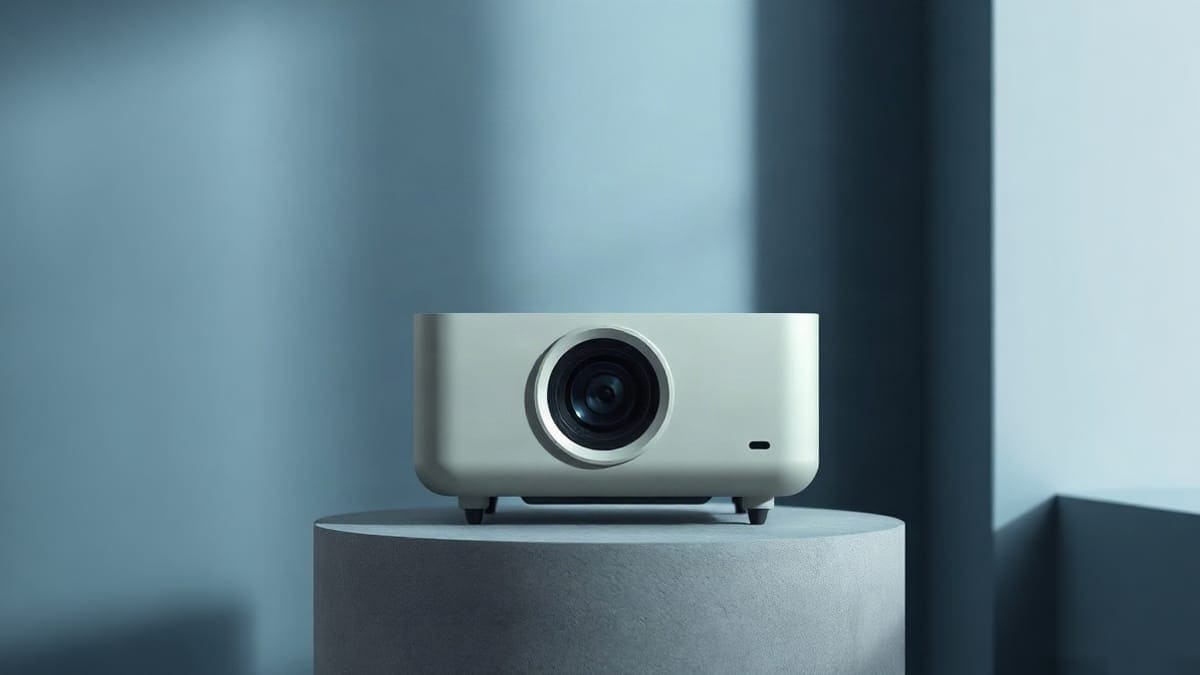
We read the spec sheets and the published reviews of this JMGO projector, which draws a 79 to 151 inch 4K picture from 0.9 to 1.8 feet away. ProjectorCentral lists 3,600 ISO lumens, 9.9 lb, two HDMI 2.1 inputs and Dolby Vision. It fits a living room with a low cabinet under the screen and a dimmable room or an ALR screen. It is the wrong pick for a backyard, an uneven wall, or a tight budget.
Should you get the O2S Ultra? The short version
- Get the O2S Ultra if you want a 100 to 120 inch picture with nothing in the middle of the room, a living room that gets some daylight, and a projector that is only 9.9 lb and 5.5 inches tall.
- Get the Hisense PX3-Pro if you want the louder built-in sound (50 W against 20 W) and a longer warranty (2 years against 1), and you can live with 19.8 lb.
- Get the Hisense PX4-Pro if you want a 200 inch range and a rated 3,500 ANSI lumens from Hisense's newest model; it runs VIDAA OS instead of Google TV.
- Neither if the room is a dark basement and the budget is tight. A standard throw projector with lens shift costs less and does not need a flat screen two inches from the beam.
Quick answer
- Brightness: 3,600 ISO lumens (ProjectorCentral spec table); the same page quotes 3,200 CVIA lumens in its highlights. No ANSI figure is published.
- Throw ratio: 0.16:1 in the spec table, 0.18:1 in the page highlights. Distance from the lens to the screen is 0.9 to 1.8 feet.
- Picture: 3840 x 2160 from a single DLP chip, 79.17 to 150.59 inches, HDR10 and Dolby Vision.
- Ports: 2 x HDMI 2.1 (one with eARC), 1 x USB-A, optical audio out, Ethernet.
- Sound: two 10 W speakers tuned with Dynaudio, 20 W in total.
- Body: 9.9 lb (4.5 kg), 12.28 x 11.42 x 5.51 inches, 26 dB noise rating, 1-year warranty, released October 2025.
- Screen: plan on an ALR screen made for ultra short throw. A white wall works only in a dark room.
What is the JMGO O2S Ultra?
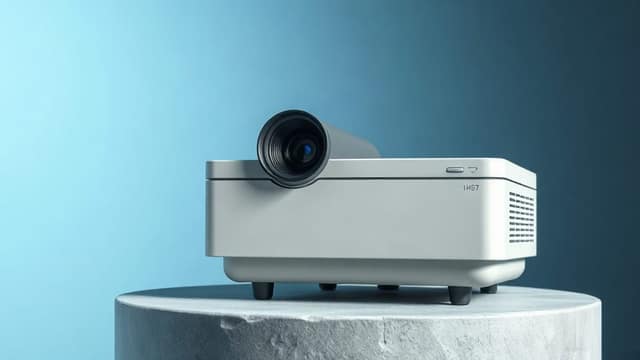
The O2S Ultra is JMGO's current ultra short throw model, the 4K triple laser model of the O-series. JMGO makes three families: the N-series gimbal projectors that point at a wall from a table, the O-series that sit under the screen, and small Pico models. Our JMGO lineup page compares all of them.
It is a laser TV in the common sense of the term: a projector and a screen that replace a television. If that word is new to you, what is a laser TV explains the idea in a few paragraphs. For how ultra short throw works in general, which questions people ask about it, and how the whole class compares, see our ultra short throw projector guide. That guide also answers what the term means, how these projectors work, how well they work, which one is best, which is the cheapest or the brightest, and whether you can ceiling mount one in general. This page stays on one model.
ProjectorCentral lists the O2S Ultra as shipping since October 2025, with a 1-year warranty and a "home theater" use. The projector uses a fixed lens with powered focus, with no lens shift and no zoom. Place it correctly the first time, because you cannot slide the image around with the lens.
JMGO O2S Ultra specs at a glance
| Spec | JMGO O2S Ultra | Source note |
|---|---|---|
| Brightness | 3,600 ISO lumens | 3,200 CVIA in highlights |
| Resolution | 3840 x 2160 | pixel shifting from a 0.47 inch chip per two reviews |
| Light source | RGB triple laser | hours not listed by ProjectorCentral |
| Contrast | 4,000:1 native | 3,000,000:1 dynamic, maker claim |
| Color | 110% of BT.2020 | maker claim |
| Throw ratio | 0.16:1 | 0.18:1 in highlights |
| Image size | 79.17 to 150.59 in | 2 to 3.8 m diagonal |
| Throw distance | 0.9 to 1.8 ft | measured to the lens |
| HDR | HDR10, Dolby Vision | one launch article adds HDR10+ and HLG |
| Speakers | 2 x 10 W | Dynaudio tuning |
| Noise | 26 dB | rating, not measured by us |
| Weight | 9.9 lb | one article says 6.5 kg |
| Size (H x W x D) | 5.51 x 12.28 x 11.42 in | 140 x 312 x 290 mm |
| Warranty | 1 year |
The figures come from ProjectorCentral's O2S Ultra page, checked in November 2026, and from reviews cited below. We list the disagreements right in the table because three of the headline numbers (lumens, throw ratio, weight) vary by source.
Where do the sources disagree?
Four numbers differ between the pages we read, and none of the differences is a reason to avoid the projector. They are reasons to read a spec sheet carefully.
Brightness. JMGO and ProjectorCentral's table say 3,600 ISO lumens, a Japanese review says 3,650 ISO, and ProjectorCentral's own highlights cite 3,200 CVIA lumens. These are different test methods. We did not find an independent measurement in ANSI lumens, so we cannot tell you what the projector puts on the screen in its brightest mode.
Throw ratio. 0.16:1 appears in the table and in two reviews, 0.18:1 in the highlights. We use 0.16:1 for our calculations and leave a margin when you cut the cabinet.
Weight. ProjectorCentral and two reviews give 9.9 lb (about 4.5 kg). A launch article gives 6.5 kg (14.3 lb). We use 9.9 lb because three sources agree, but if the shelf is near its weight limit, weigh the box.
Laser life. ProjectorCentral lists no hours. A launch article says 30,000 hours in Eco or Normal mode. That is a company claim for a launch product, and we treat it as unconfirmed.
How far from the wall does the JMGO O2S Ultra sit?
For a 100 inch picture, the lens sits about 14 inches (1.2 feet) from the screen, by our calculation from the 0.16:1 ratio. The distance equals 0.16 times the picture width, and a 16:9 picture is 87.2% of its diagonal wide. That gives the following.
| Picture size | Picture width | Lens to screen (0.16:1) | Picture height |
|---|---|---|---|
| 80 inches | 69.7 in | 11.2 in (0.9 ft) | 39.2 in |
| 100 inches | 87.2 in | 14.0 in (1.2 ft) | 49.0 in |
| 120 inches | 104.6 in | 16.7 in (1.4 ft) | 58.8 in |
| 150 inches | 130.7 in | 20.9 in (1.7 ft) | 73.5 in |
That matches ProjectorCentral's 0.9 to 1.8 foot range at the 79 and 151 inch ends. JMGO's own launch material quotes a smaller number for 100 inches, about 6.6 inches (16.8 cm), and a range of 3.5 to 14.6 inches (9 to 37 cm) from the screen. The difference is probably the reference point: the projector's front edge against the lens plane. We could not confirm which point JMGO uses. So measure from the screen to the lens opening, and leave 1 to 2 inches of margin. Use our throw distance calculator for other sizes.
Two limits follow. First, the cabinet must be deep enough: the body is 11.4 inches front to back, so a cabinet at least 12 inches deep is the minimum, and 14 to 16 inches leaves room for the cables and air. Second, the top must be level and parallel to the wall, because digital correction can soften the edges.
For furniture that is built for this job, see UST projector cabinets and stands for ultra short throw projectors.
How big is the picture?
The O2S Ultra draws 79.17 to 150.59 inches, and the sweet spot is 100 to 120 inches. At 100 inches the picture is 87.2 x 49.0 inches. At 120 inches it is 104.6 x 58.8 inches. At 150 inches it is 130.7 x 73.5 inches, which is a lot of wall: check that the surface is at least 11 feet wide.
Above 120 inches the picture gets dimmer in feet-lamberts and wall flaws show. Below 79 inches the projector cannot go, so for 65 to 77 inches buy a television.
Is the O2S Ultra bright enough for a room with daylight?
It is bright enough for a living room with the curtains half drawn, and it is not bright enough for a sunny room with the sun on the screen. Our calculation divides the 3,600 ISO lumens by the picture area on a 1.0 gain screen. Real output is lower, because ISO figures are not ANSI figures and the picture modes that look best run dimmer.
| Picture size | Screen area | Best case on 1.0 gain |
|---|---|---|
| 80 inches | 19.0 sq ft | 190 fL |
| 100 inches | 29.7 sq ft | 121 fL |
| 120 inches | 42.7 sq ft | 84 fL |
| 150 inches | 66.8 sq ft | 54 fL |
A cinema is tuned to about 16 fL. Even if the projector delivers only half the rated lumens in a calibrated picture mode, a 100 inch picture still sits far above that in the dark, which leaves room for daylight. Our lumens guide explains the method. For rooms with strong sun, projectors for bright rooms and daylight projectors list brighter options, and the shortlist below shows the three other UST models we checked.
A retailer bundle pairs the projector with a 100 inch ALR screen it claims blocks 95% of room light. That is a seller claim, and we did not verify it. A reviewer at Son-Video, who tested with an ALR screen, said blacks were the best he had seen from a DLP projector, and also noted slightly uneven brightness with faint corner vignetting on light backgrounds.
Do you need an ALR screen with the O2S Ultra?
Yes, if the room is not fully dark. An ALR (ambient light rejecting) screen made for ultra short throw sends the picture back toward your eyes and rejects light that comes from other directions, such as a lamp or a window. The beam comes from below at a steep angle, which is what these screens are built for. Son-Video tested with a 100 inch ALR UST screen from Lumene and praised the contrast. We have not seen the projector tested on a white wall in a measured review.
On a plain white wall, in a dark room, the picture works, but blacks turn gray and every texture or bump on the wall shows. A UST beam grazes the wall at a steep angle, which makes bumps and ripples easy to see. The screen must be flat, which in practice means a fixed-frame screen or a rigid floor-rising one.
Our guides cover the choice: what is an ALR screen, best ALR projector screens and best UST projector screens. If you wonder whether you need any screen at all, do you need a screen for a projector answers it for the general case. The 100 and 120 inch sizes are the most common, and a 100 inch screen at 16:9 measures 87.2 x 49.0 inches, so budget the wall space for the frame too.
Can you ceiling mount or turn the JMGO O2S Ultra upside down?
We could not confirm that JMGO supports ceiling mounting for the O2S Ultra, so treat a cabinet or a stand as the supported placement. ProjectorCentral lists digital keystone in both directions and no lens shift. We found no JMGO document, in the pages we could open, that describes an inverted ceiling mode. Before you drill, ask JMGO support in writing, because the warranty is 1 year and a fall from a ceiling is not covered by anything we read.
If you need a ceiling mount for ultra short throw in general, we cover the hardware and the limits in best short throw projector ceiling mount.
How does setup work on the O2S Ultra?
The projector does autofocus, automatic keystone, screen detection and framing on its own, per Son-Video. The same review lists 14 manual adjustment points on the edges, for the cases where the wall is not perfect.
- Put the cabinet level, with the projector centered under the screen and parallel to it.
- Set the distance for your picture size from the table above, then power it on.
- Run the automatic correction and look at a grid of lines on the picture.
- If a line bows, use the edge points. Do not push correction to the limit: each step softens the picture.
Aligning an ultra short throw projector is the step that makes or breaks the picture, and it is why a cabinet with a level top matters more than any picture setting. For other brands and the general steps, see how to use and set up a projector.
Pair it with a phone or laptop through Wi-Fi 6, Bluetooth 5.2 and Chromecast, or through HDMI. The steps are the same as on other projectors: see how to connect a phone to a projector and how to connect a projector to a laptop. See also projector as a TV.
How good is the picture?
The picture is the best part of this projector, according to the one detailed review we could open. Son-Video's reviewer called the blacks the best he had seen on a DLP projector, praised the natural color, and said the motion was smooth. The company claims 110% of BT.2020 and a delta E under 1 out of the box. Those are company claims, and the reviewer did not publish his own color measurements.
The same review lists the flaws:
- slightly uneven brightness, with faint corner vignetting on light backgrounds;
- some loss of detail in dark areas of high-contrast scenes;
- a glossy front panel that shows fingerprints and dust;
- no third HDMI input and no USB 3.0 port.
HDR. ProjectorCentral lists HDR10 and Dolby Vision. A launch article also lists HDR10+ and HLG; another source says they are not supported. We could not settle it. If HDR10+ matters to you, ask JMGO. For the wider field of projectors that handle Dolby Vision, see best Dolby Vision HDR projectors.
4K. ProjectorCentral says one DLP chip at 3840 x 2160. Two other reviews say the chip is 0.47 inch with a 1080p grid and uses pixel shifting (XPR) to reach 4K, certified as 4K UHD. Our 4K ultra short throw projector guide covers the ultra short throw models that do it.
Is the JMGO O2S Ultra good for gaming?
It is good for console gaming and not built for competitive play. It has two HDMI 2.1 ports, supports 120 Hz at 1080p and 60 Hz at 4K, and ALLM is listed in a launch article. ProjectorCentral publishes no input lag number. The launch article claims 15 to 16 ms at 1080p/120 Hz and 20 ms at 4K/60 Hz, which are company numbers we could not confirm. A reviewer who played a PS5 (Gran Turismo 7) said low-latency mode noticeably reduced lag, and called it fine for immersive play but not for the most demanding competitive games.
The two HDMI ports are the practical limit: a console on one and a soundbar on eARC on the other fills both. A third device needs a switch. See best gaming projectors for models with lower published lag.
How is the sound?
The built-in sound is good for a bedroom or a small living room, and a soundbar helps in a big one. Two 10 W drivers tuned with Dynaudio give 20 W in total, with bass rated down to 40 Hz by the maker. The reviewer found the sound full and balanced, with clear voices and more bass than expected, and less punchy than a Hisense soundbar the reviewer used as a comparison. The optical output carries only compressed 5.1 (Dolby Digital, DTS); for Dolby Atmos or DTS:X, use eARC to a soundbar or receiver.
What laser life does JMGO claim for the O2S Ultra?
No hours are listed on ProjectorCentral. A launch article quotes 30,000 hours in Eco or Normal mode. At 4 hours a day, our calculation puts 30,000 hours at 20.5 years; at 8 hours a day, 10.3 years. See how long projectors last for the general case with lamps, LEDs and lasers.
JMGO O1 Pro vs O2S Ultra
The O1 Pro is the older, cheaper and dimmer ultra short throw model, and ProjectorCentral marks it discontinued since April 2024. It was released in September 2021. If you find one new, compare it, but it is a 1080p LED projector and the O2S Ultra is a 4K laser.
| O2S Ultra | O1 Pro | |
|---|---|---|
| Resolution | 3840 x 2160 | 1920 x 1080 |
| Light source | RGB laser | LED, 45,000 hours |
| Brightness | 3,600 ISO lm | 600 CVIA lm (maker) |
| Throw ratio | 0.16:1 | 0.21:1 |
| Picture size | 79 to 151 in | 70 to 150 in |
| Distance | 0.9 to 1.8 ft | 1.1 to 2.3 ft |
| HDMI | 2 x HDMI 2.1 | 2 x HDMI |
| Input lag | not listed | 30 ms at 1080p/60 |
| Weight | 9.9 lb | 8.8 lb |
| Operating system | Google TV | Luna OS with Alexa |
The O1 Pro is a 1080p projector. Brightness figures for it vary wildly by source (CVIA, ISO and ANSI all appear, with different numbers), so we only quote the maker's 600 CVIA lumens that ProjectorCentral prints and do not compare it with the O2S Ultra's 3,600 ISO lumens. The CVIA and ISO methods differ, but a 6 to 1 gap is far bigger than any method difference. The O1 Pro belongs in a dark room.
You will also see the names O1, O2 Ultra, O2 Pro and O3 Pro in searches. We found no spec sheet for the last three that we could confirm, so we do not compare them.
How does it compare with the Hisense PX3-Pro and PX4-Pro?
The O2S Ultra is the lightest and smallest of the three, and the Hisense models have the bigger sound. The PX3-Pro numbers come from ProjectorCentral and our best projector guide; the PX4-Pro numbers come from Hisense's US release, which leaves several lines blank.
| JMGO O2S Ultra | Hisense PX3-Pro | Hisense PX4-Pro | |
|---|---|---|---|
| Brightness | 3,600 ISO lm rated | 3,000 ANSI lm rated | 3,500 ANSI lm rated |
| Throw ratio | 0.16:1 | 0.22:1 | not published |
| Distance range | 0.9 to 1.8 ft | 0.8 to 2.4 ft | not published |
| Image size | 79 to 151 in | 50 to 150 in | 80 to 200 in |
| HDMI | 2 x 2.1 | 2 x 2.1 + 1 x 2.0 | not published |
| Speakers | 2 x 10 W | 50 W Harman Kardon | Devialet tuned, wattage not published |
| Weight | 9.9 lb | 19.8 lb | not published |
| Laser hours | not listed | 25,000 | not published |
| Warranty | 1 year | 2 years | not published |
| Released | October 2025 | August 2024 | July 2026 |
Do not compare 3,600 ISO to 3,000 ANSI one for one. ISO 21118 is the stricter test, so the O2S Ultra's printed lead over the PX3-Pro is, if anything, understated on paper, and all three figures are maker ratings with no ANSI measurement for the JMGO. The PX3-Pro has the Editor's Choice award on ProjectorCentral and a Designed for Xbox mark. The PX4-Pro succeeds it and runs VIDAA OS, and What Hi-Fi lists no 4K at 120 Hz for it. Details are on our Hisense laser TV page.
JMGO's other path is the N3 Ultimate or the N-series, which need a throw of 8 to 13 feet instead of 1 to 2. If you have a long room and a ceiling or a shelf at the back, the N1S Ultra vs N1 Ultra comparison helps you choose; the gimbal models do not need a flat screen two inches from the beam. For other triple laser models, see best triple laser projectors.
Who should buy the O2S Ultra, and who should not?
Best for: a living room TV replacement at 100 to 120 inches, with a low cabinet under the screen; households with children or pets that cannot be near a beam; people who want one cable and a built-in smart system; buyers who want a 4K triple laser at 9.9 lb.
Not for: a backyard or a tent; a wall that cannot be made flat; a very sunny room with no ALR screen; a buyer who needs a zoom lens or lens shift; anyone who wants more than two HDMI inputs without a switch; a buyer with a tight budget, because this is a premium product.
Is the JMGO O2S Ultra worth it?
It is worth it if the alternative is a 100 inch television that does not fit your wall, your budget, or your door. We do not list prices, because they change and we have no reliable live source. The projector sits in the premium range, and the screen is a second purchase that can add a large part of the cost. Price both together before you decide.
Why do ultra short throw projectors cost so much? The lens has to bend light at a very steep angle with no distortion, and the screen must be flat and made for the job. A standard projector avoids both problems by sitting far from the wall. The extra money pays for the steep lens, the laser and the ALR screen.
Check the current price: Check price
Where to buy the JMGO O2S Ultra
Buy from JMGO's own store or an authorized retailer, because the 1-year warranty applies to those purchases. A retail bundle with a 100 inch ALR screen exists at some stores, and our JMGO lineup page says that Best Buy lists the O2S Ultra. For the general rules on stores, returns and used units, see where to buy a projector.
FAQ
Can the O2S Ultra work without Wi-Fi?
Yes for HDMI sources and Ethernet. The projector has two HDMI 2.1 ports and an Ethernet port, so a console, a Blu-ray player or a streaming box works without Wi-Fi. The built-in Google TV apps need an internet connection, by cable or by Wi-Fi 6.
What operating system does the JMGO O2S Ultra run?
Google TV with Google Assistant and Chromecast. Two reviews list a MediaTek MT9679 processor, 4 GB of RAM and 64 GB of storage. App availability, including Netflix, is something to check on the store page before you buy, since Netflix is not confirmed by the maker for this model; see best projector for Netflix.
Does the O2S Ultra have a remote and a manual?
Reviews list Google Assistant voice control. We did not confirm what ships in the box or find a downloadable manual on the pages we could open, so use the JMGO support page for the user manual and firmware updates.
How many HDMI ports does it have, and is there eARC?
Two HDMI 2.1 ports, one with eARC, plus one USB-A, an optical audio output and an Ethernet port. There is no third HDMI input.
How loud is the fan?
ProjectorCentral lists 26 dB, and a launch article says under 30 dB in Normal mode. One reviewer called the cooling very quiet in a living room. We have no independent decibel measurement.
Can a UST projector work on a plain white wall?
In a dark room, yes, with gray blacks and visible wall flaws. In a room with light, take an ALR screen made for ultra short throw. See the screen section above.
Does it fit in a cabinet or on a stand?
Yes, if the cabinet is at least 12 inches deep, level and strong enough for 9.9 lb. The body is 12.3 inches wide and 5.5 inches tall. Leave space for air and cables.
What about the O2S Ultra and the O2 Ultra?
We found no spec sheet for an O2 Ultra we could confirm, and we do not compare it. Use the O2S Ultra's ProjectorCentral page for the model sold today.
Can you use the projector with a phone or a laptop?
Yes: cast with Chromecast over Wi-Fi 6, pair a phone with Bluetooth 5.2, or plug a laptop in by HDMI. A 4K signal needs HDMI 2.1 or a good HDMI 2.0 cable. See our connection guides linked above.
What if the picture is not straight?
Run the automatic correction, check that the cabinet is level and parallel to the wall, and then use the 14 edge points. If the screen itself is wavy, no setting can fix it.
Sources
- ProjectorCentral, JMGO O2S Ultra: spec table and highlights.
- ProjectorCentral, JMGO O1 Pro: O1 Pro specs.
- ProjectorCentral, Hisense PX3-Pro: PX3-Pro specs and award.
- Son-Video review of the O2S Ultra: setup, image, gaming, sound.
- AVCesar launch article: manufacturer launch figures (laser hours, input lag).
- PHILE WEB review: ISO lumens, weight, noise.
- JMGO global store: official product pages.
Keep comparing
 Epson ProjectorsHome Cinema, EpiqVision and Pro Cinema models with lumens, 3LCD color brightness, lamp or laser life
 XGIMI ProjectorsHorizon 30, Horizon 20, Titan Noir, Aura, MoGo 4, Halo+ and Elfin Flip, with lumens, throw distance, Netflix
 Samsung Freestyle Projector ReviewReal brightness, battery limits, apps and four rivals, both generations
 Valerion ProjectorsVisionMaster Max, Pro 2, Pro, Plus 2, StreamMaster Plus 2 and Plus, with lumens, throw distance